Learn more
Picture your Monday morning standup. Someone asks, ‘Who is free to pick up the Denver account?’ and three different people answer at once, each convinced the other is slammed with work. Nobody is lying. Nobody actually knew. Resource scheduling software exists precisely to kill that guessing game, replacing three conflicting answers with one shared system everyone trusts.
Although skipping the comparison and grabbing the first tool you find is a bit like signing a lease without ever walking through the apartment. It looks fine in the listing, then you find out about the leaky pipe after you've moved in.
This blog compares fifteen tools, so nothing about your choice will be a surprise six months from now. Stick with us, and you’ll close this with a shortlist worth actually trailing.
Before you compare fifteen tools, know what you’re actually comparing them on. Otherwise, you’ll end up choosing based on which website has the nicest homepage.
You want drag-and-drop scheduling so you’re not fighting a clunky interface every time a project shifts. Pair it with real capacity visibility, meaning you can see who’s overloaded and who has room, and utilization tracking, which shows if your team is running at 60% or 95% most weeks. Getting these numbers wrong tends to snowball into missed deadlines.
Scheduling tells you what’s happening right now. Forecasting tells you what’s coming next month or next quarter, and this is the piece most teams skip until they’re caught short-staffed. A good tool should let you forecast demand. Reporting matters just as much, since a forecast you can’t turn into a shareable report doesn’t do much to help you make the case for hiring or reallocating work.
Point to be Noted
According to Wellingtone’s State of Project Management Report 2026, 72% of project professionals spend half a day or more each month just collating reports. If your scheduling tool cannot generate these reports automatically, you are paying for the software and still doing the manual work.
Software with every feature under the umbrella is useless if your team refuses to open it. Look for a clean interface, customizable dashboards, and a mobile app you’d actually use standing in a warehouse or between client meetings.
Check whether your scheduling tool connects to your existing project management, HR, or accounting stack. Built-in time tracking is worth prioritizing too, since it closes the loop between what you scheduled and what actually happened.
Now that you know what to look for, here’s how the fifteen most talked-about tools stack up.
| Tool | Feature Highlight | Starting Price/Month (Billed Annually) |
| eResource Scheduler | Drag-and-drop scheduling, utilization heatmaps, timesheet, and capacity forecasting | $5 per resource |
| Primetric | Skill-based staffing and margin forecasting | Custom |
| Schedule it | Drag-and-drop calendar scheduling | £12 per user |
| Ganttic | Multi-resource Gantt-style planning | Custom |
| Runn | Real-time capacity forecasting and scenario planning | $7 per resource seat |
| oneAdvanced | End-to-end workforce and HR management | Custom |
| Resource Guru | Fast scheduling with leave management | $5 per person + $2.50 per additional resource |
| Saviom | Enterprise scenario-based resource forecasting | Custom |
| Smartsheet | Spreadsheet-style project and resource grids | $9 per member |
| Productive | Agency profitability and utilization tracking | $10 per user |
| Float | Visual timeline-based team scheduling | $7 per scheduled person |
| FoxOMS | Field service job and route scheduling | Custom |
| Asana | Task-based workload management | $10.99 per user |
| Kantata | Professional services automation and BI reporting | Custom |
| GoodDay | Combined project-resource planning boards | $4 per user |
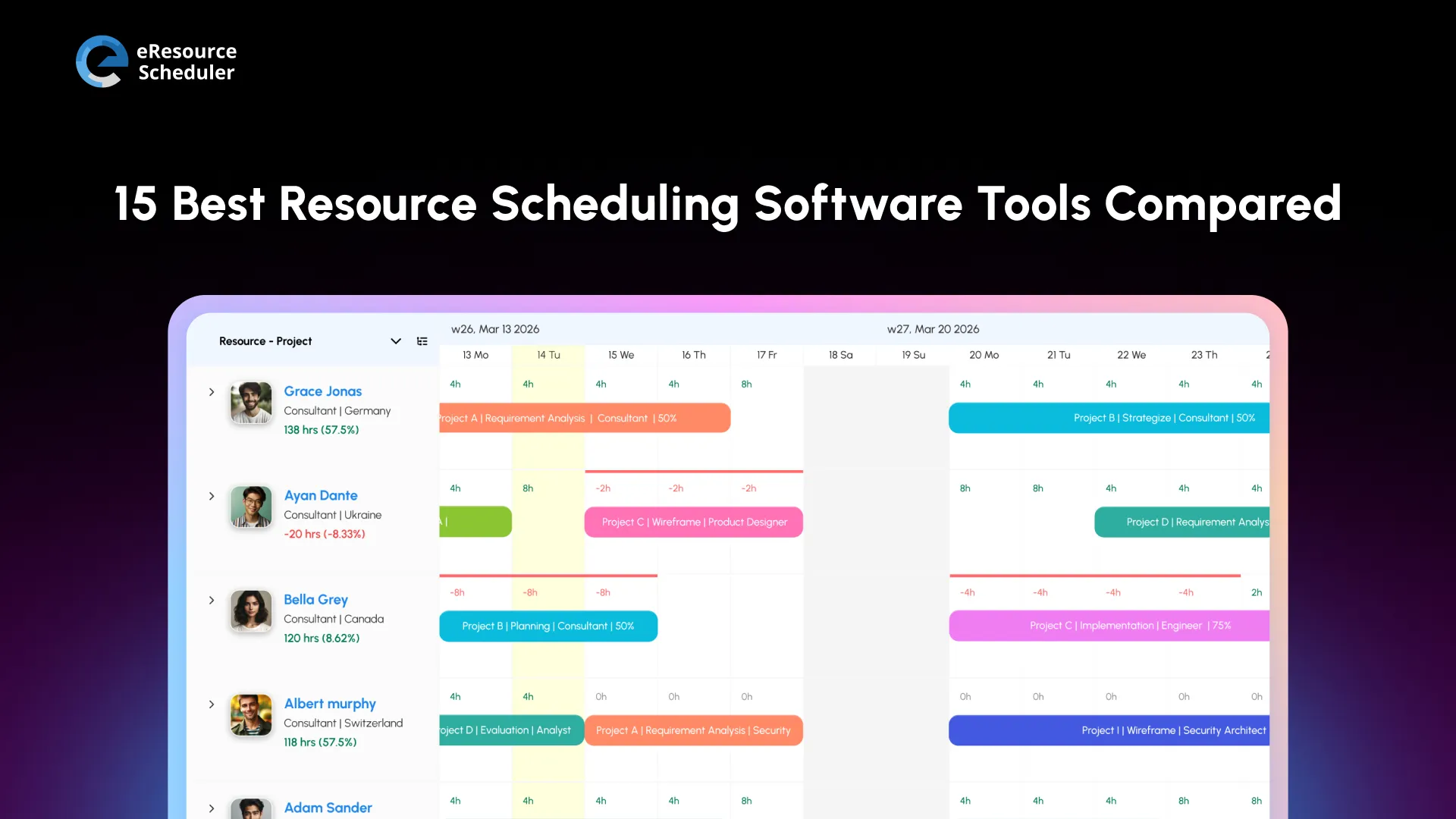
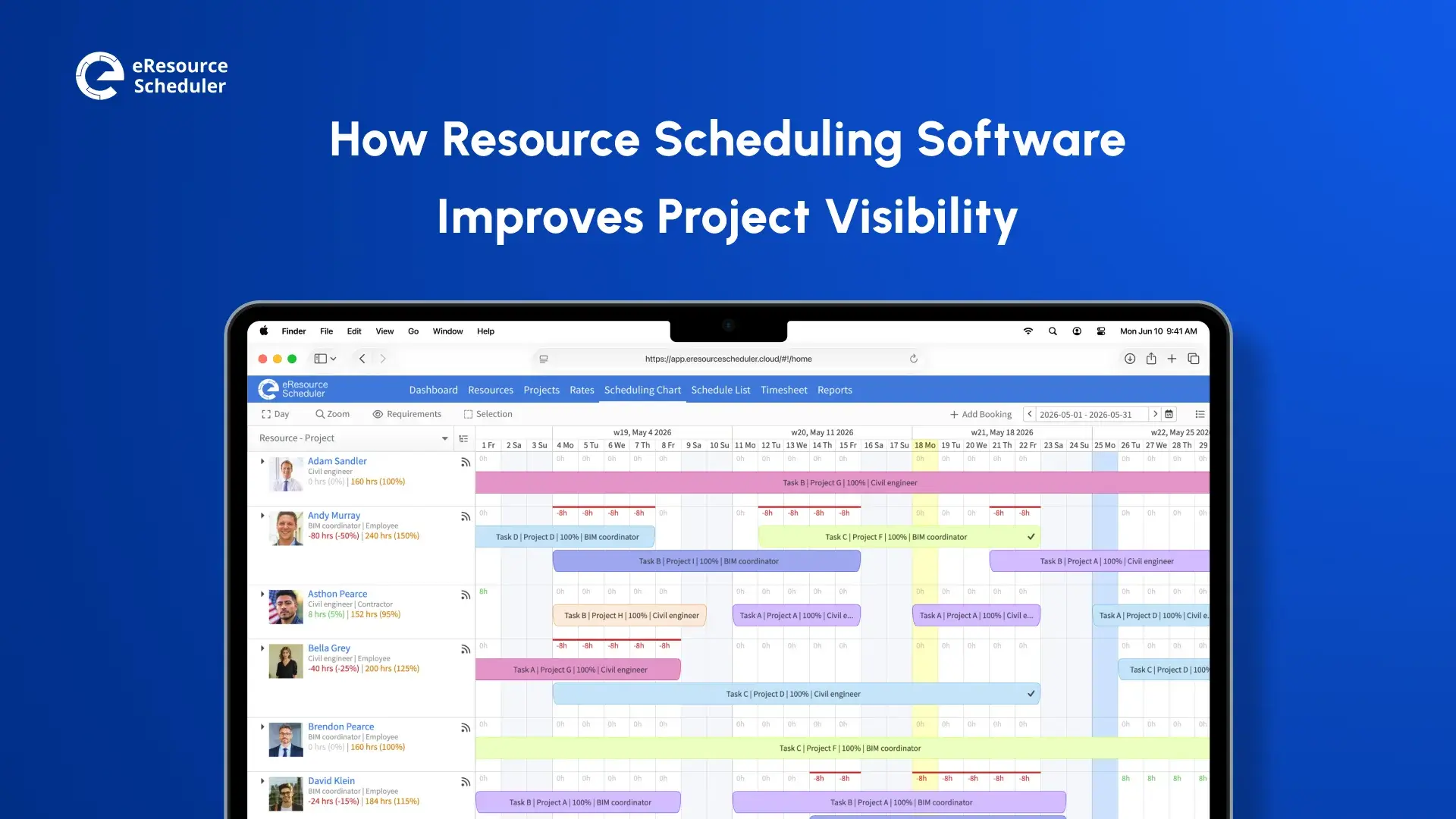
eResource Scheduler is a resource scheduling software designed around one core question: ‘Who’s available, and for how long?’ It gives you a single, real-time view of your team’s workload instead of scattered spreadsheets and guesswork. The software is designed for teams that need to plan staffing weeks or months in advance, not just react to today’s bookings. It works across departments, project types, and team sizes, which is why it shows up on shortlists for mid-sized firms and larger, multi-location enterprises.
You’ll like how visual and immediate the capacity view feels, which cuts down the back-and-forth of chasing availability over email. The forecasting tools also make it easier to plan hiring or bench time months ahead instead of reacting at the last minute. Pricing is module-based, too, so you're not paying for capacity forecasting or time tracking if your team only needs core scheduling to start.
When 7-Eleven needed to bring order to scheduling across a large, distributed workforce, they turned to eResource Scheduler to streamline visibility without adding administrative overhead.
Built for software and consulting teams that staff projects around specific technical skills. It combines scheduling with financial forecasting, showing margins and utilization side by side.
You’ll appreciate the relationship between resource decisions and financial forecasting, which is rare among general scheduling tools. Smaller teams might find it more than they need, though, and the learning curve reflects that added depth.
Keeps things straightforward with a calendar-first interface. It's built for fast, visual scheduling without a steep setup, so smaller teams can run it within a day.
Teams like its simplicity and quick setup. Plus, the learning curve is also minimal for new users. On the flip side, it lacks the forecasting depth larger organizations tend to need, so it works only for teams that just want clean scheduling without layers.
It is built around a visual, Gantt-chart style planner that is easy to scan at a glance and popular outside typical office settings. Construction and manufacturing teams use it often.
You'll like the visual clarity and flexibility across resource types, especially if you're scheduling more than just people. Where it falls short is in deeper analytics, since reporting stays fairly basic compared to more enterprise-focused tools.
Focuses on real-time capacity forecasting with a clean interface that teams pick up quickly. It shows utilization and pipeline projects side by side, appealing to fast-scaling teams.
You’ll appreciate how fast it is to get a team up and running, and the pipeline view genuinely helps with forward planning. The downside is that some deeper reporting features sit behind higher-tier plans, which can catch smaller teams off guard.
An enterprise suite covering HR, payroll, and resourcing. It's aimed at large organizations that want one system handling multiple workforce functions.
Large organizations like the breadth of what’s included under one roof, especially when HR and scheduling data need to stay connected. Smaller teams, though, will likely find it overbuilt for their needs, both in complexity and cost.
This tool keeps its interface fast and lightweight. It’s a favourite among small to mid-sized teams who want something they can set up in a day and start using immediately.
You’ll like how little training it requires and how quickly new hires pick it up. Its limitation shows up in forecasting, which stays fairly basic compared to more analytics-heavy systems.
Built for large, complex organizations managing thousands of resources across regions. Its scenario-planning tools go deeper than most, letting you model staffing scenarios before committing.
Its forecasting depth is genuinely strong, and the scenario planning is a real advantage for organizations juggling multiple regions. This depth is also its challenge, since implementation and onboarding take real time and internal buy-in, making it a poor fit for smaller teams.
Brings a spreadsheet-familiar interface to resource planning, shortening the learning curve for spreadsheet-native teams. It's less a scheduler and more a work management tool with resourcing layered in.
Teams already comfortable with spreadsheets pick this up early, and the automation features save time on repetitive updates. It falls short on purpose-built scheduling depth, since it’s a project tool with resourcing bolted on, not the other way around.
This software focuses on agency profitability alongside scheduling. It is built for agencies that need to know not just who’s busy, but whether that work is actually profitable.
Agencies like seeing scheduling and margins in one place instead of reconciling two systems. On the other hand, the interface can feel dense at the start, and smaller teams may find some features go unused.
It offers a visual, timeline-based scheduling view that’s built for teams who want to see workload at a glance. It’s straightforward enough that most teams are running on it within a day or two.
It’s clean and easy to adopt quickly, with minimal onboarding needed. However, forecasting stays relatively basic, so growing teams may outgrow it as planning needs get more complex.
Built for field service and distributed workforce scheduling rather than desk-based teams. It handles job assignments, routes, and mobile updates across multiple sites.
It handles field operations well, where office-first tools tend to struggle, especially with location-based assignments. Its focus on field service means it’s less suited for standard office project teams.
It is a task management platform with workload views layered on top, built primarily around tracking tasks rather than resource capacity.
Teams already using the software for tasks get resourcing without switching tools. This keeps everything in one place. On the flip side, true capacity forecasting is limited, since it’s built primarily as a task tool.
Targets professional services firms needing end-to-end automation across resourcing, budgets, and delivery, combined with BI reporting for agency leadership.
Larger agencies like to have the depth of financial and resourcing data combined into one system. Setup and pricing tend to be steep for smaller teams, which limits their practical fit.
Combines project and resource planning in one lighter-weight tool, aimed at teams that want both views without paying for heavyweight enterprise suites.
It’s a budget-friendly way to get both project and resource views without juggling two tools. On the other side of the coin, advanced forecasting and reporting are limited compared to enterprise-focused tools.
Start with your team size and complexity, since a five-person studio and a three-hundred-person consultancy need very different forecasting depth. Map your budget honestly, including how pricing scales as you add people. Then check your existing tech stack, because rebuilding your workflow around a new tool defeats the purpose of buying one.
Pro Tip
Don’t shortlist based on feature lists alone. Identify your team’s actual bottleneck first, whether it's capacity blindness, weak forecasting, or poor utilization tracking, and compare tools against this specific gap. A tool that scores well on paper but doesn't fix your real problem isn’t the right pick for you.
If overallocation has been your biggest pain point, you already know how a few overbooked weeks quietly compound into missed deadlines, and this alone should push capacity visibility to the top of your checklist.
Once you've narrowed things down to two or three tools, run a real trial with your team and projects, not a demo sandbox. Watch how your managers use it on day one versus day 12. Adoption drops fast when a tool adds friction instead of removing it. If it's still generating more Slack messages than it's solving, you have your answer, no matter how good the demo looked.

The tool you pick matters less than what you do with it after you sign up. Plenty of teams buy the right software and still run it like a glorified spreadsheet, filling it in after the fact instead of using it to plan ahead. A proactive scheduling habit, where overbooking gets caught before it happens, is what separates teams that hit deadlines from teams that scramble.
Give whichever two or three tools you've shortlisted a real trial before you sign anything long-term, and pay attention to whether your team opens the app without being reminded. That's a better signal than any feature list. Getting the fundamentals of resource scheduling right from the start will make your next demo call a lot more productive.
1. How do you switch from spreadsheets to resource scheduling software without disrupting active projects?
Don't flip the switch overnight. Run both systems side by side for a couple of weeks, import what's already booked, and have managers double-check the data before spreadsheets get retired for good. Rolling it out to one team first, instead of the whole company at once, also means a messy migration doesn't take down every project at the same time.
2. Does resource scheduling software use AI for staffing recommendations?
A growing number of tools do, suggesting who's the best fit for a project based on skills and current workload instead of leaving that judgment call to a manager scanning spreadsheets. It's still early days for this feature though, so what one vendor calls "AI matching" might just be basic filtering with a new label.
3. How do access permissions work in resource scheduling software?
Managers typically get edit rights, while everyone else can only see their own bookings. It sounds like a small detail, but it's actually a big deal for larger companies where several departments share one system and shouldn't be able to poke around in each other's schedules.
4. How quickly can resource scheduling software pay for itself?
Most teams notice the difference within a month or two, mostly from fewer scheduling mix-ups and a lot less time spent building utilization reports by hand. How fast that actually plays out for you comes down to team size and just how chaotic your scheduling was before you made the switch.
5. Can resource scheduling software handle multiple time zones for distributed teams?
Yes, and this is one area where these tools genuinely save headaches. Bookings and availability convert automatically to whatever time zone someone's sitting in, so a team spread across three countries isn't stuck doing manual time zone math every time someone gets scheduled.

Plan Smarter. Schedule Faster. For Free.
Join thousands already using eResource Scheduler to align teams, time, and tasks seamlessly.
 ALL FEATURES INCLUDED