Learn more
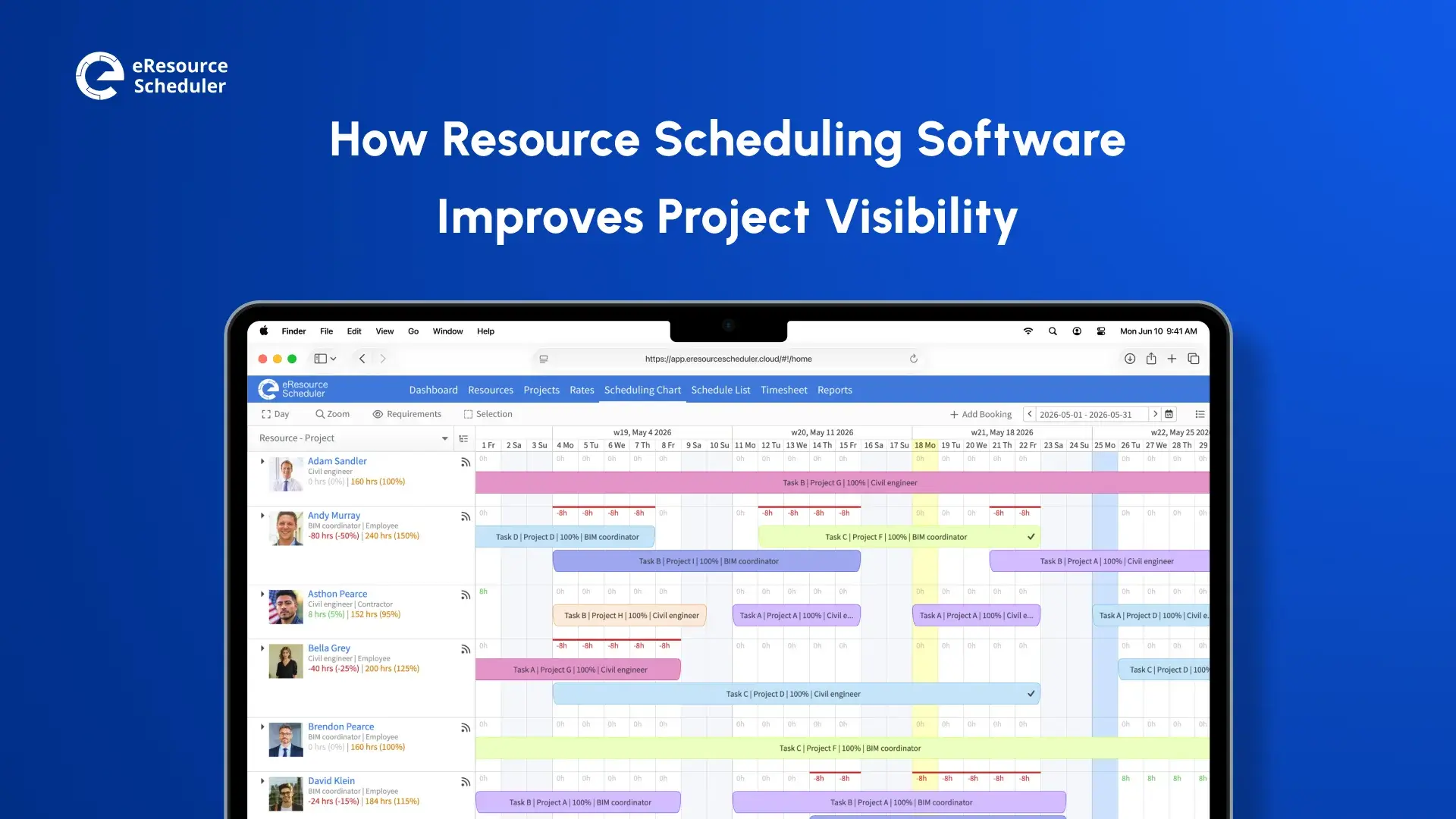
Project visibility sounds like it should be easy. You want to know who is working on what, where each project stands, and whether the team can actually absorb what is coming next. Simple enough in theory.
In practice? Most organizations are piecing that picture together from five different places, and by the time they have assembled it, something has already changed.
Spreadsheets that are two days old. Status emails that never got replied to. Project updates that live in a slide deck someone made for last Thursday’s meeting. The information exists, technically. It is just never in one place, never current, and never easy to act on.
That is the problem resource scheduling software actually solves. Not just centralization for its own sake, but giving the right people the right information at the moment they need to make a call.
Let’s be clear about what “project visibility” actually means. It is not a dashboard metric or a quarterly report. It is the ability to look at your projects right now, today, and know who is assigned to what, how much runway exists, where things are running behind, and whether the team’s workload reflects the plan.
When that visibility exists, management gets easier. Problems surface early. Allocation decisions are grounded in reality rather than gut feel.
When it breaks down, everything turns reactive. Leaders are constantly catching up. Teams flag issues too late. The same blockers show up sprint after sprint because no one saw them building.
Research compiled by Wellingtone found that 72% of project professionals spend half a day or more every month just collating reports. That is not project management. That is administrative overhead dressed up as oversight.
The need for real-time visibility into project demand, resource capacity, and cost actuals is widely recognized across the industry. Manual tools are just not built to meet it.
Before talking about solutions, it helps to name where things actually go wrong.
A team running three tools to track work is really running three partial pictures of the truth. One shows tasks. Another shows timelines. A third shows who is allocated. None of them talk to each other. And whoever needs to understand the full situation ends up doing that synthesis manually, every single time.
Static spreadsheets capture how things were, not how they are. The moment a resource gets reassigned or a deadline shifts, that file is already out of date. Managers making decisions from yesterday’s data are not really making informed decisions.
Running multiple projects simultaneously is hard enough without having to mentally cross-reference their statuses. Most organizations do not have a consolidated view that shows all active work, where each project stands, and what is at risk. They rely on meetings, status calls, and manually prepared reports that are often outdated before they get read.
Not knowing how full someone’s plate is before adding to it is one of the most common and most avoidable causes of overload. Without clear capacity visibility, managers default to the people they know are reliable, which usually means those people end up consistently overbooked while others sit underutilized.
Poor visibility turns escalation into the main early-warning system. Leaders find out about problems when someone finally speaks up, which is usually past the point where an easy fix exists. That is a management culture built on avoidance, not oversight.
Scheduling software addresses these gaps by pulling workload, availability, and timeline data into one place and keeping it current. Here is where that difference shows up in real project management.
Instead of chasing status updates across tools and inboxes, managers get one consolidated view: every resource, their current assignments, and how those assignments are distributed over time. That is not a small convenience. It is the difference between spending thirty minutes tracking down a status update and having the answer in under a minute.
It also changes how allocation decisions get made. When you can see the full picture, you can spot imbalances before they become problems and make adjustments based on what is actually happening, not what you assumed last week.
Live utilization tracking is where resource scheduling software earns its place. Not a weekly snapshot, but a current read on who is at capacity, who has room, and where the gaps are.
This matters more than it might seem. Overloading someone unintentionally is one of the fastest ways to miss deadlines. Not because the work is too hard, but because there was simply more of it than anyone realized. Real-time visibility makes that kind of overload visible before it causes damage.
There is always a gap between what was estimated and what actually happened. Good scheduling software makes that gap visible. When hours logged against a project start drifting significantly from what was planned, that drift is a signal: the original estimate was off, scope has grown, or something is slowing down that no one has flagged yet.
Catching that signal in the data is almost always better than waiting for someone to bring it up in a meeting.
For anyone managing multiple initiatives at once, portfolio-level visibility is not optional. Scheduling tools provide timeline views, Gantt charts and calendar overlays, that show every active project and where it currently stands.
That means spotting timeline conflicts before they happen, seeing where things are trending behind, and understanding whether a planned new assignment will create a resource crunch two months from now.
Looking at what is happening right now is only half the job. Capacity planning tools built into scheduling software let managers look ahead, comparing upcoming demand against available capacity so gaps can be addressed before they become fires.
For organizations managing a mix of firm deadlines and fluctuating resource availability, that forward visibility is often the difference between commitments teams can actually keep and ones they cannot.

Not every scheduling tool delivers the same visibility. These are the features that tend to matter most.
Take a management consultancy running six concurrent client engagements. One of their senior consultants is already carrying 90% allocation across two existing projects. The kind of person everyone wants on the new piece of work that just came in.
Without a scheduling tool, the delivery lead might not know the consultant is nearly fully booked until they ask directly. And even then, the answer depends on that consultant accurately recalling their own schedule.
With scheduling software in place, the delivery lead opens the dashboard. They can see the consultant’s current allocation, their availability over the next four weeks, and which projects they are tied into. In a few minutes, they have identified two other team members with the relevant background and enough open capacity to take on the work. No scheduling calls. No delays. No accidental overload.
That is what improving project visibility with scheduling tools looks like in practice. Not dashboards for their own sake, but information that makes allocation decisions faster and more accurate.
Tools like eResource Scheduler are built around exactly this use case, giving teams a live view of capacity, workload, and progress so that decisions rest on actual data rather than assumptions or memory.
Better visibility does not stay abstract for long. It translates into outcomes that show up in delivery and client relationships.
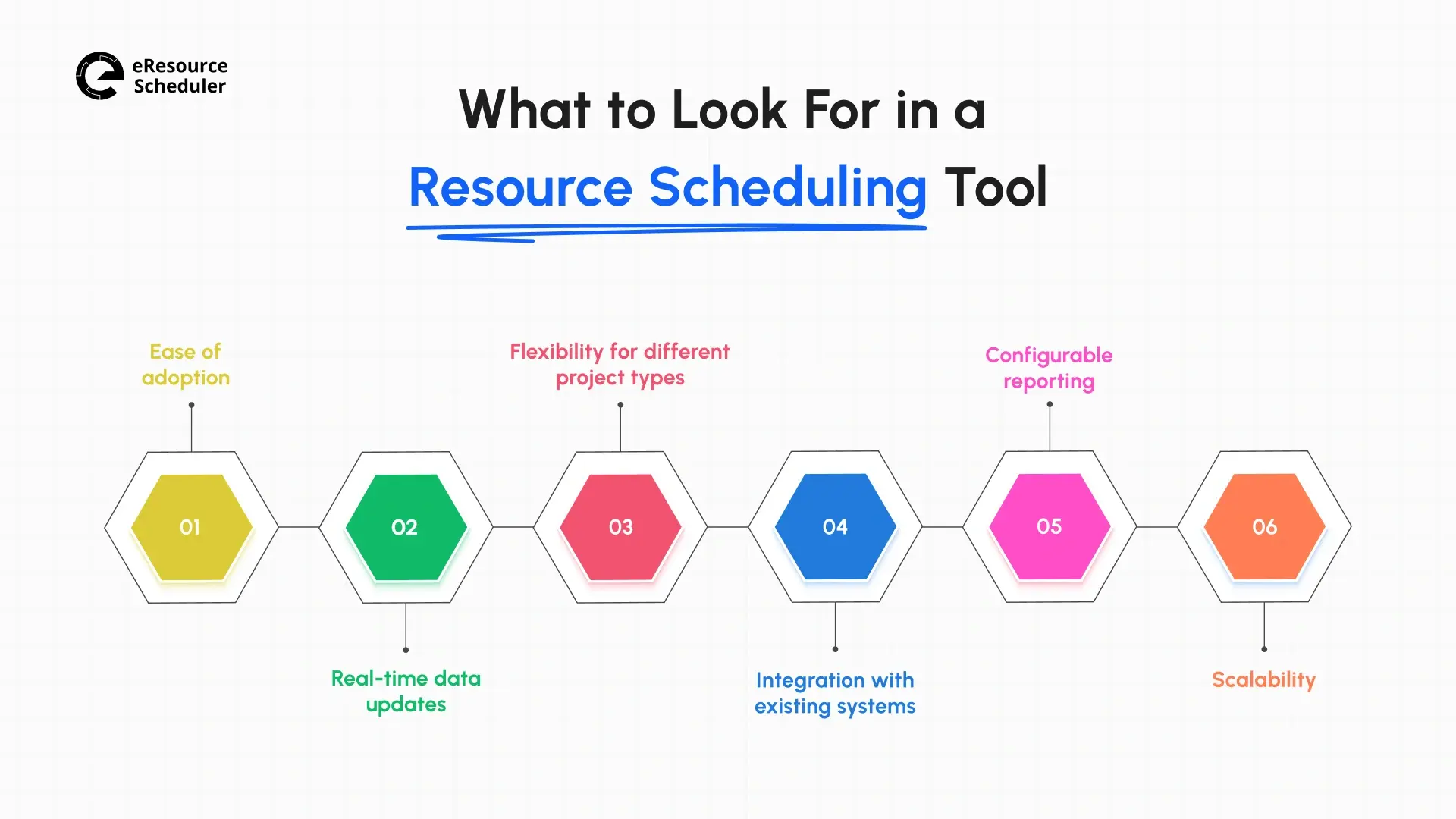
When evaluating resource management solutions for your organization, these criteria tend to separate tools that get adopted from tools that get abandoned.
For a closer look at what separates good tools from great ones, see our guide on the best resource scheduling software features to evaluate before making a decision.
If your team operates in the technology sector, this breakdown of how IT teams use resource scheduling software covers the specific capabilities that matter most for managing technical projects and shared engineering resources.
The distance between knowing a project is in trouble and knowing early enough to actually do something about it is where most delivery problems live. Resource scheduling software improves project visibility by closing that distance, replacing fragmented manual tracking with a current, centralized picture of workloads, timelines, and capacity.
For project managers, PMO leaders, and operations teams navigating complex multi-project environments, that visibility is not a reporting luxury. It is the operational foundation that makes predictable delivery possible.
If your team is currently managing resources and project progress across disconnected tools, it is worth exploring what a dedicated resource scheduling platform can do. The difference between running on instinct and running on accurate, real-time data shows up in every deadline, every client conversation, and every project plan.
1. What is project visibility, and why does it matter?
Project visibility is how clearly managers and teams can see the current state of work: who is assigned to what, how much capacity exists, where timelines stand, and whether projects are tracking against plan. When visibility is weak, decisions tend to be reactive, and problems surface after they have already caused damage.
2. How does resource scheduling software improve project visibility?
It brings workload, availability, and timeline data into one place, keeps it updated in real time, and lets managers see progress across all active projects without relying on manual status collection or coordination across multiple tools.
3. What is the difference between resource scheduling and project management software?
Project management software organizes tasks, deadlines, and project structures. Resource scheduling software like eResource Scheduler focuses specifically on who is doing the work, when, and at what capacity. Most PM tools leave a visibility gap around resource availability and utilization. Scheduling software fills that gap.
4. Can resource scheduling software help with capacity planning?
Yes. Most scheduling tools include forecasting views that show upcoming demand against available capacity. That forward visibility helps teams plan ahead and avoid overcommitment rather than scrambling to address gaps after they have appeared.
5. What types of teams benefit most from resource scheduling software?
Organizations in professional services, IT, consulting, engineering, and construction tend to see the most direct benefit, especially those running multiple projects simultaneously with shared teams. That said, any organization where resource allocation affects delivery outcomes can benefit from better project visibility through resource scheduling.


Plan Smarter. Schedule Faster. For Free.
Join thousands already using eResource Scheduler to align teams, time, and tasks seamlessly.
 ALL FEATURES INCLUDED