















 Learn more
Stop guessing who’s available or what’s overdue. eResource Scheduler brings scheduling, forecasting, and reporting together all in one place, so every team decision is backed by real data.

Trusted by 850+ global enterprises across 29+ countries










Float was built for simple visuals, eRS provides deep data and financial tracking needed for complex, large-scale projects.

It’s too surface-level
Float is great "at-a-glance," but eRS offers robust reporting and granular forecasting needed for true capacity planning.

Lacks financial depth
It’s hard to see the dollar impact. eRS integrates cost and revenue tracking to keep your projects profitable.

Rigid for large teams
Timelines get messy at scale. eRS offers enterprise-grade filtering and access rights designed for growing teams.
Compare
eResource Scheduler does everything Float does, and everything Float makes you pay extra for.

Centralised resource visibility (roles, locations, departments)
Resource request workflow
Raise, suggest, approve staffing requests
Ranked resource recommendations with match scores
Visual sourcing gap highlighting
Spots gaps before they become problems
Pending request tracking + balance reporting
Assigned vs. unassigned by role
Custom working calendars
Hours, holidays, exceptions per resource or team; time zone support
Non-human resource scheduling
Equipment, meeting rooms, vehicles
Allocate by hours
Allocation statuses
e.g., confirmed, tentative
Saved/custom views
Recurring bookings
Daily, weekly, monthly, custom dates
Bulk reassignment of bookings
Multiple timeline viewing modes
Day, week, month, custom
Define and save viewing preferences
Auto-alerts for over-allocation
Fires when adding or modifying a booking
Multi-timezone scheduling
Local time per resource, unified view for manager
Powerful resource filters
Role, skills, location, team, custom attributes
Scheduling exceptions
Leave, PTO, reduced hours, non-working days at individual, team, or location level
Financial insights visible during scheduling
Import schedule data (Excel/CSV)
Resource request/staffing request workflow
Semi-automated scheduling
Built-in time tracking
Auto-fill timesheets from scheduled allocations
Daily, weekly & monthly timesheet views
Single-day, full-week, or multi-day entry in one go
Billable vs. non-billable hour tracking
Planned vs. actual comparison
Color-coded timesheet status
e.g. approval, pending, needs action
Manual timesheet approval workflow
Automated timesheet approval workflow
Custom approval rules
By team, project, role, etc.
Role-based timesheet permissions
Fill/approve/lock
Configurable auto-lock
Lock timesheets after a set period, prevent edits
Bulk apply timesheet rules across resources
Recurring time log submissions
Built-in timesheet analytics reports
Integration with invoicing and payroll systems
Export timesheets (Excel/CSV)
Live financials auto-updated from allocations & timesheets
Track cost, revenue & profit per resource
Track cost, revenue & profit per project
Track cost, revenue & profit per client
Track cost, revenue & profit per team/role
Cost and billing rate config at resource level
Cost and billing rate config at role level
Cost and billing rate config at project level
Rate traceability
Track rate changes over time across assignments
Drill-down from summary to granular financial detail
Real-time budget overrun and cost variance alerts
Multi-currency support
USD, INR, EUR, and more
Role-based financial visibility
Restrict cost data from resource-level users
Financial forecasting based on planned schedules
Project cost estimation/estimates feature
Planned vs. actual comparison
Multiple planned versions
Compare and export baseline scenarios
Export financial reports (Excel/PDF/CSV)
Import rate data (Excel/CSV)
Real-time capacity data
Filter by skill, role, team
Color-coded utilisation heatmaps
Free/partially booked/fully booked
Overbooked resources flagged on schedule
Balance tracking
Pending requests vs. assigned capacity per role
Capacity forecast reports
Short-term and long-term
Identify underutilised roles or overbooked teams before delivery impact
Align hiring/reskilling decisions with project demand
Exception-aware planning
PTO, sick leave, training factored in
Resource gap analysis report
Planned vs. actuals report
Logged vs. scheduled report
Project progress report
Timesheet/actuals report
Financial report
Cost, revenue, profit
Resource gap/demand forecasting report
Capacity forecast report with pending requests and balance data
Filter reports by project, resource, date range, department, cost type
Charts and graphs
Google Calendar
Outlook/Microsoft 365
Slack
Jira
n8n
Webhooks
Open REST API
MCP/AI agent integration
Notes
Float's "Pro" plan is priced at $12.50/user/month (billed annually) and is required for time tracking, timesheet features, SSO, saved views, and full reporting. Most third-party integrations beyond core calendar and PM tools run via Zapier, which may require a separate subscription. Float's MCP integration is available only via third-party connectors (e.g., Zapier MCP, Vinkius), not a native integration. Float does not support non-human resource scheduling on any plan. Data accurate as of May 2025; features subject to change.

eResource Scheduler
Get a perfect fit, every single time.
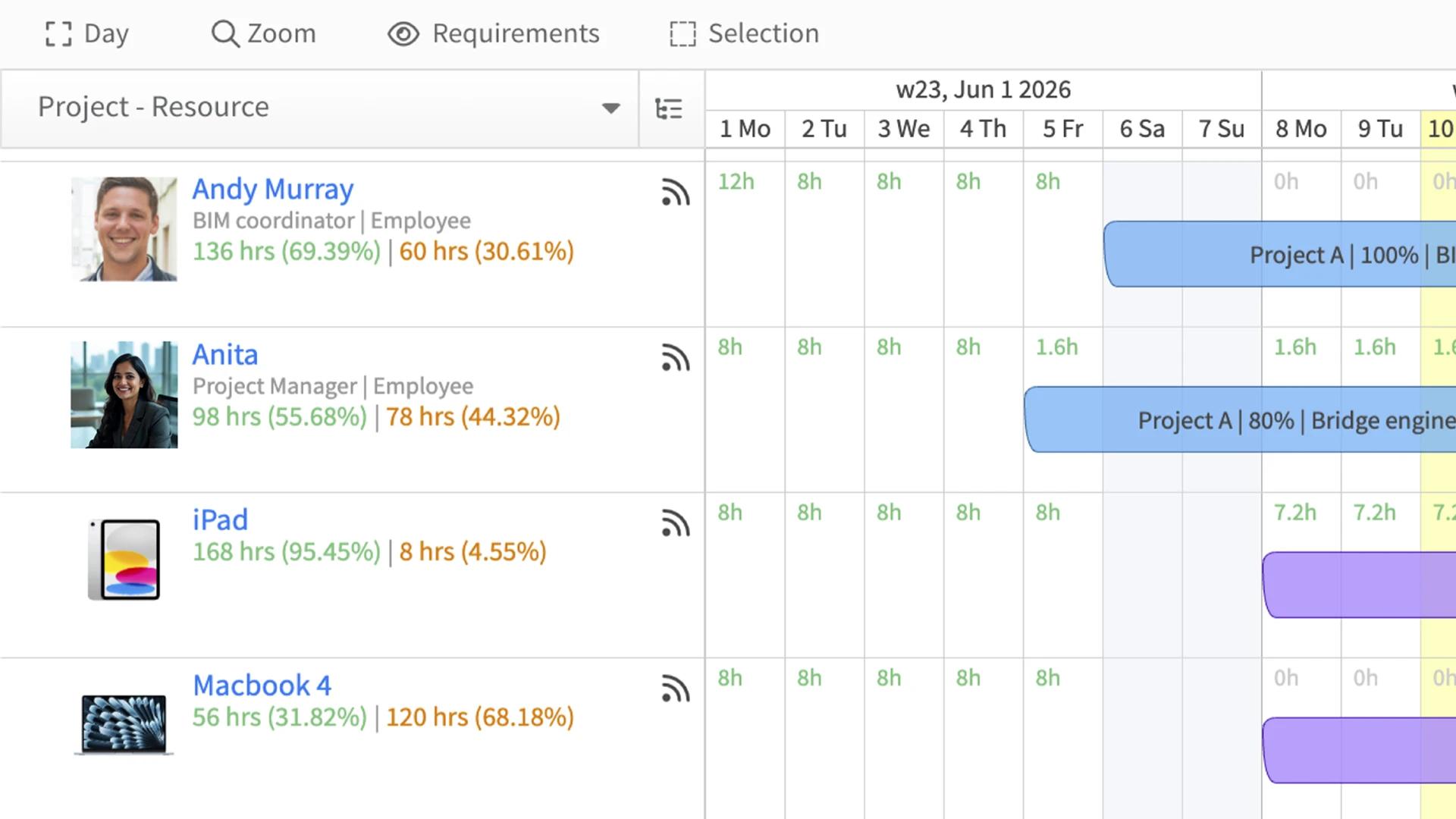
Stop wasting time searching or second-guessing. Get the best-fit people or equipment matched to your needs in seconds.
Behind the scenes, eResource Scheduler uses skills, certifications, experience, and objective scoring to identify the right fit so you can request and deploy resources without the back and forth.
Capture every hour, effortlessly!
Skip the manual work. eResource Scheduler pulls your hours directly from your schedule. Simply verify what’s already assigned to you and submit in seconds. No manual entry, no end-of-week panic.
Timesheet Software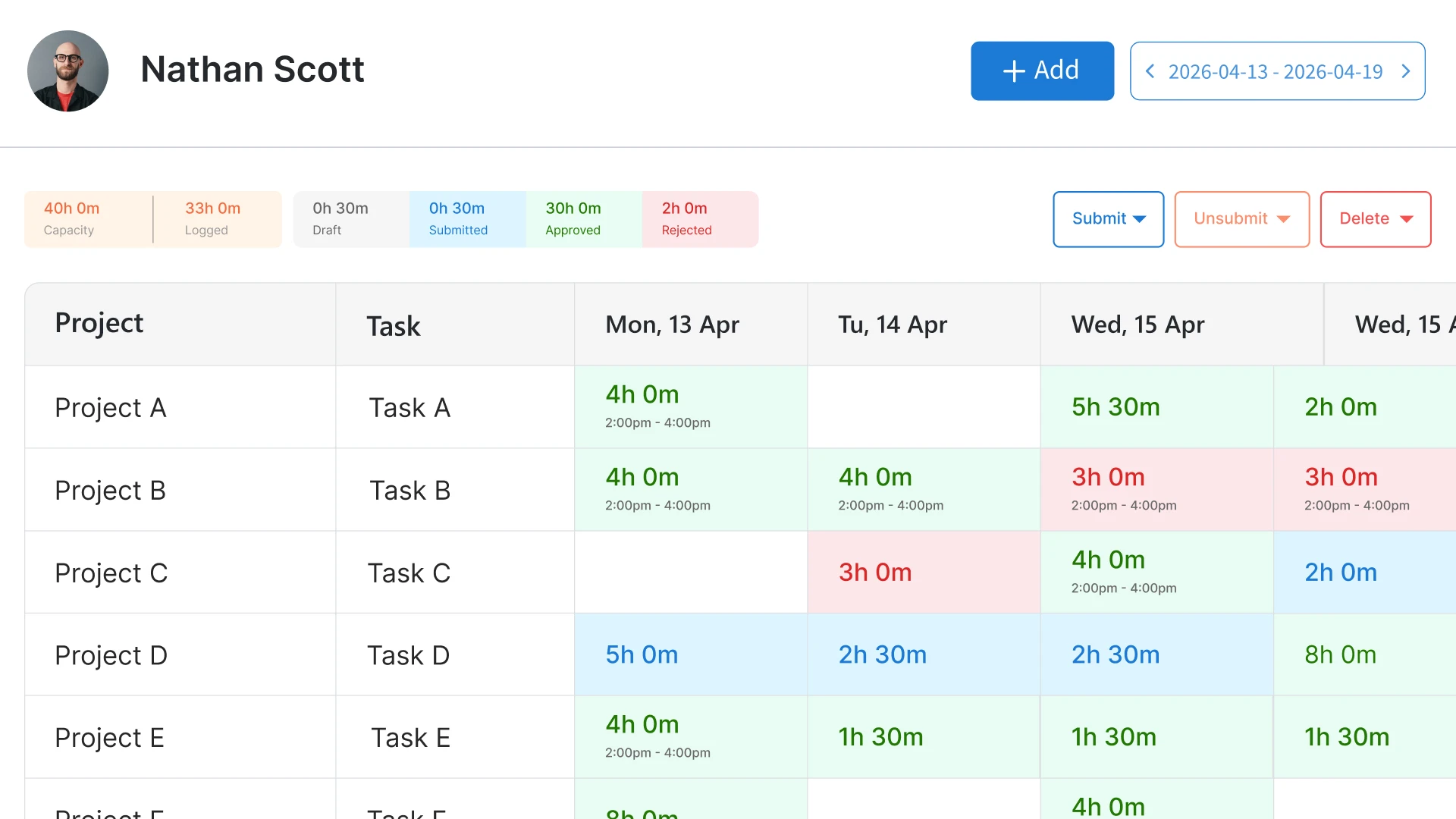
Reporting with a pulse.
Skip the “I’ll get back to you on that.” eResource Scheduler turns data into instant answers. Real-time heatmaps, utilization graphs, live capacity forecasts, planned vs. actuals, all in one click. No spreadsheets. No manual math. Just clarity.
Management Reporting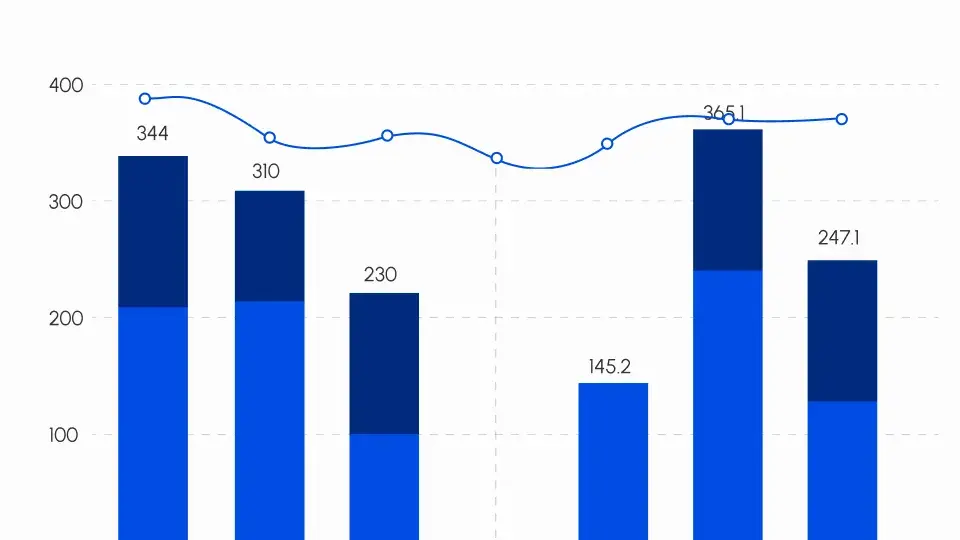
The math behind the moves.
Know exactly how your projects are performing financially as work happens, not at month-end. eResource Scheduler links billing and cost rates directly to your schedule so you can make smarter decisions before costs spiral. See live margins, track budgets, and understand the impact of every resource decision instantly.
Financials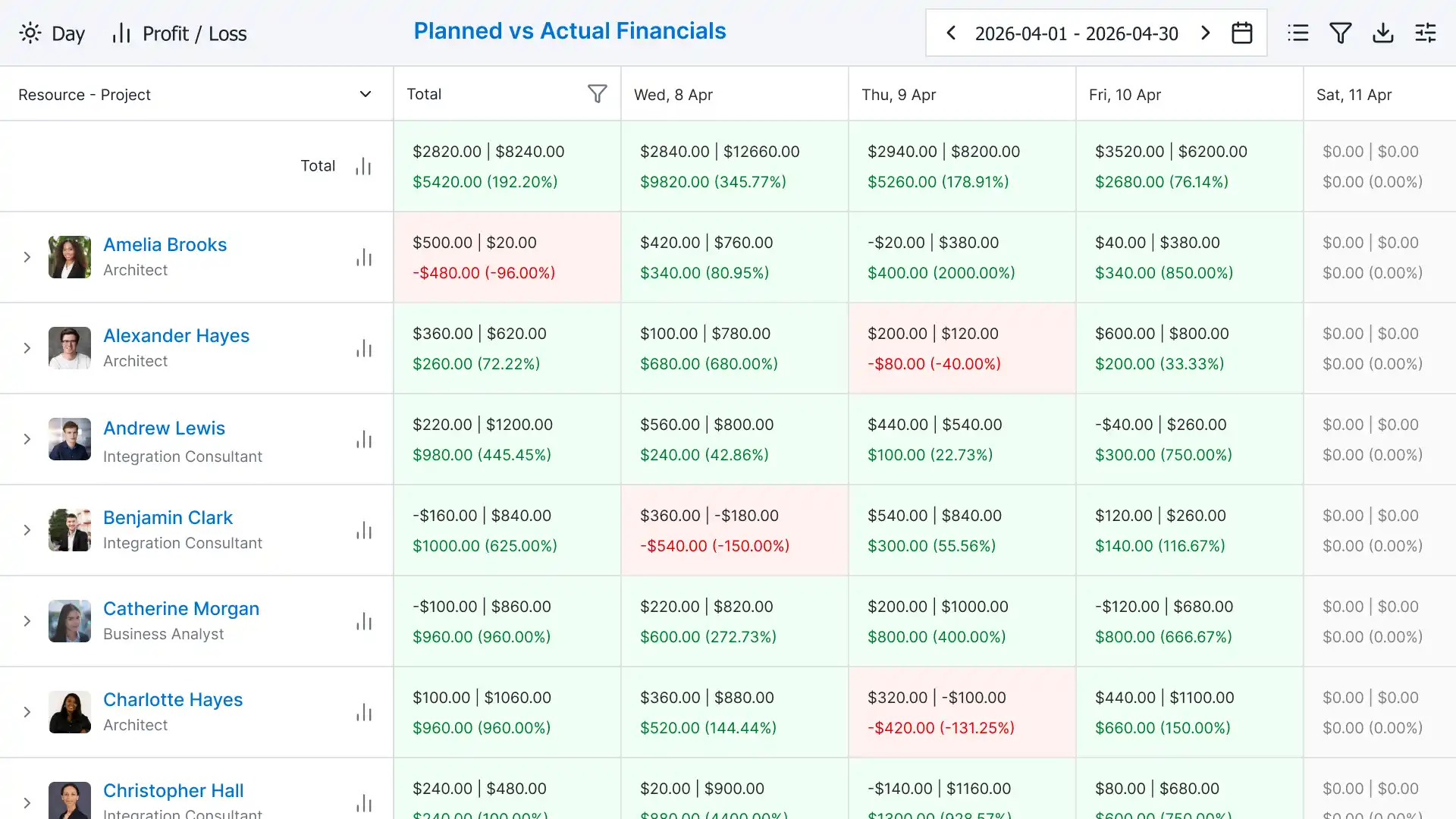


Ready to Switch?
Enhance your experience with a wide variety.
From essentials to powerful workflows.
Book a Demo
Connect seamlessly with your project management, HR, and finance systems. eResource Scheduler enables automated updates, streamlined workflows, and better collaboration across teams.

day 1
We import your data.
You have coffee.
Day 3
Your team is onboarded.
Live and running.
DAY 7
You wonder why you waited.
Disclaimer
This page reflects our own analysis and research based on publicly available information. We do not make any official claims about Float or its features. Pricing, features and plans may change over time. We recommend visiting float.com to verify the latest information before making any decisions. Float is a registered trademark of its respective owner and is not affiliated with eResource Scheduler in any way.
Resources
Everything you need to make the call, already written. Real comparisons, honest takes, no fluff.

I use eResource Scheduler to effectively plan and allocate my design and development teams across multiple projects. It helps us coordinate resources, ensuring they are distributed properly based on workload and deadlines.

Olha P
Project Manager
Information Technology and Services
I really appreciate the availability eResource Scheduler provides across all team members, which makes it easy to understand who is available, who is booked, and where adjustments are needed without constant back and forth communication.

Jerry K.
CEO
Medical Devices
I also appreciate the centralized view eResource Scheduler offers, solving the challenge of fragmented resource planning.

Jason M
Vice President, Head of Marketing and Communications
US Real Estate Management Services
I like how eResource Scheduler allows us to clearly plan schedules and avoid conflicts. The ability to quickly see availability and assign resources is great for keeping everything running smoothly with live, time-sensitive sessions.

Zahid I.
Founder
E-Learning
I like how simple and clear the dashboard is. It makes it easy to understand team workload at a glance, especially during busy periods.

Milena E
Non-profit and Higher Education Leader,
Information Services
I love the real-time visibility into resource allocation that eResource Scheduler provides. It allows project managers to quickly understand team capacity and make informed decisions without relying on manual tracking.

Rae F.
Director of Brand Strategy, B2B Tech & AI,
Information Technology and Services
Everything you need to know about scheduling resources, tracking time, and managing teams with eRS.
What is the best alternative to Float for resource scheduling?
eResource Scheduler is a strong alternative to Float for teams that need more than just scheduling. It combines resource planning, forecasting, reporting, and financial tracking in one platform, helping teams make better decisions without relying on multiple tools.
What are the limitations of Float software?
Float is primarily focused on scheduling people. It has limited support for financial tracking, custom workflows, non-human resources, and advanced management reporting unless you move to higher-tier plans or add-ons.
How does Float pricing compare to other resource management tools?
Float uses a plan-based pricing model, which can become expensive as teams grow, especially when adding advanced features. Alternatives like eResource Scheduler offer modular pricing, so you only pay for what you use.
Which tool is better for resource forecasting: Float or eResource Scheduler?
eResource Scheduler offers more advanced forecasting with capacity planning, utilization insights, and resource gap analysis. Float provides basic forecasting features, especially in lower-tier plans.
Which is better for growing teams: Float or eResource Scheduler?
For growing teams, eResource Scheduler is often a better fit due to its scalability, modular pricing, and broader feature set that supports planning, execution, and financial visibility as teams expand.
Do resource scheduling tools offer free trials?
Yes, most resource scheduling tools offer free trials so teams can test whether the software actually fits their workflow before buying. For example, eResource Scheduler offers a 14-day free trial with full access to its features.
Is Float suitable for large or enterprise teams?
Float works well for simple scheduling needs, but larger teams often require deeper insights, financial tracking, and scalability areas where more comprehensive tools like eResource Scheduler perform better.
Is there a tool that combines scheduling, timesheets, and reporting?
Yes. eResource Scheduler combines scheduling, automated timesheets, and real-time reporting in one system, reducing the need for multiple tools or manual data entry.
How do I choose the right resource scheduling tool for my team?
Look for features like ease of use, forecasting, reporting, scalability, and pricing flexibility. If you need more than basic scheduling, tools like eResource Scheduler provide a broader set of capabilities.
What should you look for in a free trial of resource scheduling software?
Focus on whether the tool actually matches how your team works. Check if it's easy to plan work, adjust schedules when things change, and get a clear view of who is overloaded or available. With tools like eResource Scheduler, the goal is to see if it reduces manual coordination and gives your team better visibility overall.
 ALL FEATURES INCLUDED