





 Learn more
Ask ten operations leaders whether their team should manage resources from a phone or a laptop, and you'll get ten confident, contradictory answers. Some swear by a resource management application because their managers are never at a desk. Others insist real planning only happens on a big screen with fifteen tabs open.
Both camps are right about their own team and wrong about everyone else's. The real problem sits underneath the argument: most organizations never actually decided which tasks belong on which device. They inherited a habit, not a strategy, and that habit is quietly costing them time every single day.
This chapter gives you a research-backed way to make that decision, and a framework your team can follow without a training session.
As hybrid work becomes the default rather than the exception, the device a resourcing decision gets made on determines how fast that decision reaches the people affected by it.
A project lead who can only update a schedule from a laptop is, functionally, a project lead whose schedule is always a few hours out of date. That lag used to be a minor inconvenience. In a hybrid team, it's a daily tax nobody has bothered to name.
Screen size is the least interesting difference between mobile and desktop. The real difference is cognitive load versus physical context.
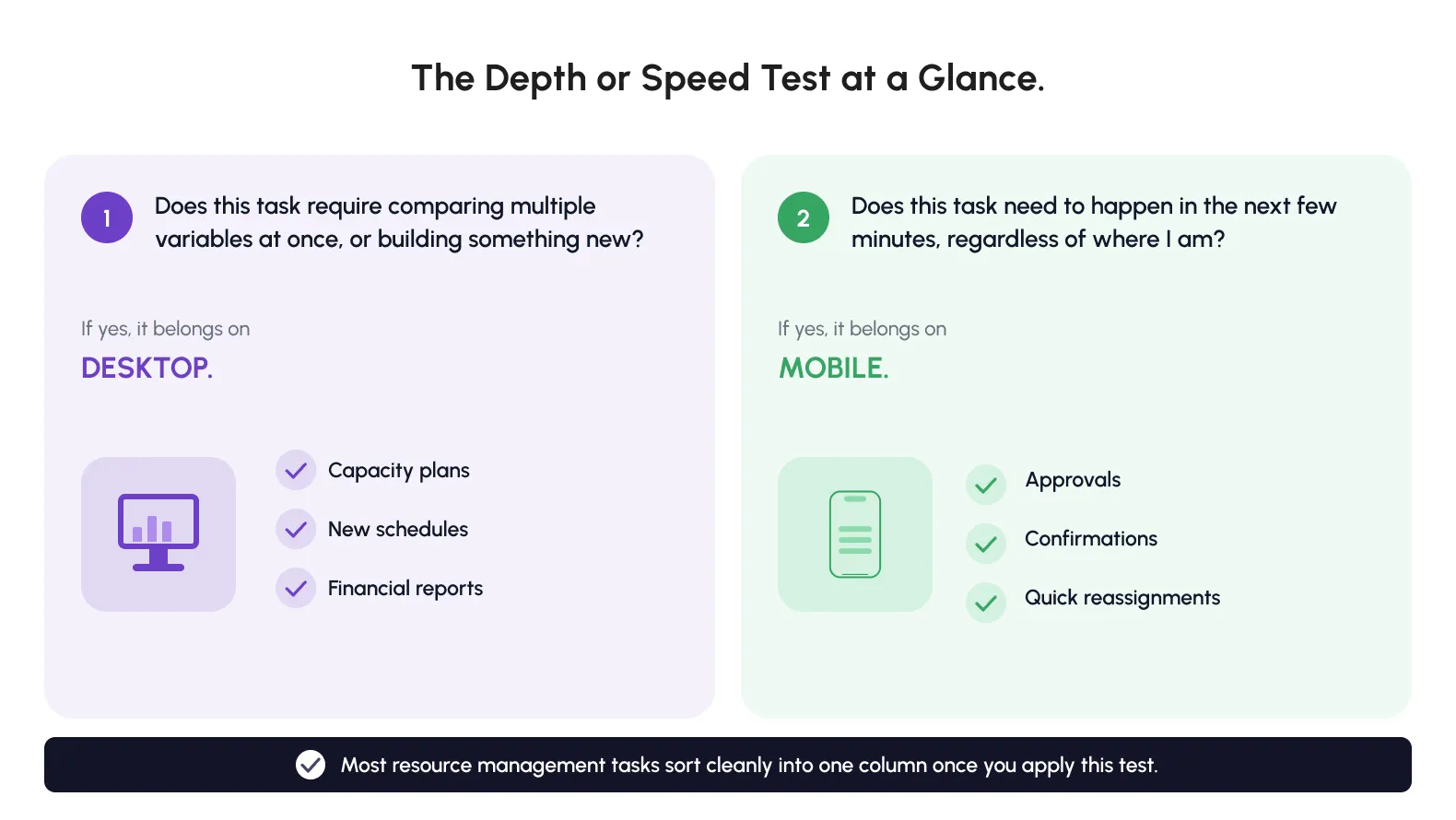
Desktop resource management happens when someone has time, space, and mental bandwidth to compare options.
Picture a resource manager opening three project timelines side by side, checking utilization against a dozen names, and deciding who gets pulled onto a new account. That decision needs a wide field of view. It needs someone sitting with it, not glancing at it between meetings.
Mobile resource management happens in the opposite conditions. Someone is standing in a hallway, sitting in a cab, or walking out of a client meeting, and they need one piece of information or one quick action immediately.
None of these are analysis questions. They're confirmation and action questions, and they need to resolve in under thirty seconds or they simply won't get done until later.
There's a simple test for which category a task falls into, and it has nothing to do with which device happens to be nearest.
Picture the person doing it. Sitting, with a coffee and no immediate deadline, they're in desktop mode, even with a phone in hand. Standing, walking, or mid-conversation, they're in mobile mode, even with a laptop within reach.
Posture and pace, not proximity, decide which interface actually serves them.
Comparing a mobile app to a desktop platform on raw feature count misses what each one is for.
Neither compromise saves anyone time. The takeaway for business leaders building a resource management stack: stop asking which interface is better, and start asking which decisions need depth versus which need speed. Desktop wins on depth, mobile wins on speed, and a platform worth paying for is excellent at both.
Nobody expects a surgeon to run an operation using the same tools they use to check a patient's pulse in the hallway. The stethoscope and the scalpel are both essential, both used constantly, and neither is a lesser version of the other.
Resource management tools work the same way. The moment leadership treats mobile as a stripped-down desktop, or desktop as an oversized mobile app, both tools end up worse.
DID YOU KNOW? The average knowledge worker's phone screen gets unlocked more often during a single workday than most people check their email inbox. That single fact is most of the argument for why mobile resource management exists.
Picture a Tuesday morning at a mid-sized consulting firm. A resource manager spends the first forty minutes at her desk finalizing next month's staffing plan, comparing three client accounts side by side.
By 10am, she's in back-to-back meetings. A field lead texts asking for a quick reassignment. She handles it from her phone in under a minute, between meetings, without ever opening the laptop again until her afternoon planning block.
That's the split working as intended. Desktop resource management handled the plan. Mobile resource management handled the interruption. Neither device tried to do the other's job.
Administrative overhead isn't a vague complaint managers make in exit interviews. It shows up in measured, published research, and the numbers are larger than most leadership teams assume.
It's easy to treat administrative overhead as a background cost of doing business, the kind of thing every organization deals with and nobody fixes. The research below suggests otherwise. This is a quantifiable, addressable gap, not an unavoidable one.
A Deloitte analysis of HR functions, cited in a 2025 workforce technology report, found that HR teams spend 57 percent of their time on administrative tasks such as payroll processing, leave management, and compliance reporting.
That leaves little room for the strategic work that actually retains talent, and resource management carries a version of the same imbalance.
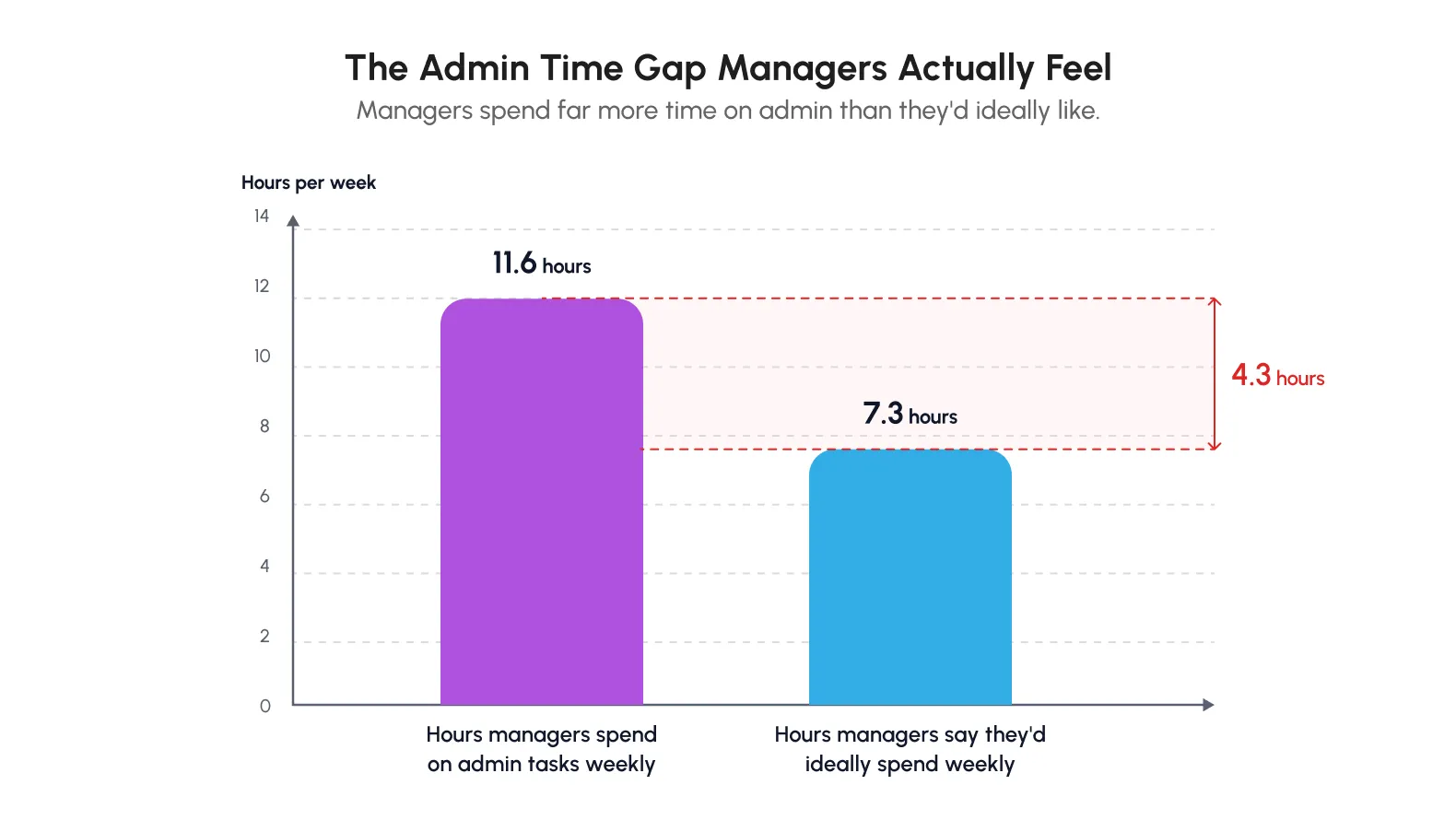
A long-running workplace time and motion study found managers spend an average of 11.6 hours a week on administrative activity, well above the 7.3 hours they say they'd ideally like to spend on it.
Only 6 percent of the managers surveyed listed paperwork as a top priority for their role. It's still the largest category of their actual time.
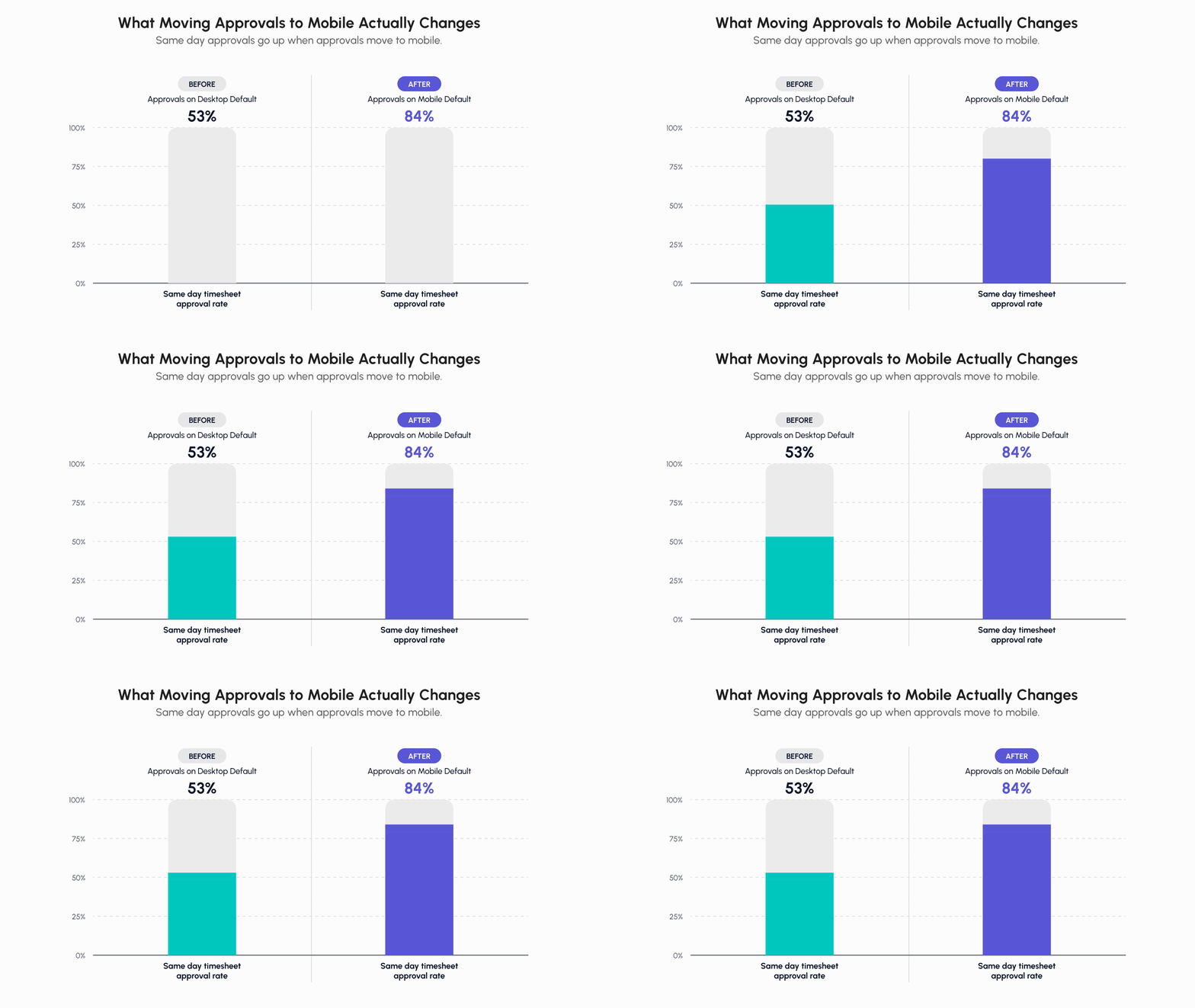
When approvals can only happen on desktop, people naturally save up five or ten small decisions to handle in one sitting later. That feels efficient. It isn't, and the reason why is worth spelling out.
Mobile workforce management tools exist specifically to break this habit by making the small decision cheap enough to make immediately, wherever the manager happens to be standing.
Gloria Mark, a psychology researcher at the University of California, Irvine who has spent years studying workplace attention, found that after a workplace interruption, it can take more than 25 minutes to fully regain focus on the original task. (Source)
This cuts against making every notification available on desktop, where checking it means abandoning deep work entirely. Mobile absorbs the interruption instead, letting a manager glance, act, and return to what they were doing.
None of this means mobile should replace desktop for planning-heavy work. It points to a narrower conclusion.
Administrative overhead grows specifically when the device required for a task doesn't match the moment the task arrives. Cloud resource management software that syncs cleanly between mobile and desktop is one of the few structural fixes that addresses this directly. It doesn't eliminate administrative work; it relocates it to the device where it costs the least.
Run the math on a mid-sized team. Fifteen managers, each saving even thirty minutes a day by handling confirmations on mobile instead of batching them for a desktop session, adds up to well over a thousand recovered hours a year.
That's a meaningful chunk of the 11.6 weekly hours cited above, recovered not by working faster, but by matching the task to the right device the first time.
Not every task should be mobile just because it can be. Some resource management work genuinely needs the desktop.
Getting this list wrong in either direction costs a team real time. Force a desktop task onto mobile and the decision takes longer, or gets made with worse information. Force a mobile task onto desktop and the action gets delayed until someone finally sits down.
These tasks are constructive rather than confirmatory. You're building something, comparing variables, or producing an output someone else will review carefully.
They also share a second trait: accuracy under scrutiny. A capacity plan presented to leadership is exactly the kind of document where a misread number has real consequences, and a bigger screen measurably reduces the error rate on this kind of high-stakes, low frequency work.
None of this argues against mobile. It's a recognition that some decisions deserve the extra visual space desktop provides.
A Quick Gut CheckBefore assuming a task belongs on desktop, ask one question:
Would this decision get worse if I couldn't see everything at once?
If the answer is yes, desktop resource management is the right call. If the answer is no, the task probably belongs in the mobile category covered next.
Mobile resource management earns its place in tasks defined by speed, location, and low cognitive load, moments where a laptop is either unavailable or overkill. Every task on the list below shares one trait: the underlying decision is already made, or close enough to made that no real analysis is required.
The action just needs to happen now, not after someone finds a laptop and waits for it to boot up.
| Task | Why Mobile Wins |
| Checking your own schedule for tomorrow | Quick lookup, no analysis needed |
| Approving or rejecting a submitted timesheet | Binary decision, ideal for a swipe action |
| Reassigning a resource after a last-minute change | Needs to happen instantly, often away from a desk |
| Confirming a booking someone else made | Single glance confirmation |
| Responding to a scheduling notification | Time sensitive, arrives mid meeting or mid commute |
| Adding a quick comment on a timesheet entry | Short text, no formatting needed |
A construction project lead walking a site, an IT consultant between client locations, or an account manager traveling between meetings has no realistic path back to a desktop for hours at a time.
If schedule changes and approvals can only happen there, those actions queue up. Queued approvals are how timesheets go unpaid on time and how double bookings slip through unnoticed.
It's tempting to file this under "only matters for construction or field teams," but the same pattern shows up anywhere someone spends part of their week away from a desk. A consultant bouncing between client sites, a sales lead traveling for pitches, even an executive moving between offices, all hit the same wall if approvals and confirmations only live on desktop.
Reviewing twenty timesheet entries one by one on desktop between other tasks is tedious enough that it gets postponed.
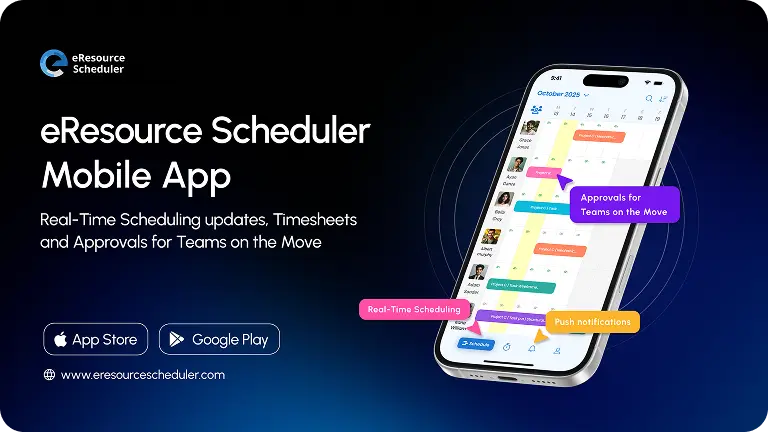
Doing the same twenty approvals with swipe gestures while waiting for a coffee is a five-minute task that actually gets done the same day. The eRS mobile app was built around exactly this kind of moment, with swipe and bulk approval actions, plus real-time notifications so a manager never finds out about a change hours after it happened.
Industries built around distributed labor, professional services, construction, and field engineering have effectively answered the mobile versus desktop question through necessity.
Mobile workforce management isn't a nice-to-have layered on top for these teams, it's the operational backbone. Any organization whose team spends meaningful time away from a fixed desk benefits from designing around the same assumption. Teams that force field or distributed staff back onto desktop for every action tend to see the same three symptoms:
None of these are software failures in the traditional sense. They're symptoms of a workforce management tool that assumes everyone is sitting at a desk when large parts of the team simply aren't.
If your team's timesheet approval backlog builds up toward the end of the week, check where the approval step lives in your workflow. If it only exists on desktop, that's often the real bottleneck, not manager laziness.
There's a common instinct in software buying to want one interface that does everything identically everywhere. It feels efficient on paper. In practice, for resource and workforce management, it consistently backfires.
A team picks a platform and insists the mobile experience mirror the desktop experience feature for feature, because consistency sounds like a good principle. Two things tend to happen instead:
Either direction sacrifices the thing that made one of the two interfaces good in the first place.
Procurement teams sometimes evaluate a mobile app by counting how many desktop features it replicates, treating a longer feature list as a proxy for quality. That rewards exactly the wrong design choice.
The better evaluation question is narrower: for the five or six things your team needs to do on the move, how many taps does each one take, and how often does the app get it right on the first try?
Next time you're evaluating a resource management software, don't ask the vendor to walk you through every mobile screen. Ask them to hand you the phone and time how long it takes to approve three timesheets, unassisted. That single test reveals more about mobile design quality than any feature list ever will.
Myth: A resource management platform should look and work identically on mobile and desktop, because consistency reduces training time.
Reality: Consistency of data matters enormously. Consistency of interface does not. A swipe to approve a time entry isn't a lesser version of a desktop approval button; it's the correct version for the context it was built for.
Mobile and desktop aren't competing for the same job, they're doing two different jobs that happen to touch the same data.
Neither is a downgrade of the other. The fix isn't forcing every workflow through one interface, it's choosing a system that assumes both will be used, on purpose, for different reasons.
The best cloud resource management software doesn't try to erase the difference between mobile and desktop; it leans into it.
That's a different design goal than "looks the same everywhere," and it's the one that actually holds up once a team is using the platform daily.
If mobile and desktop serve different moments, the thing that has to stay identical between them isn't the interface. It's the real-time data.
Every other idea in this chapter assumes the underlying data is trustworthy. The Depth or Speed test only works if both devices are reading from the same live schedule. Without continuity, none of the rest of the framework holds up, because a manager acting on mobile could be acting on information that's already out of date.
A schedule change made on a phone at 8am needs to show up on the desktop dashboard the project lead opens at 9am, with zero manual refresh and zero risk that two versions now disagree.
The moment a team starts wondering which version is correct, the tool has failed at its most basic job.
Here's an ordinary hybrid scenario that goes wrong without continuity:
Nobody made a mistake. The system did. This is precisely the failure mode cloud resource management software is built to prevent, which is why real-time sync should sit near the top of any evaluation checklist, above surface-level feature comparisons.
This isn't a rare edge case dreamed up for a chapter like this one. It's a routine Tuesday for any team split across office and field, and it happens quietly enough that leadership often doesn't hear about it until a client complains about a no-show.
If someone can't approve a certain kind of request on desktop, they shouldn't be able to sneak around that restriction on mobile either.
Access levels that change depending on the device someone happens to be using aren't flexibility; it's a security gap waiting to be found.
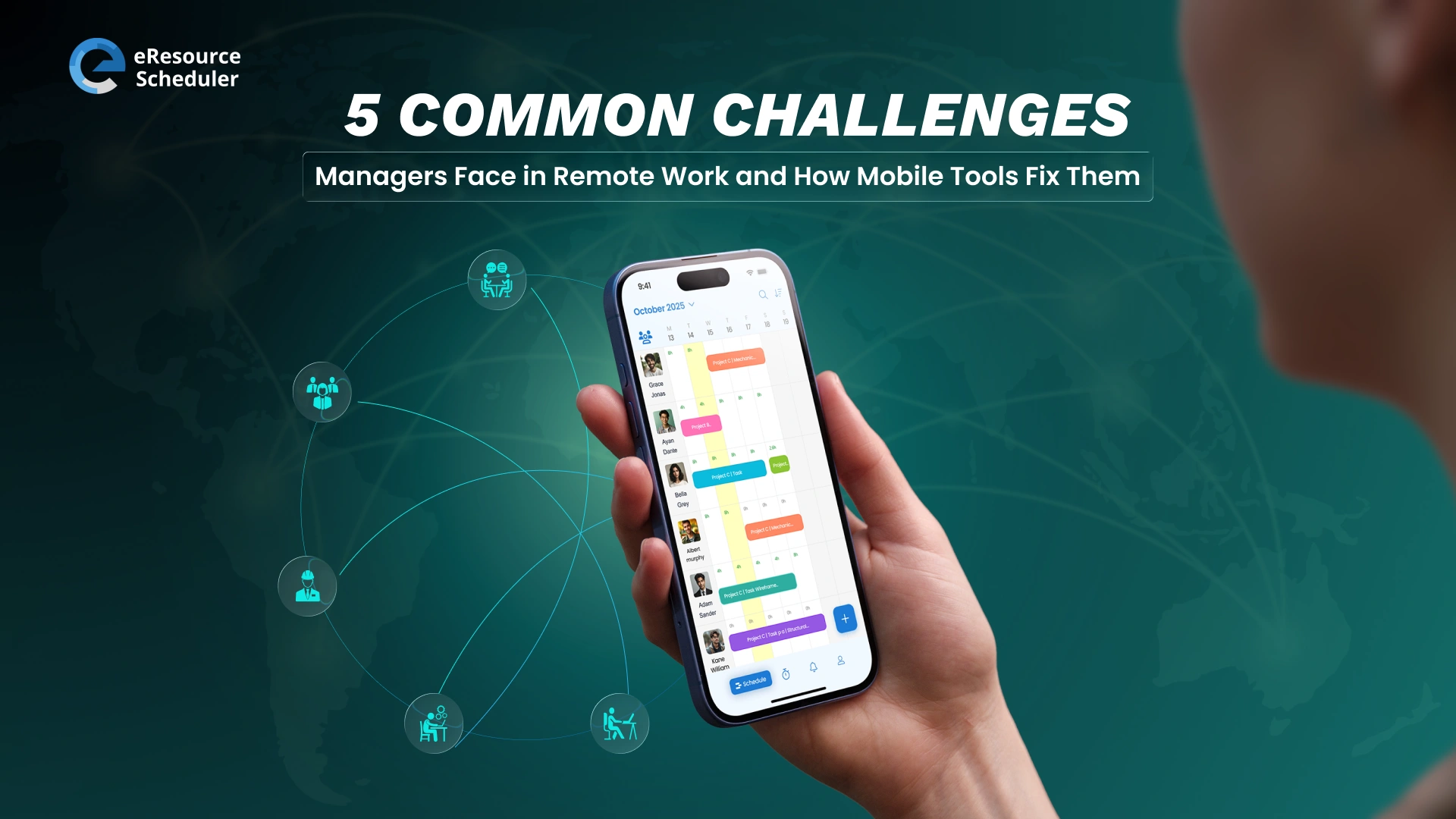
eResource Scheduler treats mobile as an extension of the same account rather than a separate lightweight app. Whatever permissions are set on desktop carry over exactly to mobile, and any booking, timesheet entry, or comment made on either side updates instantly across both. One login, one source of truth, and the same Gantt style visibility resource managers rely on for cross-project tracking, available on mobile in real time.
Once a team experiences even one instance of mobile and desktop disagreeing, confidence in the mobile app drops sharply. People quietly revert to checking everything on desktop just to be safe, which defeats the entire purpose of having a mobile option.
That trust, once lost, is slow to rebuild. In a fully hybrid setup, where some team members are in office and others remote on any given day, the schedule can't afford a device-dependent version of the truth. Hybrid work has made this a baseline requirement, not a nice-to-have.
Mobile workforce management setups feel this most acutely, since the people relying on real-time accuracy are often the ones with the least ability to double check it against a second source.
A field technician trusting their phone to show the correct assignment doesn't have a desktop nearby to cross-reference against. If the data is wrong, there's no backup check catching it before they show up in the wrong place.
Rather than leaving device choice to habit, it helps to have a simple decision framework a team can apply automatically. Call it the Depth or Speed test.
Habits form based on whatever felt easiest the first few times, not on what's actually best for a given task. Once a habit sets in, it's rarely questioned again, even when it's quietly costing the team time.
A framework gives people a two-second check to run instead, one that takes less time than the habit itself and consistently produces a better outcome.
Most resource management tasks sort cleanly into one column once you apply this test.
Tasks that feel genuinely ambiguous are worth watching closely. They often reveal a workflow that hasn't been designed properly.
If a manager frequently needs to build a plan on their phone because they never have time at a desk, that's not a mobile app limitation. It's a signal the manager's calendar needs attention.
Some organizations set light expectations: same day approvals default to mobile, desktop sessions are reserved for weekly planning blocks. Others let the pattern emerge naturally once the right tools are in place.
Either works, as long as leadership resists mandating one device for everything, and names the split out loud at least once, since teams that never discuss it tend to default to whichever device feels safest.
The Depth or Speed test holds up whether you're running a team of five or five hundred. What changes at scale is how explicit the policy needs to be.
Either way, the goal is the same: the device stops being a decision anyone has to think about.
Once a team internalizes that mobile and desktop are built for different moments, it changes how the workday gets structured, not just which app gets opened.
This is worth pausing on because it's easy to treat everything in this chapter as a software feature comparison. It isn't only that. It's a change in how the workday itself gets planned, once the right device stops being a question anyone has to ask.
A resource manager might reserve the first hour of the day, or a recurring slot twice a week, for reviewing capacity and running utilization reports. Because that time is protected, it produces better decisions than the old model of half-attentive desktop checking scattered throughout the day.
Approvals, confirmations, and schedule glances happen between meetings, during commutes, or on the move, without anyone carving out dedicated time for them.
The task fits the moment instead of the moment being interrupted to fit the task.
For business leaders, the practical move is straightforward:
A team that has quietly built the right habits already has an advantage. A team that hasn't is likely losing hours every week to administrative drag that a properly synced mobile and desktop setup would eliminate almost immediately.
None of this requires a company wide mandate or a new software purchase to start. It requires leadership naming the split, once, clearly, and then getting out of the way while the team applies it.
The shift is rarely dramatic when it happens. It looks more like a manager approving a timesheet from the parking lot instead of leaving it for tomorrow, a field lead confirming a reassignment from their phone instead of calling the office. Small moments that add up to a team that simply moves faster.
A few quick markers suggest a team has already found the right split, even without a formal policy:
If most of these already sound familiar, the team has likely built the right habits without ever naming the framework. If none of them do, that's the clearest signal of where to start.
 ALL FEATURES INCLUDED