Learn more
Ask ten people what time tracking means, and you will get ten different answers. Some picture a stopwatch glued to their desk. Others picture a spreadsheet nobody updates until the boss asks for it. At its core, time tracking is the practice of recording how work hours are used (project-by-project and task-by-task) so a business knows where its people and its money are actually going.
The trouble is that somewhere between this simple definition and the average workplace, a pile of myths crept in. These myths now shape how managers set policies and how employees react. This blog covers eleven of the most common ones and gives you a clearer picture of what time tracking actually does when done right.
Before you get into the myths, it helps to see why they exist in the first place. Almost every misconception about time tracking traces back to the fact that managers and employees are often looking at the same tool through two completely different lenses.
| Type of Misconception | Manager's View | Employee's View |
| Surveillance and Control | A way to see where hours are going without micromanaging | A digital supervisor watching every keystroke |
| Productivity and Value | A tool to protect margins and prove project ROI | An extra chore that eats into actual work time |
| Implementation and Logistics | A system that scales across every team, remote or in-office | One more app that will not fit how they actually work |
Neither view is wrong; they are just incomplete when looked at individually. This is the gap where misconceptions grow. This mismatch between assumption and fear is what the next section untangles.
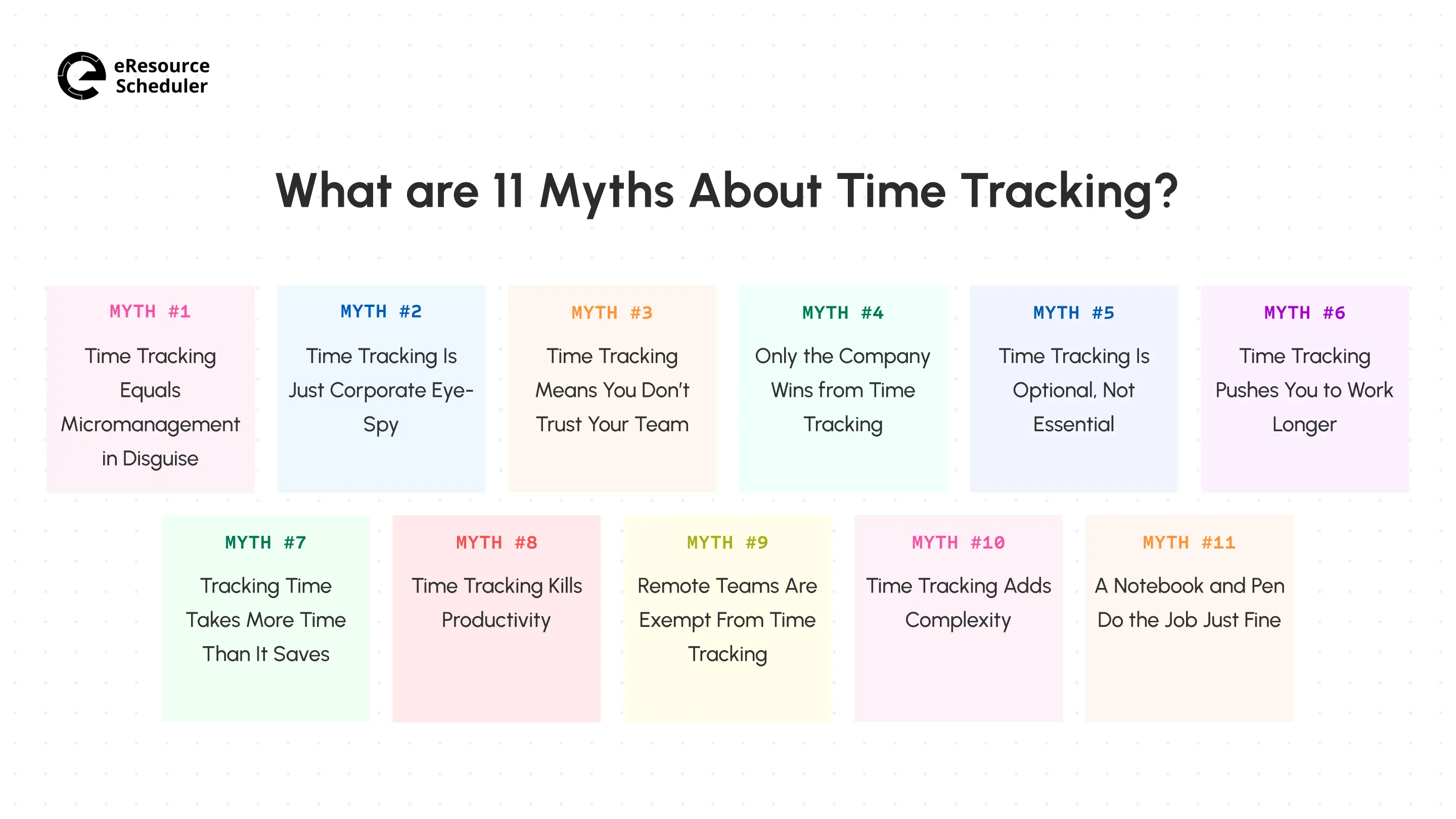
Some of these 11 myths are older than remote work itself. Others got louder once hybrid teams became normal. Either way, you have probably heard at least half of them repeated as fact in your own workplace.
This myth shows up first because it is the loudest. The logic goes something like: if someone wants to know how you spend your hours, they must not trust you to spend them well. But tracking hours and hovering over shoulders are not the same behavior, just wearing different clothes.
Micromanagement is one of the most common resource management anti-patterns. It usually shows up as controlling how a task gets done every minute, not as a manager glancing at a weekly hours report. Time tracking falls into the second category: knowing where the hours went and what task progress they added up to, once they're logged.
Close cousin of the first myth, this one leans into the idea that every logged hour feeds some secret surveillance file. In practice, most time tracking systems show aggregate data: hours per project, hours per client, not a play-by-play of your coffee breaks.

The eye-spy narrative usually comes from one bad experience with a tool that overreached (like screenshot monitoring or keystroke logging). This experience gets pinned on time tracking as a whole, even though logging hours and capturing screenshots are entirely different categories.
Trust and verification aren’t opposites; they work together. A company can trust its people and still want documentation the same way a bank can trust a customer and still ask for a signature. Time tracking, used well, actually protects trust rather than eroding it. It replaces guesswork with a shared, visible record everyone can point to.
This visibility is part of what makes time tracking useful for better project team management, since disputes over who did what and when tend to disappear once the record is tangible.
Gut Check
Be honest. When you read Myth #3’s heading, some part of you nodded before the explanation even
started. This reaction proves the point. You trust your gut about being watched more than you trust
a policy nobody explained.
So ask your team the one question that actually settles this. Have they ever seen their own tracked
hours, or has it only ever been something a manager mentions in passing?
This myth assumes the data flows one way (up to management), not back down to people generating it. But in reality, logged hours are just as useful to an employee building a case for a raise, proving they are overworked, or showing a client exactly what they paid for. Freelancers and consultants figured this out years ago, which is why so many of them track every billable minute voluntarily.
The employee who can point to a clean hourly record has more leverage in a compensation conversation than someone just listing things from memory.
For many small teams, time tracking feels like a nice-to-have you will get around to eventually. For some, time tracking is a legal obligation. It all depends on your workforce.
In the US, the Fair Labor Standards Act requires employers to keep accurate records of hours worked for non-exempt employees, and the federal recordkeeping rules spell out what to document. Skip this recordkeeping, and you are not just missing insights; you are also exposed the moment a wage dispute lands on your desk.
Some people assume that logging hours will guilt them into staying later, as if the timer itself creates pressure to look busy. What actually happens in teams that track well is closer to the opposite. Once you can see exactly where your hours went last week, you start noticing the meetings that run long for no reason and the tasks that quietly eat three times their estimate.
You cannot fix a pattern you cannot see, and this is the whole logic behind most time management methods.
This one used to be fair criticism. Early time tracking meant stopping what you were doing, opening a spreadsheet, and typing start and stop times by hand. This genuinely felt like a tax on your day.
Modern tools have mostly closed this gap. With simple one-click timers and automatic timers paired with time-blocking techniques, logging effort barely registers against the time it saves. The friction people remember is usually from a tool or process, not the concept itself.
Getting the Basics Right
Nobody’s productivity drops because a number gets logged. It drops when people do not know what the
number is for. A task that takes forty minutes does not need to stretch to two hours, and it only
does when someone assumes a bigger number means harder work.
This tool isn’t the problem. This is a business that never explained what the hours are actually
used for.
The fear here is that watching a clock makes people move slower (not faster), the same way staring at a pot keeps it from boiling. Most productivity drains in a business are invisible until someone tracks them. Scope creep, unbilled revisions, meetings that could have been emails.
You cannot fix what you cannot measure, and teams that resist tracking productivity are often the ones losing the most hours to exactly the problems tracking would expose.
If anything, remote and hybrid setups make time tracking more useful. When you cannot walk past someone’s desk to check in, a shared record of hours and tasks becomes the closest thing you have to hallway visibility.
Distributed teams that skip tracking often end up over-relying on status meetings and check-in messages to fill the gap. This usually costs more time than the tracking would have.
People imagine rolling out time tracking as a heavy lift: new software, new habits, new resistance from the team. In reality, the complexity usually comes from picking the wrong tool or bolting tracking onto a process that was already broken.
Done through a system built for simple project time tracking rather than a general-purpose spreadsheet, most teams log hours within the same day, not at the end of the week.
There is something almost charming and old-school about the idea of a paper timesheet. Until you need to pull six months of billing history for a client audit or reconstruct last quarter’s project costs. Paper doesn’t sync, doesn’t total itself, and doesn’t survive spilled coffee.
Comparing what a notebook actually delivers against any list of the best time tracking tools in the USA makes the gap obvious fast. A notebook can capture the number, but it cannot report it, cross-reference it, or protect you when someone asks for proof.

Reading through eleven myths back-to-back can feel a little exhausting. So here is the short version, mapped to what decent timesheet software actually does for each one.
| # | Myth | How Timesheet Software Addresses It |
| 1 | Time tracking is micromanagement | Rolls hours into utilization and capacity dashboards instead of task-by-task logs. |
| 2 | Time tracking is corporate surveillance | Keeps activity data limited to logged hours and tasks, never screen or keystroke capture. |
| 3 | Time tracking signals distrust | Turns logged hours into a shared record both managers and employees can check anytime. |
| 4 | Time tracking only benefits employers | Exports individual timesheets employees can use for raises, workload disputes, or billing proof. |
| 5 | Time tracking is optional | Auto-generates compliance-ready hour records for audits. |
| 6 | Time tracking pushes longer hours | Flags overtime patterns before they become a habit, not after the fact. |
| 7 | Time tracking wastes more time than it saves | Cuts entry down to a single click tied to the relevant project or task. |
| 8 | Time tracking hurts productivity | Surfaces scope creep and unbilled hours in the same dashboard used for planning. |
| 9 | Remote teams don't need time tracking | Replaces hallway visibility with a shared resource calendar anyone can check. |
| 10 | Time tracking adds complexity | Comes preconfigured, so teams are logging hours within a day of rollout. |
| 11 | Pen and paper work as well as time tracking software | Stores, totals, and reports hours automatically, with nothing to reconstruct by hand. |
What actually changes in a business once these eleven myths stop driving the conversation is fairly small on paper but significant in practice. Hours stop being something one side reports and the other side reviews, and start being something both sides can just look at. This shift alone kills most of the fear this list started with.
This is the thinking behind how eResource Scheduler handles time data. Logged hours flow straight into capacity and resource planning rather than sitting in a separate tracking tab nobody outside payroll opens. A manager planning next month’s workload and an employee checking their own hours look at the same numbers, not two different versions of the story.
Every myth on this list runs on the same fuel. A bad experience with a tool or a rollout that felt forced instead of explained. Strip this away and time tracking turns out to be a fairly boring, practical habit, closer to keeping receipts than to being watched.
Time tracking protects employees as much as it protects payroll. It makes remote teams easier to run, and it turns vague workload complaints into numbers some can act on. None of this requires distrust on either side. It just takes a system that respects people’s time while recording, and data that both managers and employees can use.



Plan Smarter. Schedule Faster. For Free.
Join thousands already using eResource Scheduler to align teams, time, and tasks seamlessly.
 ALL FEATURES INCLUDED