 Learn more
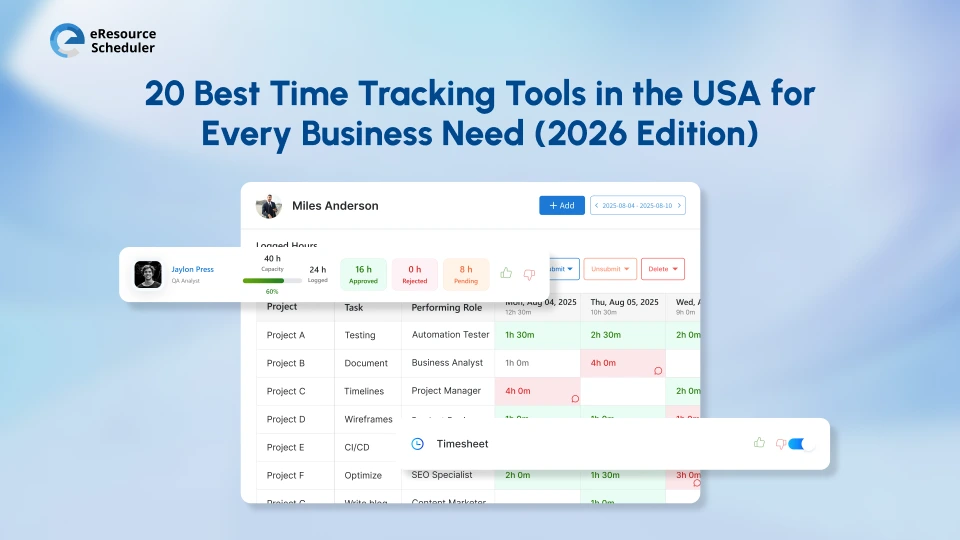
Choosing the right employee time tracking software in 2026 is all about making strategically thought-out decisions, not operational ones. Businesses all over the world, especially in the USA, are no longer tracking hours to control work. They track time to understand the risk of delivery, the pressure of staffing, and cost exposure early.
The best tools help leaders see how effort flows across teams while keeping daily logging less complicated for employees. When time tracking supports modern methods of planning instead of simply policing behavior, adoption is bound to follow naturally.
In this blog, we talk about the 20 best time tracking tools used by organizations across the USA. Each one is reviewed through a practical lens and answers questions like how it works in real teams, where it fits best, and what kind of organizations actually benefit from it.
A time tracker in 2026 must earn its place in the workflow. Employees expect simplicity. Leaders expect clarity. Finance teams expect reliable inputs. When so many teams benefit from an employee time tracking system, choosing the right one becomes all the more difficult (and so does figuring out a way to bring all teams to agree on the same tool).
High-performing tools deliver:
Because anything that feels heavy or intrusive rarely survives past rollout.
eResource Scheduler is an enterprise resource management and scheduling software built for teams that need complete resource planning clarity, not just basic time logs. eResource Scheduler connects time tracking with scheduling, financials, capacity planning, and management reports, and helps forecast both workload and visibility.
Key features
Industry use cases
Time tracking for projects becomes far more valuable when it feeds planning decisions instead of sitting in isolation. With eResource Scheduler, timesheets capture real effort and connect it directly to schedules, capacity, and financial outcomes, giving teams a shared source of truth.
Leaders gain early visibility into delivery risk, employees log time without friction, and finance teams work with reliable data that reflects how projects actually run.
A lightweight tool known for fast setup and low-friction adoption.
Key features
Industry use cases
This platform focuses on billable time and client visibility. It contributed the most where invoicing and reporting matter as much as time tracking.
Key features
Industry use cases
Commonly used by cost-conscious teams needing unlimited users, this platform delivers core tracking without complex setup.
Key features
Industry use cases
Known for combining time tracking with activity monitoring, it is often a go-to choice for organizations with remote employees.
Key features
Industry use cases
Emphasizes productivity analytics alongside time tracking. It is designed for performance-focused organizations.
Key features
Industry use cases
This one blends project management with time tracking. It suits agencies needing visibility tied to delivery at the task level.
Key features
Industry use cases
A tool that runs quietly in the background, focusing on personal productivity insights rather than formal reporting.
Key features
Industry use cases
This tool is known for integrating directly with popular project management tools. It is ideal for teams already living inside PM platforms.
Key features
Industry use cases
Known to emphasize cross-tool visibility, it syncs time data across calendars and work apps.
Key features
Industry use cases
Designed for payroll-driven organizations, this tool integrates tightly with accounting workflows.
Key features
Industry use cases

Replicon targets compliance heavy enterprises. It offers a policy driven tracking and advanced controls.
Key features
Industry use cases
This tool combines automatic tracking with simple productivity metrics. It is popular with hybrid teams.
Key features
Industry use cases
Focuses on cost awareness for small teams. It keeps reporting quite simple and accessible.
Key features
Industry use cases
A tool built for professional services firms needing utilization insight and forecasting.
Key features
Industry use cases
Timely uses AI to suggest time entries automatically. It reduces manual logging fatigue.
Key features
Industry use cases
Zoho Projects includes time tracking within the broader Zoho ecosystem. Best for existing Zoho users.
Key features
Industry use cases
It works well for teams watching margins closely and focuses on cost tracking and budget control.
Key features
Industry use cases
It is widely used in frontline environments and specializes in attendance and shift tracking.
Key features
Industry use cases
It connects time data to behavior insights and focuses on performance analytics.
Key features
Industry use cases

| Tool | Best Fit | Strategic Strength |
| eResource Scheduler | Enterprise and services firms | Time tied to capacity, planning, and financial impact |
| Toggl Track | Startups and small teams | Fast adoption with minimal friction |
| Harvest | Agencies and consultants | Clean link between time, budgets, and billing |
| Clockify | Cost-sensitive growing teams | Scales users without scaling cost |
| Hubstaff | Remote and field teams | Location and activity visibility |
| Time Doctor | Performance-driven orgs | Deep productivity and distraction insights |
| Paymo | Creative and delivery teams | Task-level time connected to delivery |
| RescueTime | Individual contributors | Passive focus and behavior insights |
| Everhour | PM-centric teams | Time lives inside existing PM workflows |
| TrackingTime | Tool-heavy teams | Cross-app time visibility |
| QuickBooks Time | Payroll-led businesses | Payroll-ready time data |
| Replicon | Regulated enterprises | Compliance-first time governance |
| DeskTime | Hybrid teams | Automatic tracking with light analytics |
| My Hours | Small agencies | Simple cost and profitability tracking |
| ClickTime | Professional services | Utilization and demand forecasting |
| Timely | Knowledge teams | AI-assisted time capture |
| Zoho Projects | Zoho ecosystem users | Unified project and time data |
| TimeCamp | Margin-focused teams | Cost and budget intelligence |
| Jibble | Shift-based workforces | Attendance accuracy at scale |
| Workpuls | Operations leaders | Time linked to behavior patterns |
The most effective organizations treat timesheets as a decision layer, not a control layer, because timesheets are no longer about only proving work happened. Software for time tracking exists to reveal where effort leaks, where demand quietly spikes, and where teams are stretched before results start slipping. When time data connects to planning and financials, leaders stop reacting late and start adjusting early.
Logging becomes lighter. Insights become sharper. Capacity conversations shift from opinions to evidence. That is why modern time tracking succeeds only when it respects employee flow while giving leadership a clean view of risk, cost, and delivery pressure.
Time tracking has matured. In 2026, the best tools respect employee autonomy while giving leadership actionable insight. Whether the goal is billing compliance or future planning, the right software for time tracking makes work visible without adding friction.
Teams now want time tracking to support smarter decisions, not just record history. Start a 14-day free trial of eResource Scheduler and experience how time data can finally drive clarity.
1. How accurate is an employee time tracking system?
Time tracking significantly reduces manual entry errors and missed logs. It improves the consistency and reliability of time data across teams and projects.
2. What is the best employee time tracking software for large enterprises?
The best enterprise time tracking software goes beyond logging hours and connects time data with capacity planning, forecasting, and financial visibility. Such software helps leadership identify delivery risk, workforce pressure, and cost exposure early.
3. Can time tracking tools actually improve capacity planning?
Yes. When time tracking data flows into future schedules and demand forecasts, organizations gain a clearer view of available capacity and upcoming constraints. This enables better staffing decisions before overload or underutilization occurs.
4. Do employee time tracking tools help creative and knowledge teams?
Modern time tracking tools are designed to support flexible workflows without rigid task enforcement. They focus on visibility and patterns of effort rather than micromanagement.
5. Is employee time tracking useful beyond payroll processing?
Yes. In 2026, employee time tracking software plays a strategic role in planning, budgeting, utilization analysis, and delivery forecasting. Payroll is just one of many downstream outcomes.


Plan Smarter. Schedule Faster. For Free.
Join thousands already using eResource Scheduler to align teams, time, and tasks seamlessly.
 ALL FEATURES INCLUDED








