Learn more
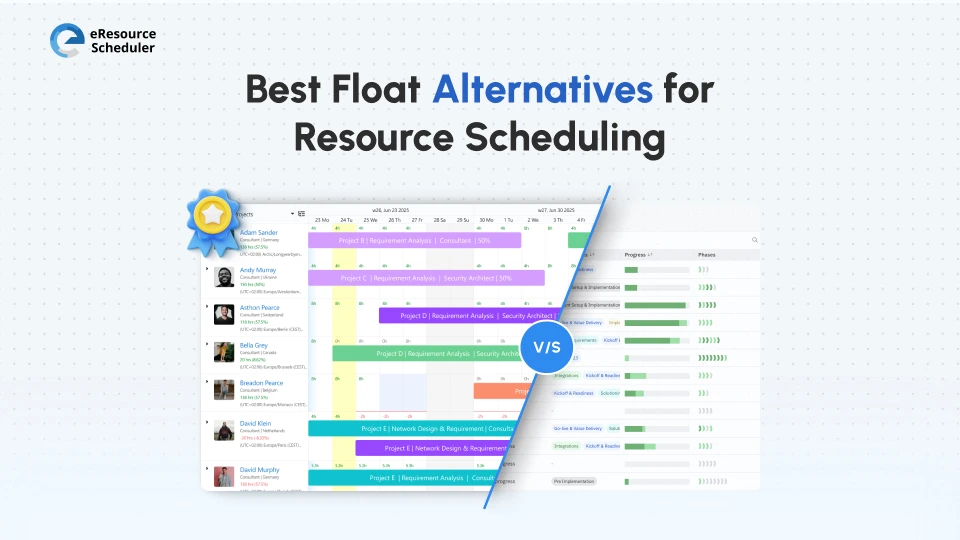
Poor resource visibility doesn’t just cause delays; it erodes trust, delays deadlines, and leads to strategic resource mismanagement across the portfolio.
Unlike Float, many alternatives combine scheduling with forecasting, financial insights, and real-time reporting. They are used by people who need accurate capacity planning, workload balance, and performance tracking.
What are the best Float alternatives for resource scheduling?
The best Float alternatives for resource scheduling are tools that help teams plan, allocate, and track people across projects with more visibility and control.
Not all tools solve the same problem. Each tool in this list solves a different layer of resource planning. From basic scheduling to capacity forecasting, utilization tracking, and strategic decision-making.
Float is a visual scheduling tool designed for simple resource allocation. It works well when planning is straightforward. It becomes more of an obstacle when decisions depend on more than basic assignments. Teams don’t leave Float because it fails. They shift because their planning needs to step up.
Common Limitations of Float:
The Reviews Don't Lie
A user remarked that “Float lacks the advanced features and customization needed for complex scheduling, making
it harder to manage growing team demands. Also, there are issues with time adjustments and task edits unintentionally
affecting entire bookings, which complicates tracking and control.”
Source: G2
Teams should consider switching from Float when scheduling becomes difficult to manage, resources are frequently overbooked or underutilized, or there is no clear visibility into capacity, workload, and project performance.
The right alternative depends on how complex your resource planning has become. Whether you’re managing simple schedules or balancing capacity across multiple projects.
| Tool | Core Strength | Why It Stands Out | Pricing |
| eResource Scheduler | End-to-end visibility | Combines scheduling, capacity, timesheets, reports, and financials | Module-based options @ $5/resource/month annually |
| Hub Planner | Reporting + utilization | Strong analytics | Plan-based options @ $7/resource/month annually |
| Silverbucket | Capacity forecasting | Long-term planning focus | Custom Options |
| Runn | Forecasting + scenarios | Advanced resource insights | Plan-based options @ $7USD/resource seat/month annually |
| Resource Guru | Simplicity | Easy scheduling | Plan-based options @ $4.16/person/month annually + other resources @ $2.08 each |
Different teams have different scheduling needs. These categories help you identify which type of tool aligns best with your scheduling complexity and growth stage.
Industry Insight:
According to a recent
BearingPoint
study, integrated planning is increasingly seen as a cornerstone of business agility and resilience. Nearly all
surveyed organizations consider planning to be strategically critical, yet only a small minority have achieved true
end-to-end integration across sales, operations, and finance.
Simple drag-and-drop scheduling
Best suited for early-stage teams
Limitation: No forecasting and reporting
Example: Resource Guru
Task management tools with scheduling add-ons
Best for product teams
Limitation: Resource planning is secondary
Example: Hub Planner
Best for capacity and workforce planning
Best for growing organizations
Example: eResource Scheduler
Key Takeaway:
Many teams are choosing resource-first tools. The shift is in the thinking process. From ‘who is booked’, teams are now focusing on ‘who should be booked’. Planning now requires capacity visibility, workload balance, and forecasting future demand.
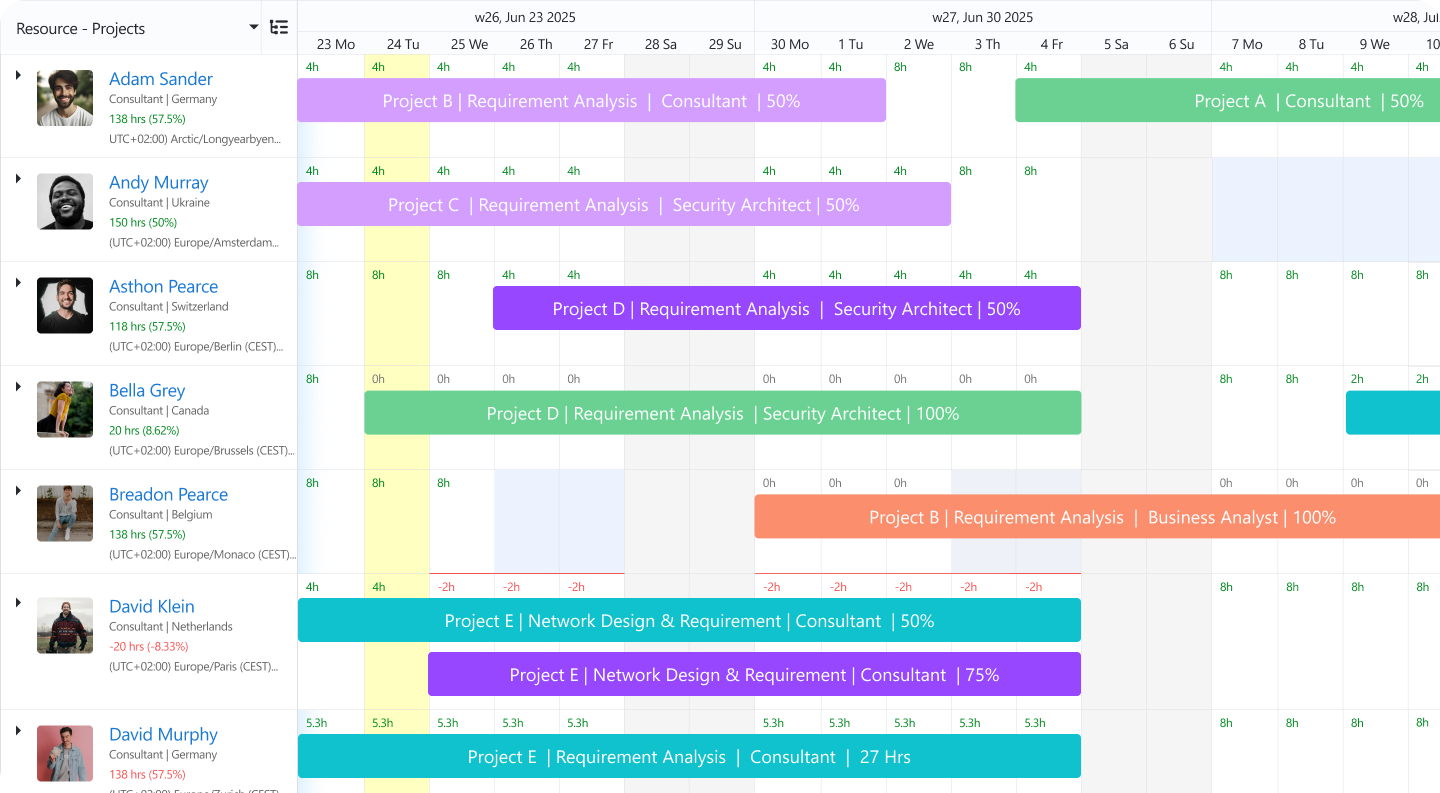
eResource Scheduler is an enterprise resource scheduling software designed for teams that need end-to-end visibility. It connects scheduling with planning, tracking, and reporting so teams can make informed decisions, not just manage bookings.
Float focuses on visual scheduling, while eResource Scheduler goes deeper by combining scheduling with other essential features, like capacity planning and reports. A comparison blog on eResource Scheduler vs Float covers these differences in detail.
The Reviews Don't Lie
Oliver, tasked with managing training sessions, shared, “With eResource Scheduler, scheduling became 60% faster
and more structured. We could clearly see mentor availability, assign sessions without overlap, and adjust
schedules without disruption. The pricing options let us pick and choose the features we need rather than forcing us
into a box. The setup was quick and straightforward, allowing us to start managing schedules immediately.”
Source: G2
Pricing Details: Module-based options starting @ $5 per resource/month annually
Trial Information: Free trial available
How 7-Eleven Improved Workforce Planning?
7-Eleven manages training over locations, roles, and shifts, making coordination complex, especially when aligning trainer availability, employee schedules, and certification timelines across regions. As the network branched out, reliance on spreadsheets and emails resulted in overlaps, missed certifications, and limited visibility, increasing delays and compliance risks.
To resolve this issue, 7-Eleven centralized its training operations with eResource Scheduler, bringing all sessions, resources, and schedules under a single system with built-in tracking to monitor certifications and prevent conflicts. This shift enabled faster adjustments, better coordination, and clearer visibility across teams. As a result, scheduling time was reduced by 20%, conflicts dropped significantly, trainer utilization improved, and overall visibility increased by 15%.
A resource management platform focused on team scheduling, utilization tracking, and reporting.
| Pros | Cons |
| Strong reporting | Slight learning curve |
| Good utilization tracking | The interface feels complex |
| Flexible scheduling | Restrictive timesheet management |
A reviewer reported, “I find timesheet management a bit restrictive, especially when trying to move logs
between weeks or access entries quickly. The interface also feels complex at times, which makes navigation harder
than it should be. On top of that, the pricing feels high for what’s included, and I wish there were more
customization options to fit my needs.”
Source: G2
Pricing Information: Plan-based options starting @ $7 per resource/month annually
Trial Information: Free trial available
A planning-focused solution designed for capacity forecasting and long-term resource management.
| Pros | Cons |
| Excellent forecasting | The interface may take time to learn |
| Strong capacity planning | Not ideal for simple use cases |
| Good workload insights | Lacks layered authorization |
Pricing Details: Custom Options
Trial Information: Free trial available
Someone who has been using the software for a while divulged, “Resource requesting isn't adequate for the
volume of requests or managing the stages of each request. We start the request in SilverBucket, but then use Service
Now to monitor the status and progress of the request.”
Source: Capterra
A resourcing tool built for forecasting, scenario planning, and utilization tracking.
One user reviewed, “The UI could use a little polish in a few places - some navigation is a little unintuitive
(one can't always access things from the 'quick' menu bar - on one page you can, but from another you can't and have
to click through to the full item page first - that inconsistency is a bit weird), and sometimes buttons/click areas
seem a bit small.”
Source: Capterra
| Pros | Cons |
| Strong forecasting tools | Pricing may be higher |
| Scenario planning support | Requires setup time |
| Real-time insights | UI is very confusing |
Pricing Details: Plan-based options starting @ $7USD per resource seat/month annually
Trial Information: Free trial available
A lightweight scheduling tool focused on simplicity and quick team coordination.
| Pros | Cons |
| Easy to use | Pricing may be higher |
| Scenario planning support | Requires setup time |
| Real-time insights | UI is very confusing |
A user posted, “I find the limited customization in Resource Guru frustrating, especially when it comes to
color coding and organizing clients. On top of that, manual entry feels tedious, and filtering options aren’t
as efficient as I’d like.”
Source: G2
Pricing Details: Plan-based options starting @ $4.16 per person/month annually, with other resources @ $2.08 each
Trial Information: Free trial available
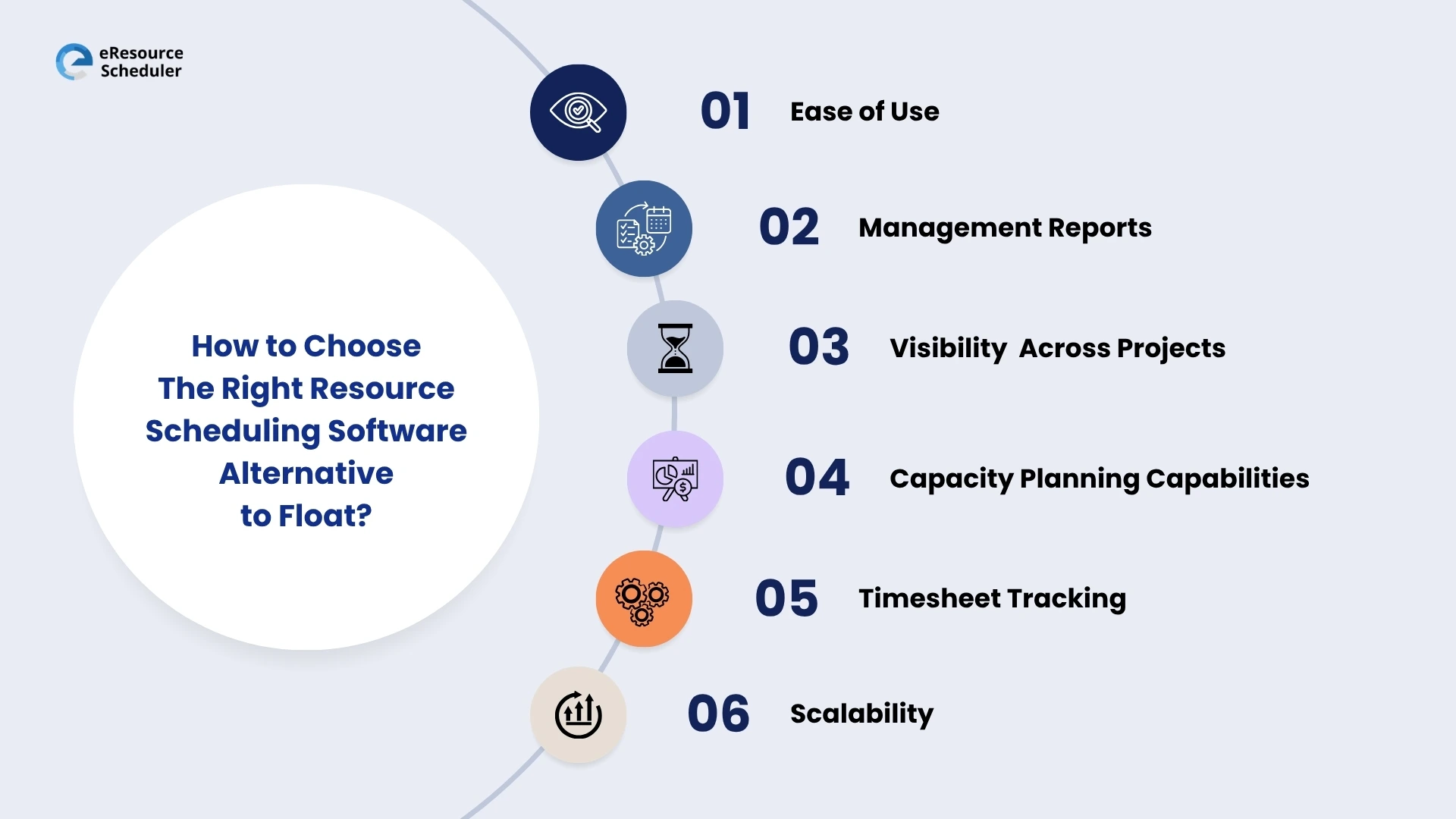
Choosing the right tool means selecting one that supports how your team plans, allocates, and tracks work across projects. Don’t just pick a tool that ‘looks good’. Pick one that helps you make better decisions every day.
According to the WifiTalents Report 2026 , 58% of organizations voted ‘user adoption’ as a major challenge for resource scheduling software.
Adoption is more important than the feature count. Even powerful tools fail if teams don't use them. So the question remains:
How quickly can your team adopt and use the tool daily?
Strong reporting shows what’s working, what needs attention, and where to adjust. The right tool should help you compare planned vs actuals, identify cost overruns, and track utilization and workload balance. Without this level of clarity, teams end up reacting after issues impact timelines or budgets.
Advanced resource management software like eResource Scheduler helps make decisions based on real project data rather than fragmented updates. With built-in reporting, teams can tally planned vs actual effort and understand resource impact on costs by connecting resource allocation directly to project outcomes.
You should be able to see all projects, timelines, and resource assignments in one place. If you can’t see everything in one place, you can’t plan effectively.
Without a unified view, teams rely on fragmented data, which leads to conflicts and missed deadlines.
The ability to understand how much work your team can handle now and in the future is paramount. Overloading leads to burnout, and underutilization leads to wasted costs.
Good tools don’t just assign work. They balance it.
If you don’t track your actual effort, your plans won’t improve.
Tracking actual time spent vs planned time is essential. It helps improve future estimates and prevents recurring delays.
Choose a tool that fits your future, not just your present.
Switching tools repeatedly slows teams down. The tool should have the ability to grow along with your team and projects.
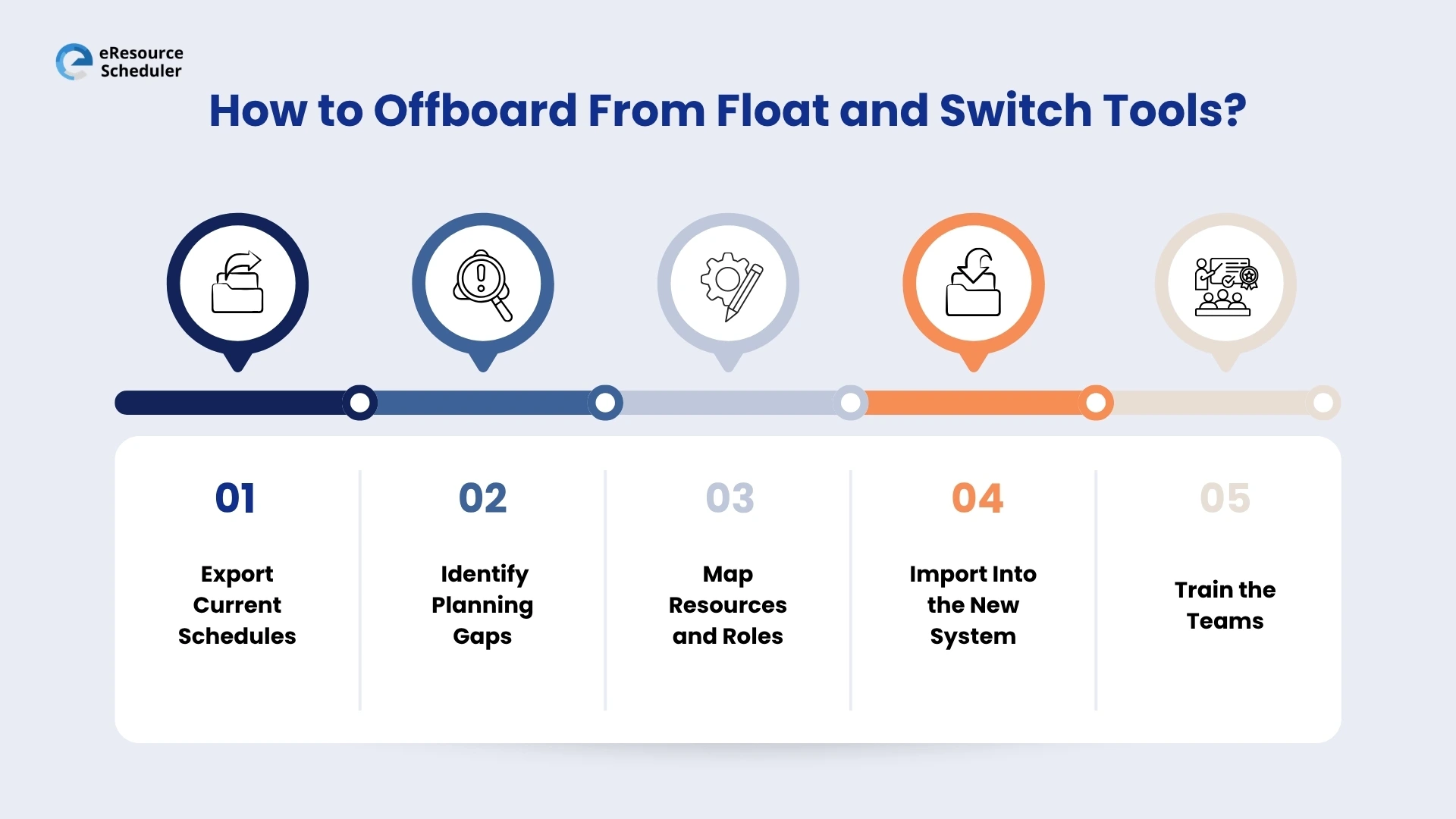
1. Export current schedules:Download all active schedules, resource allocations, and project timelines.
2. Identify planning gaps: List what Float could not handle for your team.
Did You Know?
According to research conducted by multiple industries, poor communication is responsible for 30% of scheduling misalignments on average.
3. Map resources and roles: Define team structure, roles, skills, and availability.
4. Import into the new system:Upload projects, resources, and schedules into the new tools.
5. Train the teams: Provide practical, hands-on training with real use-cases.
One thing stands out across this blog. Teams don’t struggle with assigning work. They struggle with interpreting capacity, predicting outcomes, and making confident decisions. Choosing the right Float alternative comes down to one simple shift: moving from basic resource allocation to informed resource scheduling.
A schedule should not just show who is busy. It should help you decide who should be busy, when, and why.
If your current setup makes it hard to answer those questions, it’s a sign to rethink your approach. A more advanced resource scheduling software, like eResource Scheduler, helps connect daily scheduling with capacity planning, timesheets, financials, and management reports in one place, so decisions are based on clarity, not assumptions.
The end goal is not to replace a tool. It’s to improve how your team plans, collaborates, and delivers work.

1. What are the best Float alternatives for resource scheduling?
The best Float alternatives are tools that combine scheduling with capacity planning, forecasting, timesheets, and reporting, helping teams manage workloads across multiple projects.
2. What can I use instead of Float for resource scheduling?
You can use anything from simple scheduling tools like Resource Guru to advanced resource management platforms like eResource Scheduler, depending on whether you need basic planning or deeper insights into capacity and performance.
3. When should my team move from Float?
Teams should consider switching when scheduling becomes hard to manage, resources are frequently overbooked, or there is no clear visibility into capacity and workload.
4. What problems do teams face when using Float?
Common challenges include limited forecasting, lack of visibility into actual effort, difficulty managing multiple projects, and reliance on manual adjustments.
5. What should I keep in mind when choosing a Float alternative?
Focus on visibility across projects, capacity planning, timesheet tracking, financial insights, and ease of use so the tool supports better planning and decision-making.

Plan Smarter. Schedule Faster. For Free.
Join thousands already using eResource Scheduler to align teams, time, and tasks seamlessly.
 ALL FEATURES INCLUDED