Learn more
There is a particular kind of irony in the professional services industry. Firms charge clients hundreds of dollars an hour for strategic thinking, operational expertise, and data-driven decisions. Then they go back to their office and manage their own workforce in a spreadsheet last updated sometime before the pandemic. This is where the gap between advice given and advice taken becomes apparent.
The right resource management software does not add meetings or tracking sheets. It gives your team a single, live view of capacity, demand, and delivery, and turns scheduling from a daily fire drill into something that actually earns its keep.
Here is the scale of the problem. According to SPI Research’s 2026 Professional Services Maturity Benchmark, average billable utilization across the industry has fallen to 66.4%, the lowest in half a decade and well below the 70% floor most teams need to stay profitable. This is not a market problem. This is an operational problem. It almost always traces back to the same root cause. No one knows, in real time, who is doing what, who is free, and where the next gap is forming.
In this blog, we break down five of the best tools built specifically for professional services teams and help you figure out which one fits how your firm works.
These five tools were selected based on professional services fit, feature depth, user reviews, and pricing transparency.
| Software | Why It Fits Professional Services | Starting Price (Annual) |
| eResource Scheduler | End-to-end scheduling, utilization tracking, timesheets, and capacity forecasting in one platform | $5/resource/month |
| Productive | Agency-focused PM + resource management with integrated budgeting and time tracking | $10/user/month |
| Screendragon | Workflow automation + resource planning for creative and marketing services | Custom |
| Parallax | Capacity planning and revenue forecasting built specifically for professional services | Custom |
| Retain | Skills-based staffing and long-range capacity planning for global services firms | Custom |
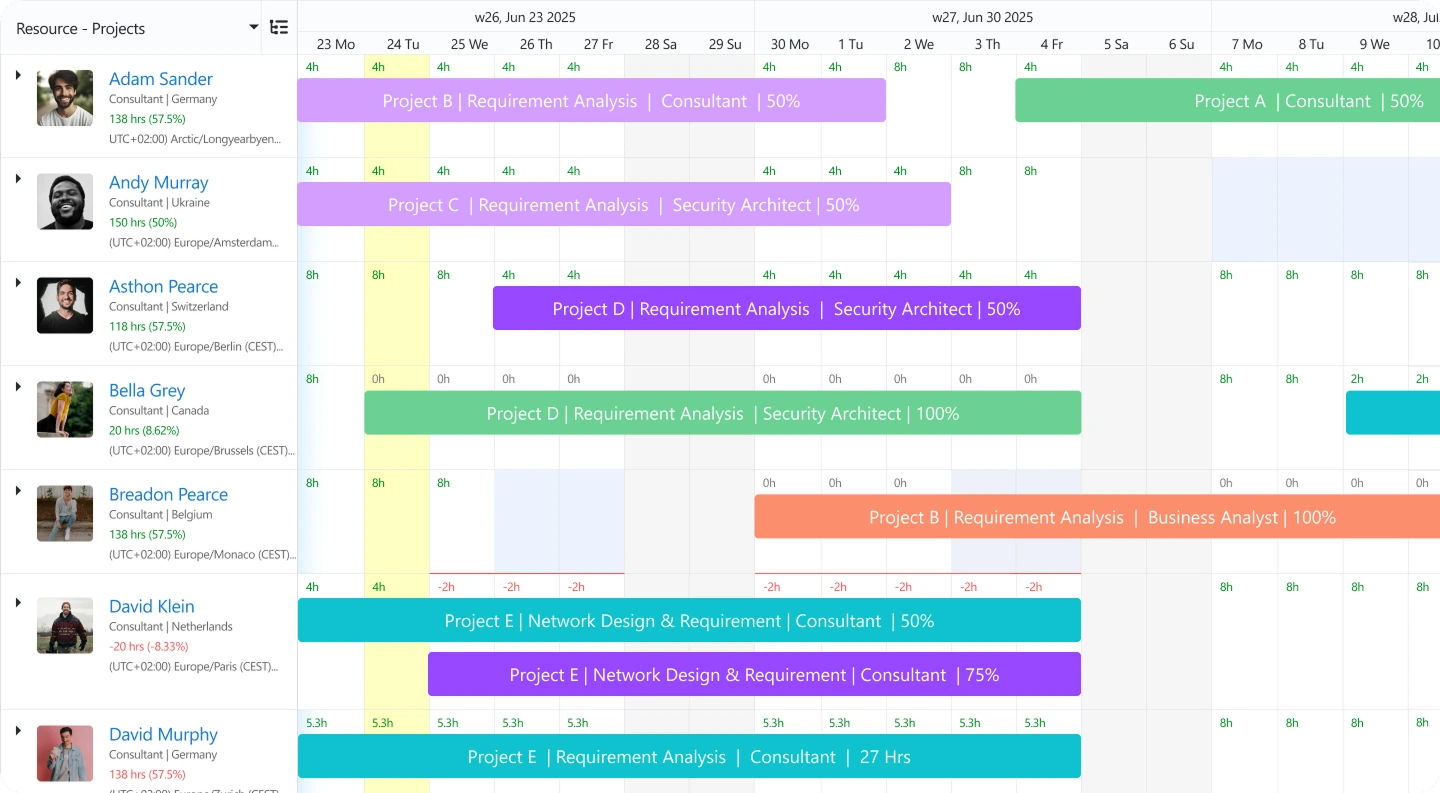
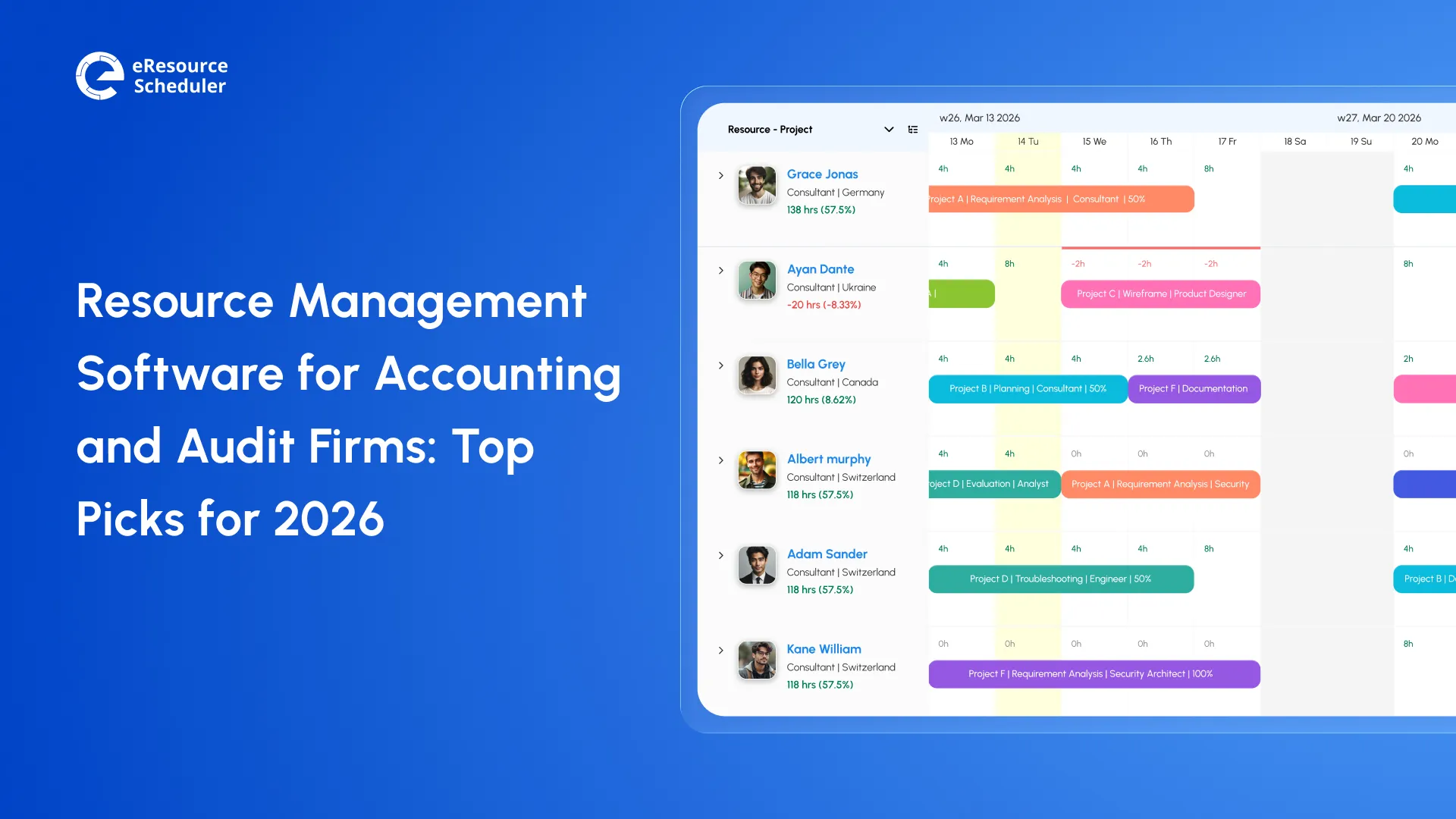
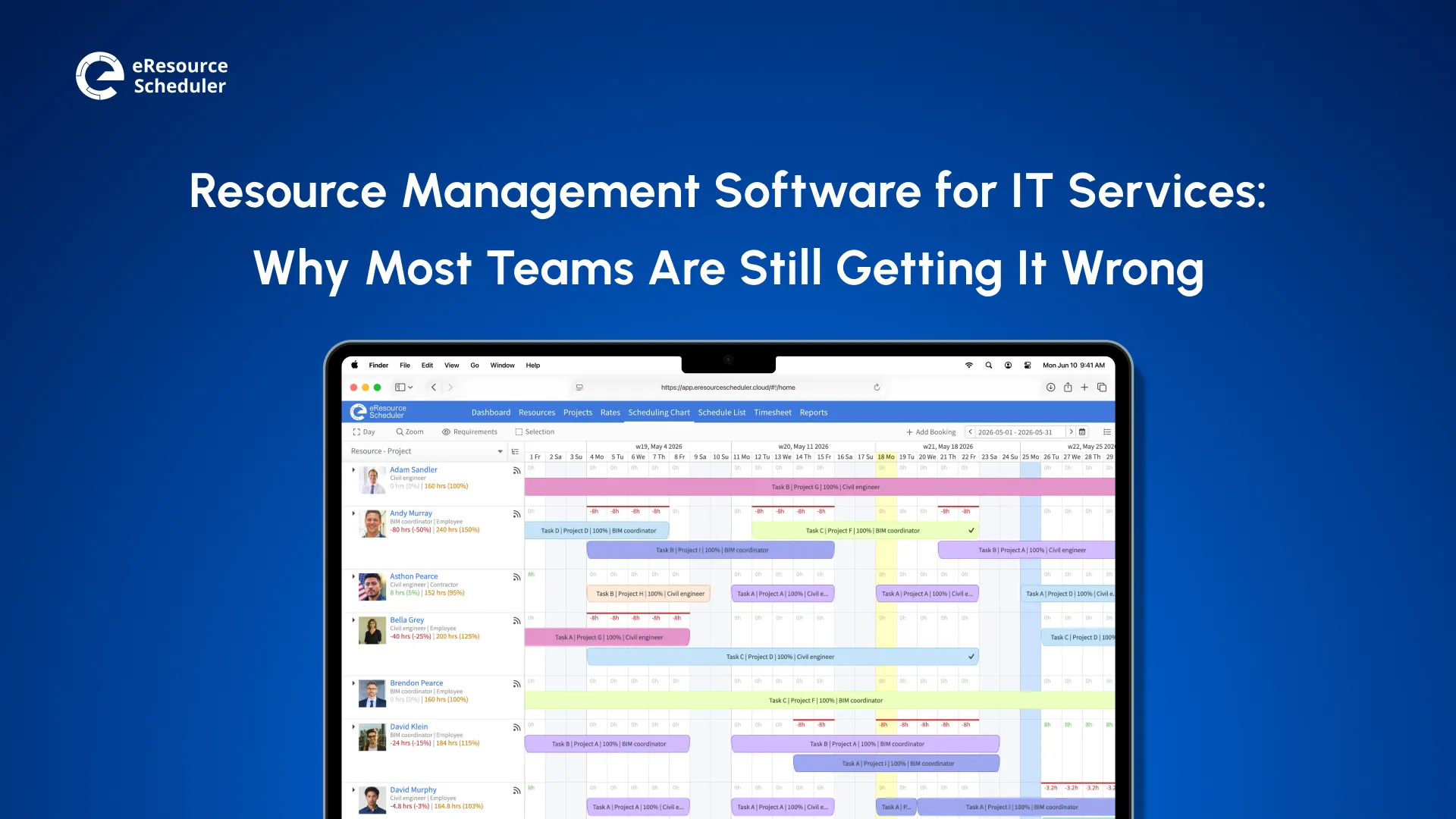
eResource Scheduler is enterprise-grade scheduling and resource management software built for teams that live by utilization rates and billable hours. Consulting, engineering, creative, and legal teams use it, scaling from 50 to 5,000+ resources without losing visibility.
What eResource Scheduler gives you in one place:
For professional services teams specifically, eResource Scheduler gives you a single place to see who is available, who is overloaded, and where the next revenue gap is forming.
It covers the full resource management lifecycle in one platform and is highly configurable to match your org structure. Little Red Zombie Studios used the software to go from double-booked chaos to deliberate planning across parallel projects.
It is built for agencies and service businesses that want project management and resource management in one place. It’s particularly strong for teams that bill by the hour and need tight control over budgets alongside capacity.
Resource heatmaps, time tracking, and project budgeting sit in the same interface. Native connectors to Xero, QuickBooks, Slack, and Zapier handle the data handoffs your team would otherwise do manually.
However, it can feel limiting for more complex service organizations. Reporting depth also doesn’t match what enterprise firms typically need. There are fewer customization options compared to dedicated enterprise resource management tools.
This tool combines resource planning with workflow automation. If your work involves approval cycles, creative briefs, and campaign timelines alongside people management, it handles both in a single platform.
The platform handles capacity planning, resource scheduling, workflow automation, and project tracking together. The built-in request intake system is particularly useful if your team is fielding a constant stream of new project requests that need sorting before they touch the schedule.
On the other hand, it is less suited for firms outside of creative and marketing services. The depth of financial reporting is limited. Pricing is also not publicly disclosed, which makes early-stage evaluation harder.
It is a purpose-built tool for professional services organizations that want to connect resource planning to revenue forecasting. It sits in the middle of capacity management and business development, helping firms understand how their pipeline translates into staffing demand.
Capacity planning and revenue intelligence are the core, with pipeline-to-resource planning sitting on top. It integrates with common PSA and CRM tools, which matters most for firms running a mix of T&M and fixed-price work.
That said, it is best suited for mid-to-large professional services firms with an established sales pipeline. Smaller teams or firms without a CRM may find it harder to unlock the tool’s value.
This is an enterprise-level staffing and resource management platform designed for global professional services firms. It is particularly strong with skills-based scheduling and long-range capacity planning.
Key features include a skills inventory and matching engine, multi-entity and multi-currency support, scenario modeling, long-range forecasting, and hybrid-deployment options. Built for enterprise scale and complexity.
On the flip side, the interface has a steeper learning curve, which makes the implementation time-intensive. The pricing is also not listed publicly.
Industry Insight
According to PMI’s Global Project Management Talent Gap Report, global demand for project management professionals is projected to grow 64% from 2025 to 2035, creating a talent gap of nearly 30 million people. More people managing more projects means resource conflicts, capacity blind spots, and scheduling chaos will only get worse without a dedicated system to hold it together.
Knowing which tools exist is step one. Knowing what to actually look for when you get into a demo is step two.
Not all resource management tools are the same. A system built for construction scheduling and one built for a consulting firm might share the same category label but solve very different problems. Here is what actually matters when considering tools for a professional services context.
This is the core function. What you are looking for is real-time visibility into who is booked, who has gaps, and where conflicts are building before they become a client problem. Drag-and-drop interfaces matter because if rescheduling takes ten minutes, managers stop doing it proactively. The simpler it is to move bookings around, the more your team will actually use it.

Billable hours are your revenue. Accurate time tracking is essential for professional services firms because, without it, you are either overbilling (which erodes clients' trust) or underbilling (which erodes margins). The best tools link timesheets directly to scheduled hours.
The reports your finance team wants (cost vs. revenue by project) and the reports your delivery team wants (utilization by role, planned vs. actual hours) are usually different. A good platform serves both without requiring someone to export to Excel first.
No two professional services firms organize work the same way. A tool that cannot reflect your actual role structure, project types, or approval hierarchy will get worked around within six months.
Every manual data transfer between systems is a place where hours get lost, and numbers drift out of sync. The question to ask vendors is not "do you integrate with X," but "how deep does the integration go?"
Consultants and project managers aren’t always at their desks. A mobile app that lets team members log time and check their schedule in real time keeps things moving without requiring someone to be chained to a desktop.
What happens if a key account doubles its scope next month? Or if you lose a project and suddenly have ten people on the bench? Scenario planning lets you model these situations before they happen. So you react with data instead of guessing under pressure.
Matching the right person to the right project isn’t just about who is free. It’s about who has the right skills, seniority, and certifications for the work. A skills matrix with real-time availability data is what separates smart staffing from whoever-is-available staffing.
Most firms have more resource requests than resources. A good intake and prioritization system lets you evaluate requests against capacity, flag conflicts early, and route approvals to the right people. Without it, resource planning turns into constant negotiation.
Knowing where you stand today is useful. Knowing where you will stand in six weeks is valuable. Capacity forecasting gives a forward view of team bandwidth against projected demand. You can hire ahead of capacity shortfalls or redistribute work before someone burns out.
One of the highest costs of poor resource management is information scattered across tools, inboxes, and people’s heads. A centralized dashboard brings schedules, utilization, availability, and financials into one place, giving leadership a real-time view of the entire operation.
The tool that works for a 20-person boutique consulting firm may fall apart when you add 100 people, new service lines, or a new geography. Make sure the platform can grow with you, not serve where you are today.
This one tends to get underweighted in demos, where everything looks intuitive with a trained rep running it. Put a junior PM in front of it on day one with no guidance. What happens next tells you more than any sales call.
Ask specifically about what happens after go-live. Vendors who front-load attention during sales and go quiet after implementation are a known pattern in this space.
The most underrated metric in software selection. A platform with 100 features but 40% team adoption is worse than a simpler tool everyone actually uses. During trials, pay attention to how quickly your team picks it up. Ask vendors for adoption data from comparable clients. Strong adoption is one of the clearest signs that a tool fits how service businesses actually grow.
With these features in mind, the next question is how to narrow the field and find the right match for your specific team.
The good news is you don’t need a perfect tool. You need the right one for how your firm operates today and how you plan to grow. Here’s how to think through the decision.
1. Define your core use case:
Start with the problem you are actually trying to solve, not the tool. Scheduling chaos, utilization gaps, and revenue forecasting are three different problems that point to three different types of platforms.
2. Map your integrations:
If your firm runs on Salesforce, a tool that doesn’t connect cleanly is a problem from day one. List your critical integrations and make them a filter, not an afterthought.
3. Match the tool to your org size:
A 30-person agency and a 500-person consultancy are not shopping for the same thing. Some tools are built for firms with complex, multi-entity operations. Others fit teams that want simplicity and budget visibility in one place.
4. Pilot with actual workflows:
Get a trial and use it on something real. Run an actual project through it, with your actual team. Two weeks of live use reveal things no demo ever will.
5. Treat adoption as a selection criterion:
The best platform is the one your team will use. Involve daily users in the evaluation process. Their feedback is more valuable than any feature checklist can be.
Understanding the principles behind resource management will also help you ask sharper questions during vendor conversations. The more clearly you understand your own process, the easier it is to tell whether a tool is actually a fit or just a good-looking demo.
Here is what no one tells you when you start evaluating resource management software for professional services. The tool is not the hard part. The hard part is admitting that the way your firm has been managing people, projects, and capacity is quietly costing you more than you think. In write-offs, in burnout, in client relationships that frayed because the wrong person was on the job.
The five tools in this blog are not interchangeable. They reflect different philosophies about what a professional services firm needs most. Revenue intelligence, workforce automation, skill-based staffing, or an all-in-one software that connects scheduling to financials in one place. Knowing which problem you are actually solving is what separates a good decision from an expensive one.
Pick the tool that fits your firm today. Make sure it grows with you. Don't wait for the next scheduling crisis to make the switch. Get your team on it now, while the calendar is still manageable, not when the next project drops and availability is anyone's guess.

Plan Smarter. Schedule Faster. For Free.
Join thousands already using eResource Scheduler to align teams, time, and tasks seamlessly.
 ALL FEATURES INCLUDED