Learn more
The most expensive software in your organization might be the one you think is free.
Excel costs nothing to license. But the hours your team burns maintaining formulas, reconciling three versions of the same file, and rebuilding a utilization report someone asked for last month? Those hours have a price. If you are using spreadsheets instead of resource management software to manage your resources, that price adds up faster than most managers realise.
According to the PMI’s Pulse of Profession, organizations in North America waste an average of $123 million for every $1 billion spent on projects and programs due to poor project performance caused by substandard resource utilization and planning gaps, compared to the global average of $114 million for every $1 billion spent.
This blog breaks down where Excel hits the ceiling, what to actually look for when considering an alternative, and how to make the switch without losing your mind (and your historical data).
Key Takeaways:
1.Excel works for small, simple operations, but cracks under real resource management pressure.
2.The hidden cost of Excel lives in lost hours, manual errors, and decisions made from stale data.
3.Purpose-built tools give you real-time visibility, automatic conflict detection, and reliable forecasting.
4.Migrating from Excel is far less disruptive than most teams expect, if you follow a structured path.
In fairness, Excel is a remarkable piece of software. For financial modeling, quick data analysis, or building a one-off tracker, it is hard to beat. It has earned its place as one of the most widely used business tools in the world. Precisely because it is flexible enough to handle almost anything you throw at it.
The keyword here being ‘almost’.
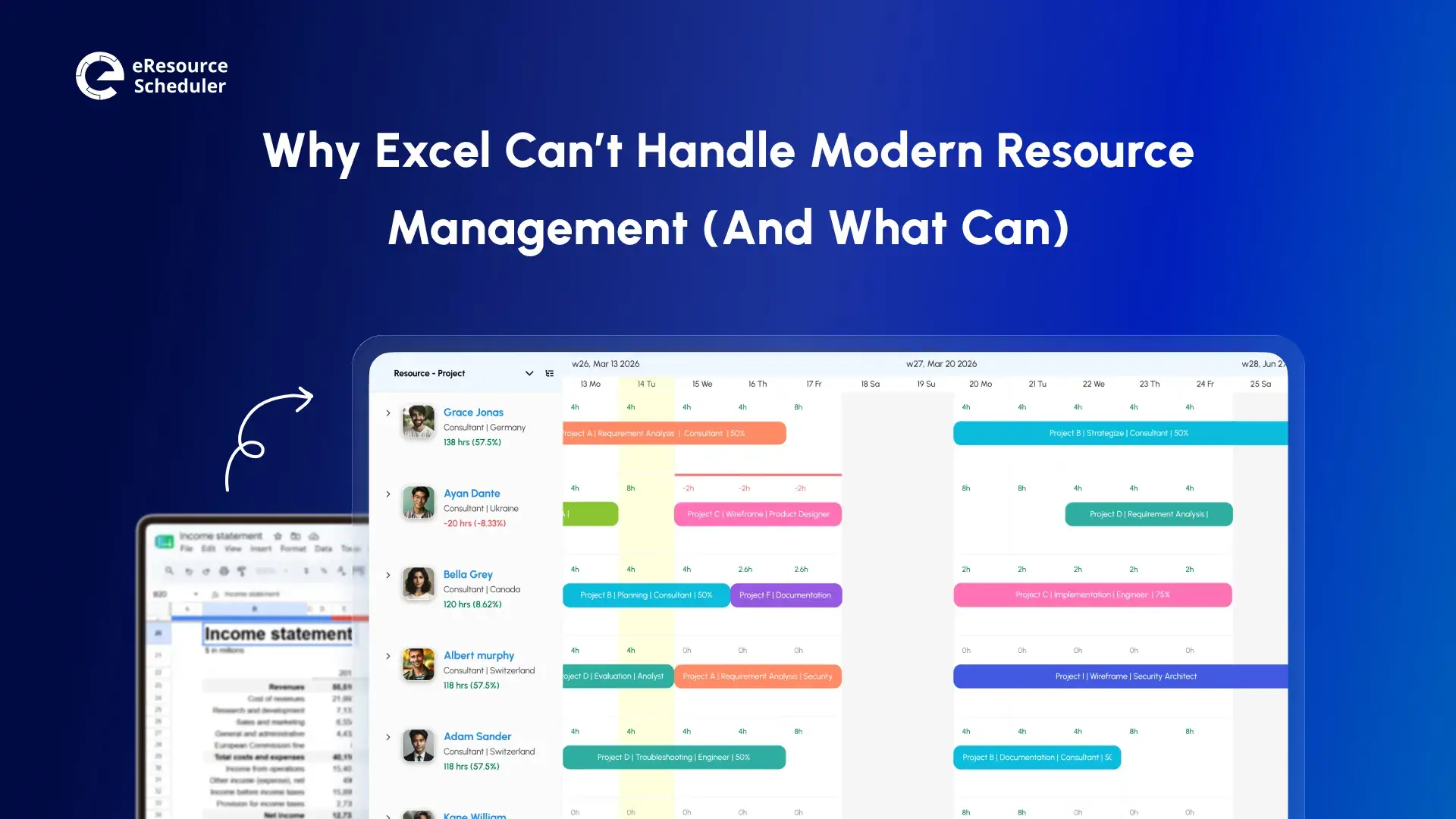
Resource management is not about organizing data in rows and columns. It is about tracking who is available right now, flagging conflicts before they become problems, and forecasting whether your team can realistically absorb the former. None of this requires a spreadsheet. It requires a system.
Excel is the former. What you actually need is the latter.
Before we make the case against it, here’s a balanced look at both sides of the coin.
| Pros | Cons |
| Familiar to almost every professional | No live updates when multiple users work simultaneously |
| Included in most Microsoft 365 plans | Version control quickly becomes a job in itself |
| Highly flexible and customizable | Formula errors are common and often go undetected |
| Works offline without any additional setup | No built-in detection for double-booked resources |
| Easy to share via email or cloud links | Breaks down past 10 to 15 people or overlapping projects |
| Good for quick, one-off analysis | Collaboration creates confusion rather than clarity |
The truth? Excel is a fine starting point. It becomes a liability the moment your team grows, and your projects start overlapping. Someone needs a real-time answer, which you cannot give without opening four files first.
Consider this. You are managing 25 people across four concurrent projects. A client emails on a Tuesday afternoon asking for a capacity forecast for the next quarter. With Excel, that means cross-checking multiple sheets. Hoping the formulas are intact. Reconciling two versions someone saved in different folders. Rebuilding the report layout to match what the client actually asked for.
This is not even the edge case. The European Spreadsheet Risks Interest Group maintains a publicly documented database of real business failures caused directly by spreadsheet errors. It ranges from miscalculated project costs to reporting mistakes that went undetected for weeks. Their research consistently shows that larger and more complex the spreadsheet, the higher the risk.
The most damaging outcome of this is not the error itself. It’s the invisible overbooking that no one catches until a team member is already stretched past their limit. When your spreadsheet cannot flag that someone is committed at 120% capacity, the gap between what your team can handle and what you are assigning to them becomes a problem that surfaces at the worst possible time.
This is not a skill problem. Your team is not careless. It is a tool problem. Excel was never engineered for this kind of live, multi-project resource visibility that modern teams need.
Now, we know where Excel runs out of road. The next question is:
Not every tool marketed as a resource management solution is genuinely built for the job. Some are spreadsheets with a monthly subscription and a friendly interface. Here is what actually matters before you commit to anything.
1. Real-time visibility: You need to see who is available, who is overloaded, and where there is open capacity right now.
2. Conflict detection: A proper tool flags conflicts the moment two projects are claiming 100% of the same person’s time.
3. Capacity forecasting: Can the tool show you your team’s projected workload three months from now? That’s how you make smarter decisions about hiring and distribution.
4. Integration with existing systems: Your resource tools need to work alongside your project management, HR, and finance tools.
5. Role-based access: Executives, resource managers, and project leads all need different views of the same data.
6. Reporting without manual effort: Reports should take minutes and not hours. If you are still hand-building utilization summaries, your tool is not doing its job.

If you want a deeper understanding of evaluating tools before making a final decision, our guide on choosing the right resource management solution covers everything.
Here is where the economic case becomes hard to ignore.
Did You Know?
According to the Wellingtone Report on The State of Project Management, 47% of project managers don't have access to real-time KPIs, and 50% spend one full day or more every month manually compiling project reports. Time that dedicated resource management software eliminates.
The math behind this is straightforward. If a resource manager earning the industry average saves even for hours a week by switching from manual spreadsheet tracking, it is roughly 200 hours per year reclaimed per person. This time is going back into actual planning instead of spreadsheet maintenance.
Excel looks free. The hours it quietly consumes are not.
With the criteria clear and the ROI case made. The next step is seeing how actual tools in this space compare against each other.
The resource management software market has no shortage of options. What separates useful tools from noisy ones comes down to a few things. Are they built for scheduling complexity? How can they handle team-level visibility? Whether they scale with you instead of fighting you?
Here’s a quick comparison to help you orient yourself.
| Tool | Best For | Standout Feature |
| eResource Scheduler | Enterprises that need an all-in-one tool for real-time visibility across resources | Visual drag-and-drop scheduling with real-time conflict alerts, capacity forecasting, and management reports |
| Resource Guru | Teams that need simple, no-fuss resource scheduling | Lightweight availability management with clash detection |
| Teamdeck | Creative agencies and small-to-mid teams | Time tracking combined with availability management |
| Asana | Cross-functional teams coordinating work across departments | Portfolio-level workload management with timeline views |
| Smartsheet | Teams transitioning away from spreadsheets | Grid-based interface with workflow automation |
| Microsoft Project | Large enterprises embedded in the Microsoft ecosystem | Portfolio-level Gantt planning and reporting |
| Planview | Large enterprises managing complex program portfolios | Enterprise-grade capacity planning and strategic alignment |
Every tool in this list solves problems that Excel structurally cannot. The choice comes down to which one fits your team’s size, complexity, and the way your people actually work daily.
A comparison table tells you what exists. It doesn’t tell you what’s right for your specific situation. This requires a different kind of thinking.
Most teams (including yours) make the mistake of evaluating tools through feature lists. Features matter. But they are rarely where the actual decision lives. The better question is whether the tool solves the specific problems your team is already facing.
Before you book a demo or start a trial, step back and answer these three questions honestly.
Ask yourself these three questions before you decide.
1. How many people and overlapping projects am I managing?
Under 10 people with projects that rarely run concurrently? Excel may still hold. Beyond that threshold, the complexity justifies a tool built for it.
2. Do I need real-time data to make decisions?
If your stakeholders are asking questions you cannot answer until someone updates a file, you're already operating with a visibility gap.
3. Does my team include people with very different information needs?
An executive needs a utilization summary. A resource manager needs scheduling details. A project lead needs workload breakdowns. A good tool serves all three without requiring manual reformatting between each view.
If you said yes to two or more of those, you have outgrown the point where Excel and resource management belong in the same conversation. A resource management software like eResource Scheduler is designed to handle exactly this range of needs. With views designed for each role without adding complexity for the others.

Knowing which tool fits your team is step one. Making the switch without disrupting live projects is the part that most teams actually hesitate on. Here’s how to do it cleanly.
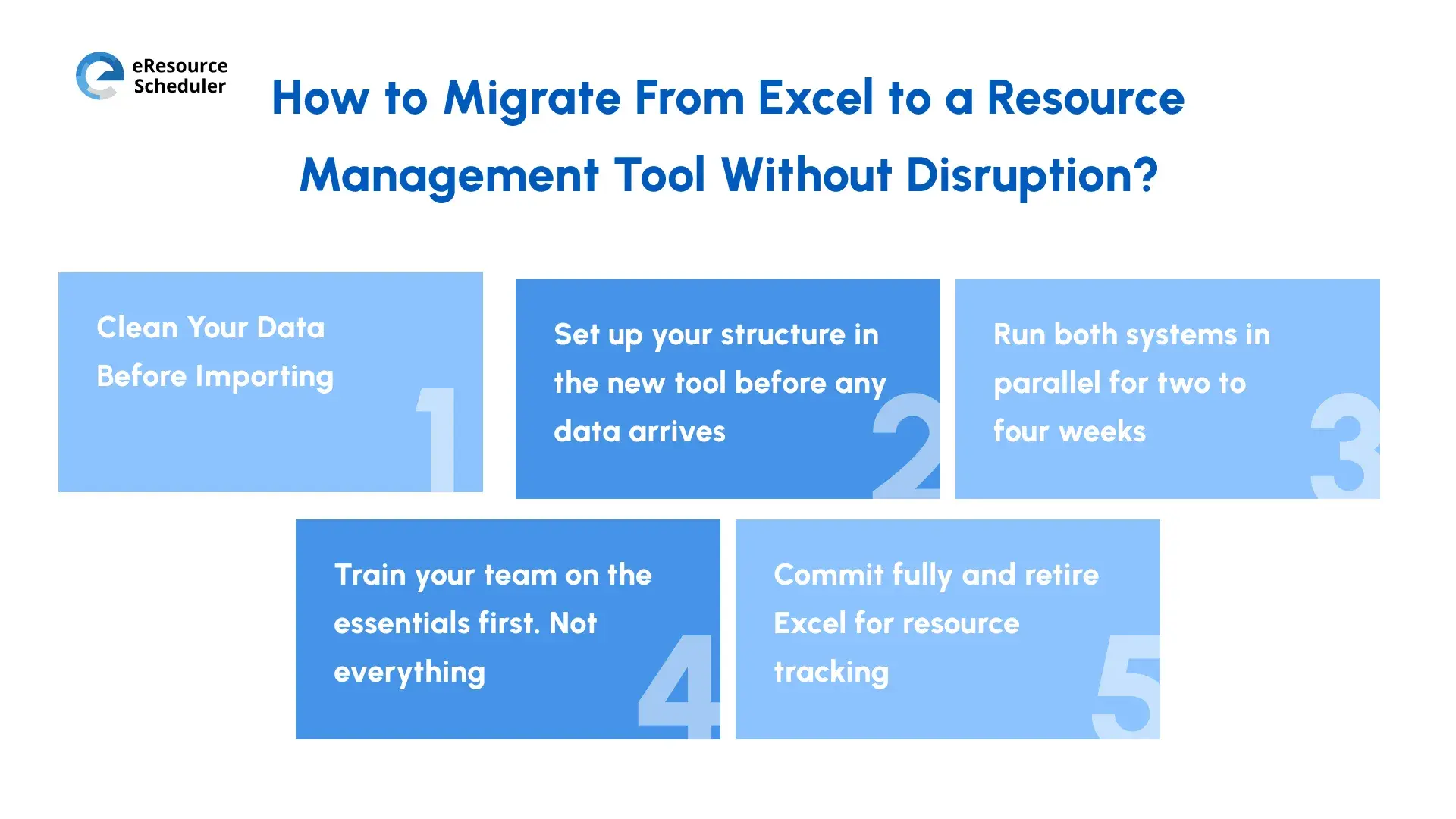
Switching tools mid-project sounds risky. If you do it impulsively, it definitely will be. With a structured plan, however, it is far less disruptive than most teams expect.
Here’s a step-by-step path that keeps the transition controlled.
Step 1: Clean Your Data Before Importing
Remove duplicate entries. Fix date formats. Standardize naming conventions across your files. The quality of your import depends directly on the quality of what you bring in. Garbage in. Garbage out.
Step 2: Set up your structure in the new tool before any data arrives
Create your teams, roles, projects, and permission levels first. Importing into a clean, organized setup is far easier than trying to reorganize everything after.
Step 3: Run both systems in parallel for two to four weeks
Use the new tool for incoming projects while keeping Excel as a historical reference during the overlap period. Most teams rush through this phase, then realize later it was the key to a smoother transition.
Step 4: Train your team on the essentials first. Not everything.
Pick the three or four features they will use every day and focus training there. Full feature training can come later. Overloading your team during onboarding is one of the most common reasons adoption fails before the tool even gets a fair chance.
Step 5: Commit fully and retire Excel for resource tracking
Once the new system holds your complete resource picture, use it exclusively. Running two tools simultaneously long-term is the worst of both worlds. Double the maintenance, half the reliability.
Still weighing which tool to migrate to? This breakdown of the best resource management tools gives a practical comparison by team size and feature priority. It helps you narrow the decision before committing.
Mistake to Avoid:
Teams that skip the parallel-run period in step 3 often lose the historical resource context they didn’t realise they relied on. Going cold turkey on day 1 is the fastest way to create panic. It pushes people back to square one, i.e, spreadsheets. Keep the backup active until the new system has everything you will need.
If you have read this far, you probably already know the answer.
Excel is not a failing tool. It is a misapplied one. You can color-code it, add 30 tabs, and write formulas impressive enough to frame on a wall.
The move to a purpose-built solution is not about chasing the next software trend. It is about making resource decisions with accurate, live data instead of best-guess spreadsheets that were last updated on Thursday.
One last thing before ending the blog. Your next step is not to compare 15 tools and build a feature matrix (yes, in Excel). It’s much simpler.
Answer the three questions from the ‘How to Choose’ section honestly. Pick one tool that fits your team’s size and complexity. See whether it makes sense to your team within the first 10-15 minutes of a demo. If it connects, you are already 80% through the hardest part of the switch. Start there.

Plan Smarter. Schedule Faster. For Free.
Join thousands already using eResource Scheduler to align teams, time, and tasks seamlessly.
 ALL FEATURES INCLUDED