Learn more
If you have been using Timesheets.com for a while, you know what it does well. Simple punch-in/punch-out. Clean payroll exports. Solid QuickBooks integration. It gets the job done for small businesses that need attendance and billing sorted.
But at some point, "getting it done" is no longer enough.
Project portfolios grow. Teams go hybrid. Leadership wants capacity forecasts, not just hour logs. And suddenly, the tool you chose for payroll accuracy becomes a bottleneck in resource scheduling conversations.
Sometimes, the right timesheet software for 20 employees may not be the right tool for 80. The right tool for HR may not be the right tool for the project director trying to prevent burnout before it hits.
If your time tracking has started to feel disconnected from how your business actually operates, this list of best timesheet alternatives is for you.
Time tracking used to be as simple as filling out a weekly sheet and submitting it to HR. This approach performed well when teams were small and projects were straightforward. In recent years, remote and hybrid work models have made real-time visibility even more critical. Managers can no longer rely on physical presence as a proxy for productivity. Clear, connected time data fills that gap.
Today, time tracking supports:
The shift is subtle but important. Managers who view time tracking as a strategic input rather than an administrative overhead are more likely to make better staffing and budget calls.
Teams that rely on simple tracking platforms are likely to hit a tipping point when:
Organizations managing distributed teams, client services, or multiple concurrent initiatives tend to outgrow entry-level tools first.
The global time tracking software market was valued at approximately USD 7.13 billion in 2024 and is projected to grow at a CAGR of over 17% through 2033, driven largely by remote and hybrid work adoption and demand for AI-integrated workforce analytics. (Source: Straits Research, 2025)
Before comparing tools, it helps to be honest about where basic trackers fall short. Three gaps come up repeatedly across teams that have outgrown entry-level solutions:
The timesheet software alternatives on this list were chosen because they close at least one of these gaps meaningfully.
Pro Tip
When evaluating any timesheet alternatives, ask this question before signing up: "Can this tool show me, in under 60 seconds, which team members are over-allocated next month?"
If the answer requires a spreadsheet, the tool has not actually solved your resource scheduling problem.
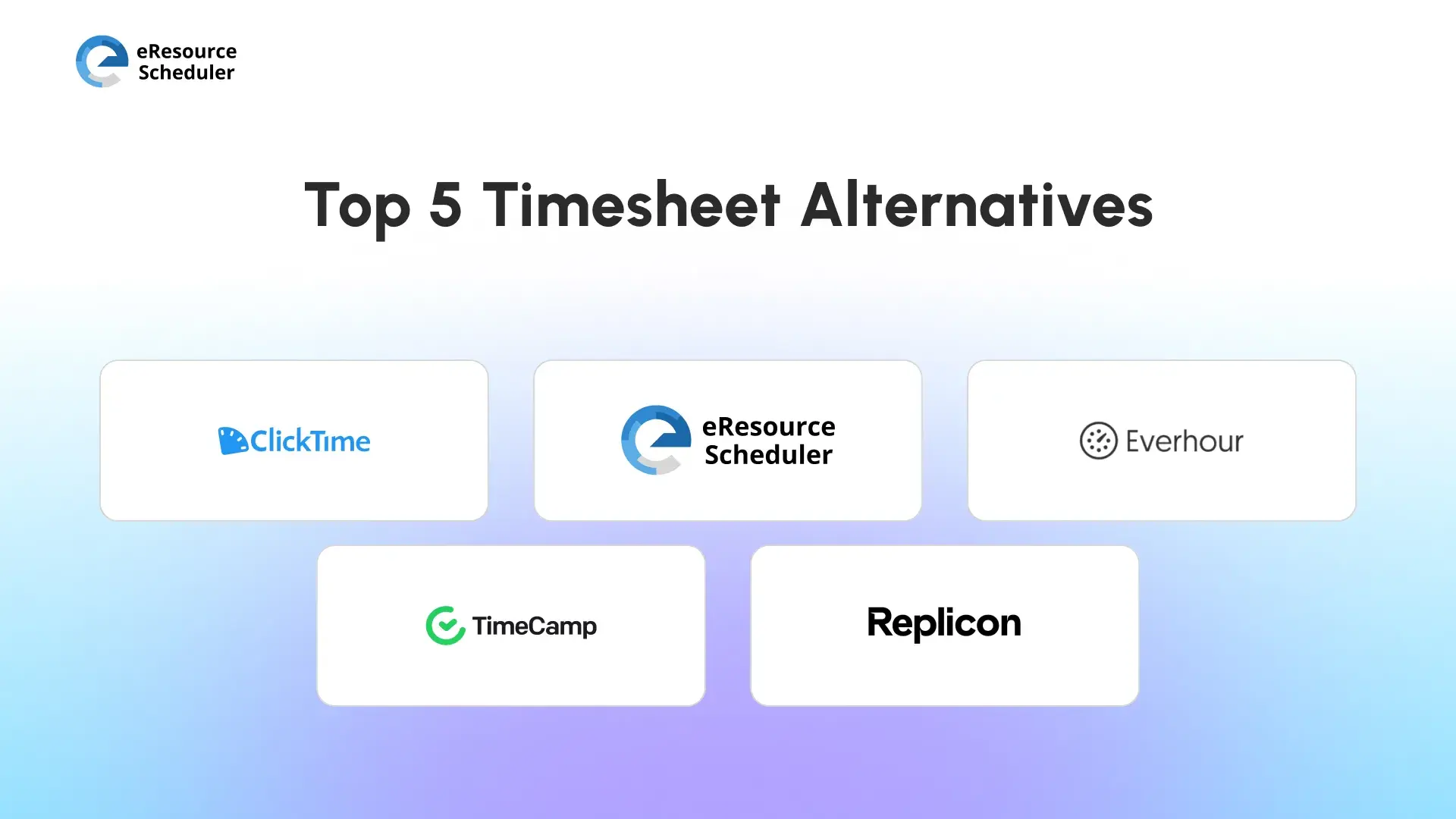
eResource Scheduler is an enterprise resource management and scheduling software that takes a fundamentally different approach to the problem. Instead of starting with time entries and working upward, it starts with resource scheduling and capacity planning, and then works outward. As one of the best timesheet alternatives, eRS combines resource management and scheduling with timesheets, financials, capacity planning, and management reports.
What that means in practice: you can see who is available before you assign work, compare what was planned against what was actually logged, and spot overbooking risks in advance instead of discovering them at delivery crunch time.
Key capabilities that distinguish eResource Scheduler from basic trackers:
eResource Scheduler also has a mobile app that enables resource scheduling and workloads, anytime, anywhere. Whether you want to switch between hours, days, and months views, the resource management app lets you view your own schedule and book your team on the move.
For leadership teams tired of connecting dots between three different tools to get a single project health view, eResource Scheduler is where the gap closes.

Everhour earns its place on this list because it solves a specific and common frustration: the context switch. Rather than asking employees to log time in a separate platform, Everhour embeds directly inside the tools teams are already working in.
Standout features:
Where it stops short: Everhour is built around individual and project-level tracking, not enterprise resource planning. If you need cross-department capacity modeling or executive portfolio views, you will still need to bolt something else on.
TimeCamp takes the human error problem seriously. Its automatic activity tracking captures what people are working on without requiring them to remember to start a timer. For teams where time tracking adoption has historically been low, this matters.
What it does well:
The limitation is similar to Everhour's. TimeCamp is designed around individual productivity and project-level reporting. Organizations running multiple concurrent projects across departments will find the portfolio-level visibility thin. It tracks behavior well. It does not model capacity.

Replicon operates at a different altitude than the other tools on this list. It is built for organizations where time tracking intersects heavily with legal compliance, global payroll rules, and multi-tier approval chains.
Notable strengths:
The trade-off is complexity and cost. For mid-sized teams that primarily want planning visibility and cleaner reporting, Replicon can feel like pulling in a freight train to carry a carry-on bag. It does more than most teams need. For global enterprises, that depth is exactly the point.
Industry Insight
According to market analysis by Mordor Intelligence (2025), cloud-based time tracking now accounts for 77.8% of total market revenue. Enterprise buyers are increasingly prioritizing compliance automation and AI-assisted capture as selection criteria, particularly in healthcare, professional services, and financial sectors.
ClickTime fills a gap that other tools often ignore: connecting time and expenses in a single reporting environment. For project-based businesses where both need to roll up into client billing or budget reports, the integrated view is genuinely useful.
Core strengths:
Where ClickTime does not go: drag-and-drop resource scheduling and cross-project capacity modeling are not part of its core offering. If you are managing a portfolio of projects and need to see resource conflicts in advance, you will hit a ceiling.
The right tool depends on where your current friction actually lives.
| If your problem is... | Consider... |
| Time data lives outside resource scheduling and planning | eResource Scheduler |
| Employees hate switching tools to log time | Everhour |
| Low adoption due to manual tracking burden | TimeCamp |
| Global compliance and multi-region payroll | Replicon |
| Expenses and time in separate silos | ClickTime |
Pro Tip
Before migrating, audit your reporting requirements first. List the five reports your leadership team reviews every month. If your current tool cannot generate four of them without a spreadsheet, that is your migration business case. Use the same list to evaluate every alternative you demo.
Timesheets.com was built to answer a specific question: Did this employee work the hours we agreed on? That is a legitimate question. But it is no longer the only question that matters.
Business leaders today are asking: Are we allocating people to the right work? Are we on track to hit delivery targets? Where is capacity sitting unused? Are billable hours matching revenue forecasts?
Those questions require more than a time log. They require time data that connects directly to project plans, capacity models, and financial dashboards. The best timesheet alternatives do not just log hours. They connect time data to resource scheduling, capacity, and financial outcomes in a single view.
Time entries explain ‘what happened’. Integrated systems help determine ‘what to do next’.
If you find time tracking to be disconnected from planning and decision-making, it might be time to explore timesheet software alternatives that provide more than just attendance and billing. Today’s teams need more than digital timesheets; they want to see capacity, financial impact, and cross-project alignment.
The right choice depends on the size of your team, your reporting needs, and the complexity of your operations. For organizations looking for integrated scheduling, timesheets, financials, and management reports in one system, broader resource management platforms can bring meaningful clarity.
Want to see integrated resource planning in action? eResource Scheduler has a product demo that walks through capacity, timesheets, financials, and reporting in one workflow.
1. What is time tracking?
Time tracking is the practice of recording hours spent on tasks, projects, or clients. In modern organizations, it goes beyond payroll. It gives managers visibility into where effort is going, whether work aligns with delivery plans, and how resources are being utilized across teams and projects.
2. Why is it necessary to keep track of time at work?
Tracking time gives managers real visibility into workload distribution, project progress, and capacity gaps. It supports better staffing decisions, more accurate budgeting, and earlier identification of overruns before they become delivery problems.
3. Why are companies moving away from basic timesheet software?
Basic timesheet software captures hours but rarely supports forecasting or workload planning. As teams grow and projects multiply, leaders need insight into utilization, capacity, and project health, not just a log of hours worked.
4. What are timesheet alternatives?
Timesheet alternatives are platforms that go beyond logging hours by connecting time data to project planning, resource scheduling, budgeting, and financial reporting. Tools like eResource Scheduler track work hours while feeding that data directly into capacity views and management reports, turning time entries into actionable planning insight.
5. How does integrated resource planning improve decision-making?
When time data feeds directly into scheduling and reporting, managers can identify bottlenecks and capacity risks earlier. Instead of discovering overruns after the fact, they can rebalance workloads mid-cycle. This shifts resource scheduling from reactive problem-solving to proactive planning, which is the core difference between a basic timesheet and an integrated resource scheduling software.

Plan Smarter. Schedule Faster. For Free.
Join thousands already using eResource Scheduler to align teams, time, and tasks seamlessly.
 ALL FEATURES INCLUDED