If you run an IT services team and you are staffing from a shared spreadsheet or a Slack message asking ‘who is free?’, you already know what delivery failure feels like from the inside.
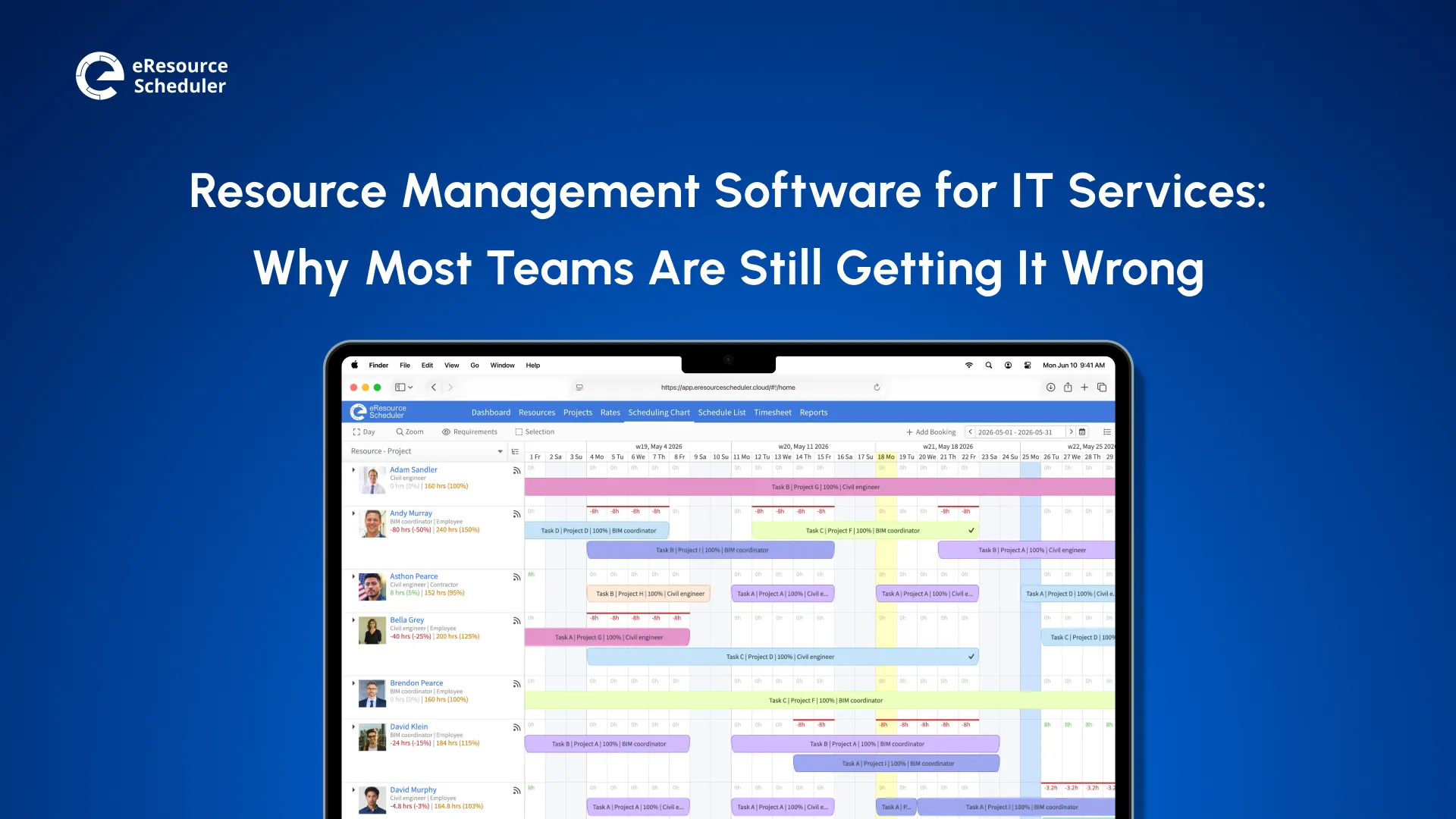
Resource management software for IT services gives you a real-time view of who is available, what skills they have, and how much capacity you can realistically commit to across every project, client, and location. Unlike generic project management tools that focus on tasks and timelines, resource management software treats people as the primary variable.
According to the data from the PMI’s Pulse of the Profession, 2025, only 35% of projects worldwide finish on time and within budget, and that number has barely moved in years. This difference matters more in IT services than in any other function. Here is why.
Most functions manage workload. IT services teams manage interdependencies at speed, and this is a structurally different problem.
You are not just tracking who is busy. You are balancing client SLA’s that override internal plans, non-interchangeable skills, a mix of full-time employees, contractors, offshore partners, and a production incident queue that can pull your best engineers off any project with no warning.
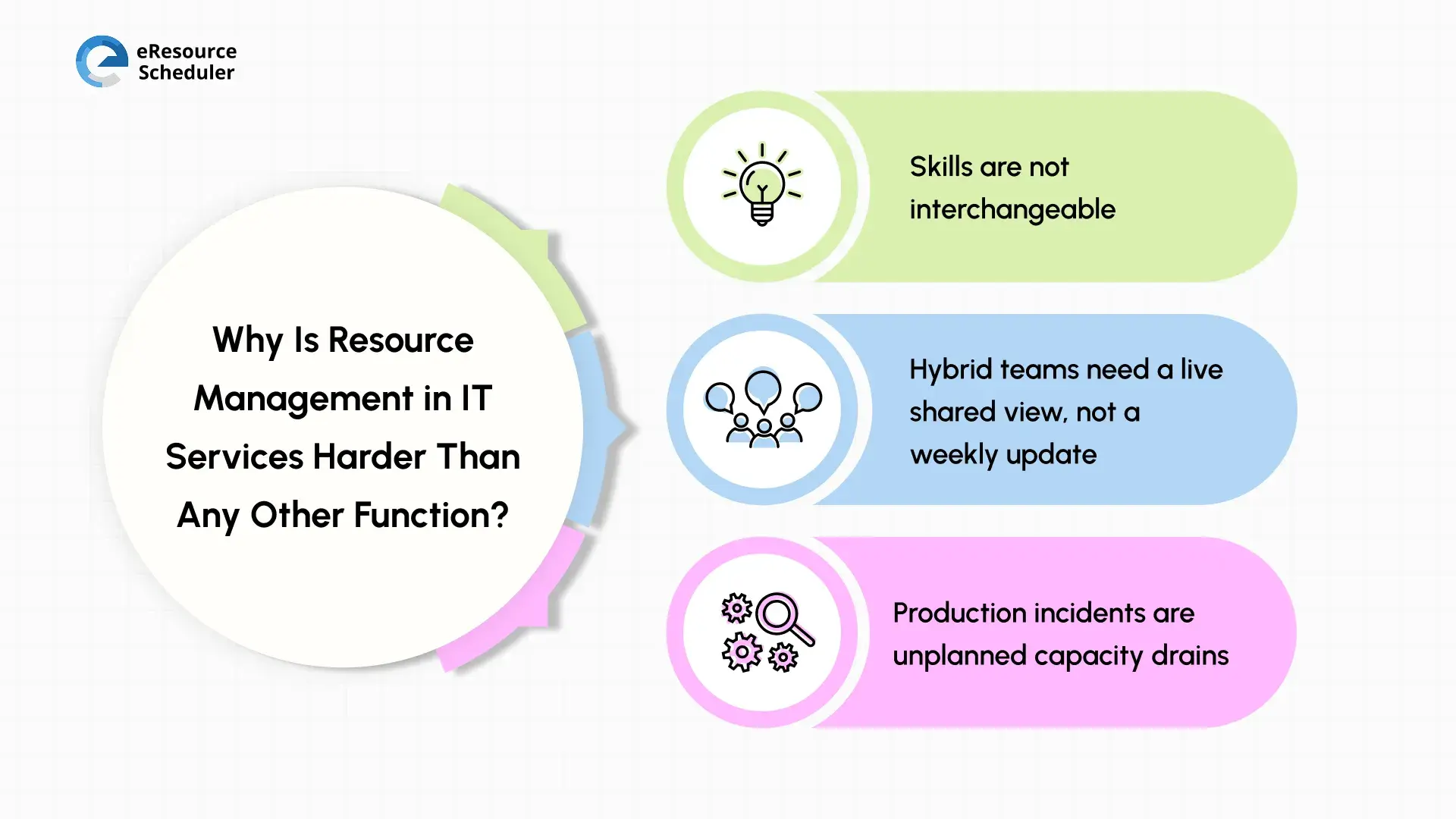
Three things make IT resourcing structurally harder than most other fields.
1. Skills are not interchangeable: You cannot swap a cloud architect for a QA engineer when a sprint needs filling. If your planning process cannot filter by certification, stack, and seniority, you are staffing by availability rather than suitability.
2. Hybrid teams need a live shared view, not a weekly update: PMI’s Pulse of Profession 2025 found that 73% of project professionals expect hybrid work models to grow over the next five years. A plan locked in one person’s spreadsheet cannot keep pace with a team across three cities and two time zones.
3. Production incidents are unplanned capacity drains: When a P1 fires at 2 PM, your senior engineer exits the project plan in real time, but no timeline updates automatically. Two other projects start slipping before anyone knows there is a problem.
These three pressures sit behind every resource management decision your team makes, and they are exactly where the process breaks down most often.

Most IT teams do not realize their resource management process has broken down until a project slips or a strong engineer quietly updates their LinkedIn. The warning signs appear earlier. Count how many of these you recognize from the past 90 days.
Two or three engineers carry every critical project because nobody actually checks availability before assigning them. Your best people run at 130% while others sit at 60%.
The right person is available in your team. You just cannot find them because your resource pool is organized by name, not by skill or certification. So you staff whoever is available, and the person you actually needed shows up three weeks into the delivery.
Sales closes a new engagement. Delivery finds out at the kickoff. Nobody modeled the capacity impact. Now you are understaffed on one project and overpromising on another.
A production issue pulls your senior engineer for three days. There is no mechanism to rebalance. Other project timelines slip silently. The incident resolves, but the delivery damage surfaces two weeks later.
Senior engineers are switching between projects, covering gaps, and attending internal calls. Nobody tracks it in real time. Month-end margin comes in low, and 20% of your senior capacity quietly drains into work nobody planned or priced.
Add up your score:
One point per failure mode seen in the last 90 days.
0 to 1: 0 to 1: You are managing well.
2 to 3: You have outgrown your current tool.
4 to 5: Poor Resource management is already costing you margin, delivery, and people.
Naming the failure modes is useful. Knowing which feature closes each one is what lets you act on it.
The feature conversion in most blogs is a product brochure in disguise. Here is the more honest version. A direct map from each failure mode to the feature that fixes it, and what to look for when you evaluate any tool against it.
| Failure Mode | Feature That Fixes It | What to Look For |
| The Invisible Overload | Real-time utilization heatmaps | Color-coded overallocation alerts are visible across all roles and stakeholders |
| The Skills Blind Spot | Skills and seniority tagging with smart filters | Searchable resource pool filterable by role, certification, stack, and seniority |
| The Pipeline Collision | Capacity vs. demand forecasting | Forward-looking views that pull in pipeline demand, not just confirmed bookings |
| The Incident Tax | Real-time reallocation and conflict detection | Drag-and-drop rescheduling that updates all affected project views instantly |
| The Billability Leak | Billable vs. non-billable split tracking | Split reporting by resource, project, and client with real-time visibility |
One more feature matters as much as any on the table, and it rarely gets named: Role-based views. So every stakeholder sees what is relevant to them. If a tool forces everyone into one view, adoption collapses within 60 days, and you are back to spreadsheets with an extra monthly subscription on the invoice.
Knowing what features to look for is half the job done. The other half is pressure testing any tool against your real operation, not a vendor’s curated demo scenario. Here are four questions to ask before you commit.
Your team is not just full-time employees. You have contractors, offshore partners, and part-time specialists. If the tool cannot manage all of them in one resource pool without workarounds, it will break down the moment your planning gets complex.
Ask a vendor to find you an available senior cloud architect with AWS certification who is free in three weeks. If they need more than a minute to pull that up, your project managers will not use it in a live staffing conversation.
This is the test for pipeline collision. Ask them to show you what happens to the current capacity if new engagement starts next quarter. A tool that cannot answer this is a booking tool, not a planning tool.
Run the demo with someone who will use it daily, not just the person evaluating it. If it feels clunky to them, adoption will fail regardless of how strong the feature set is.
Red Flag Detected:
A tool that requires a consultant to configure basic scheduling, or cannot show skills-based availability, is a generic project management tool that dresses up as resource management software. Do not pay resource management prices for project management functionality.
eResource Scheduler is a resource management software designed specifically for IT teams operating under these exact conditions. The proof is not in the feature list. It is in what happens when a real team puts it to work.
Ericsson was not struggling with ambition. It was struggling with coordination. Managing simultaneous 5G rollouts, IT infrastructure upgrades, and R&D programs across 180 countries meant the same specialists were constantly double-booked, cross-border teams were misaligned, and project managers were reacting to delays rather than preventing them.
They brought in eResource Scheduler to fix exactly that. Skill-based filters to match engineers to projects by expertise, not just availability. Drag-and-drop scheduling with color-coded heat maps to catch conflicts before they cascaded. Multi-timezone calendar support to keep global teams working from the same plan.
The shift was immediate. Overlapping assignments cleared. Specialists were deployed where their skills had the most impact. Leaders moved from reacting to delays to preventing them with live utilization data.
One platform, one shared view, predictable delivery at global scale.
This is how the shift from reactive to confident resourcing actually starts. It is the same approach that any IT services team can replicate regardless of size or complexity.
Most conversations about resource management software focus on what goes wrong without it. Here is what actually shifts when you get it right.
When your team can see who is overloaded before burnout happens, managers stop defaulting to the same three reliable engineers for every critical project. Workload spreads. When sales and delivery share the same capacity view, new deals get stress-tested against commitments before anyone promises a go-live date. Finance stops getting surprised at month-end. Clients stop getting surprised at all.
When the tool is used live in every staffing conversation, resourcing stops being back-office admin and starts functioning as a strategic input. Project managers stop guessing and start committing to dates with evidence.
The teams that consistently deliver on time, on budget, and on value are not operating with better engineers or bigger budgets. They are operating with better information, used at the right moment.
1. How is resource management software different from project management software for IT teams?
PM tools manage tasks and timelines. Resource management software manages people: skills, availability, utilization, and cost. This difference shows up in delivery quality and margin every month.
2. How long does it take to implement resource management software for an IT organization?
Faster than most teams expect. A cloud-based software like eResource Scheduler requires no IT overhead or lengthy configuration. You get one practice area or key account live within a day, run your first real staffing decision through it in week two, and expand from there once the team stops defaulting to the spreadsheet. Full portfolio rollout typically follows within 30 to 60 days.
3. Is resource management software suitable for smaller IT teams, or only for enterprises?
Both, provided the tool is built for services rather than headcount. A 15-person IT team managing three concurrent client projects has the same visibility problem as a 500-person firm. The difference is the cost of getting it wrong. Smaller teams benefit most from tools that are fast to set up and do not require a dedicated admin to maintain.
4. How does resource management software handle data security for IT teams?
Look for SOC 2 compliance, role-based access controls, and data encryption in transit and at rest. Some tools use role-based permissions so each user sees only what is relevant to their function, with no exposure to sensitive financial or client data outside their scope.
5. Does resource management software integrate with tools IT teams already use?
It should. Look for native integrations or open API support with tools like Jira, MS Project, Salesforce, and your HRIS. The goal is one connected view, not another silo.

Plan Smarter. Schedule Faster. For Free.
Join thousands already using eResource Scheduler to align teams, time, and tasks seamlessly.
 ALL FEATURES INCLUDED