Learn more

Every project rises or falls on how clearly the project team's roles and responsibilities are defined. When teams know who owns what, who supports what, and how decisions flow, projects run cleaner. Most leaders already track timelines and budgets, but the real game-changer is clarity of responsibility backed by a smart resource visibility tool like eResource Scheduler. That clarity fuels accountability, speed, and predictable delivery.
This guide breaks down the major roles in a project team in project management, how responsibilities connect across the lifecycle, and how modern teams structure ownership without adding layers of complexity. You get practical examples, role definitions, workflows, and simple frameworks to improve alignment.
Let's get into it.
Teams do great work when direction is clear. Without defined project roles and responsibilities or software like eResource Scheduler, tasks float. Work gets repeated. Decisions stall. Stress creeps in. Leaders already work in high-pressure environments so the last thing they need is quiet confusion around who does what.
Clear roles help with:
Strong teams bring structure without slowing people down. That structure starts with a smart breakdown of core roles.
Every project team needs a few anchor roles that set direction, handle coordination, and make sure progress stays on track. These project roles differ based on industry and team size, yet the fundamentals stay the same.
Below is a simple view of the essential roles most projects rely on.
The project owner brings the vision. This person frames what success looks like, why the project exists, and what outcomes the business expects. Their responsibilities include:
The project owner does not get involved in task-level decisions. They protect the vision.
The Project Manager runs the day-to-day game. They take the owner's direction and translate it into working plans and scheduled execution. Their common responsibilities include:
A Project Manager is the glue. They make sure teams move in sync and keep the delivery predictable.
Every project rests on the specialists doing the hands-on work. Their responsibilities include:
Clear communication is key for these teams because even small delays multiply across timelines.
Depending on the project type, teams may include:
Each role handles domain expertise that keeps the project aligned with business and technical standards.
The terms project owner and project in-charge often get confused, yet the difference matters for accountability and execution. The project owner sets direction while the Project in-charge handles oversight within the team to ensure that direction becomes real progress with the help of progress and utilization reports.
The responsibilities of a project in-charge focus on execution and operational clarity. Their typical duties include:
Think of this role as the team captain. Not the coach. Not the owner. The captain rallies the group and keeps the everyday work moving smoothly.
The project owner does not monitor tasks. They hold the responsible role in a project because they:
They pass the baton of responsibility to the project in-charge and project manager for execution.
When both roles blend, teams end up with unclear authority. People hesitate to make decisions. Workflows stall. By keeping these responsibilities distinct, teams gain:
To know more about how these responsibilities combine in real projects, read our blog on the project in-charge and the project owner responsibilities.
Time is the one resource projects always underestimate. Even the best planned schedules fall apart when effort estimates are off by 20%. Time tracking closes this gap by showing how long work really takes. When blended with a resource visibility tool like eResource Scheduler, leaders gain a full picture of capacity planning, allocation, and actual effort.
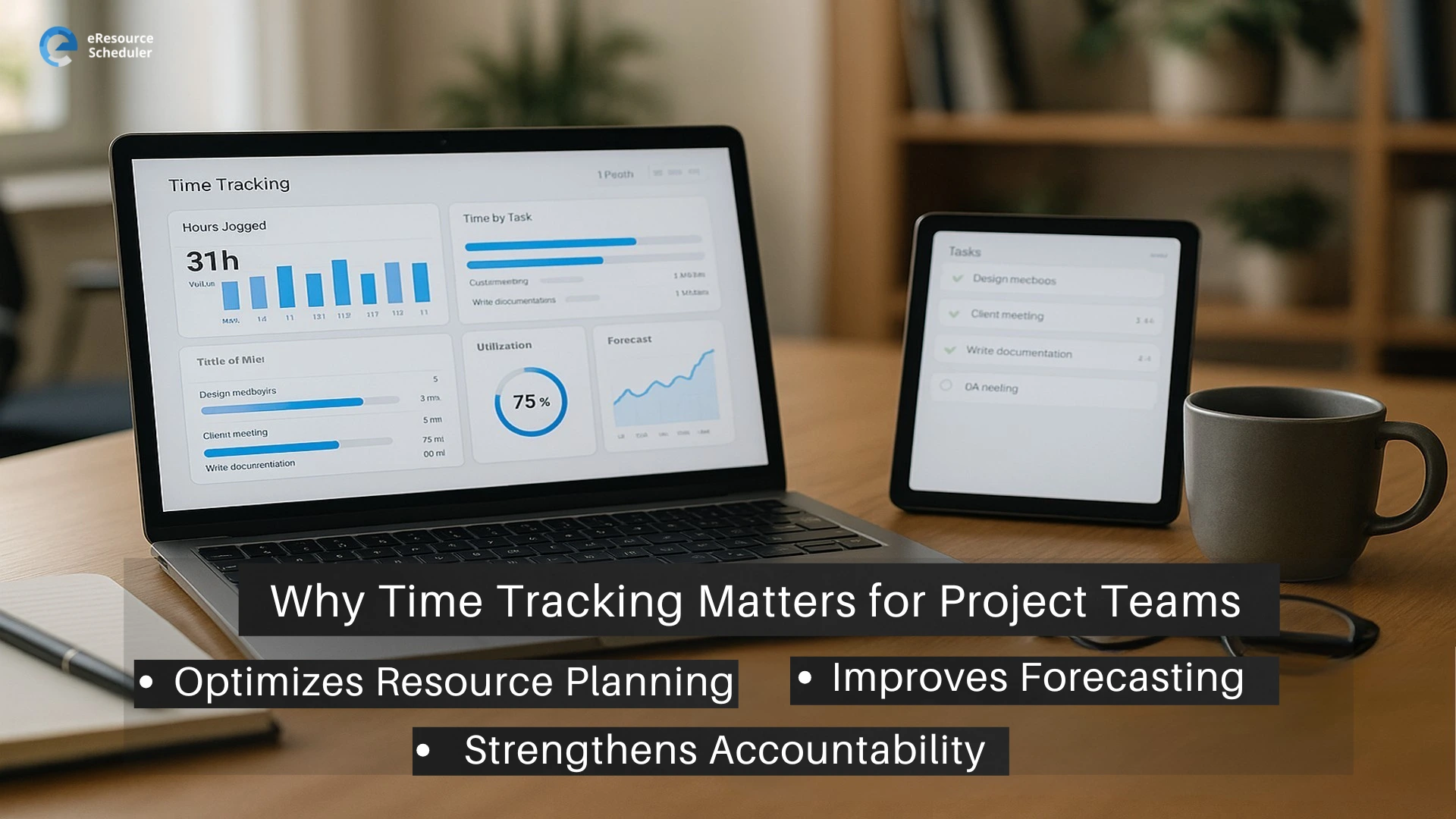
There are three reasons solid time data strengthens project team management.
Teams often guess how long work should take. Actual tracked effort tells a more reliable story. Better forecasting leads to realistic timelines, better resource planning, and predictable delivery
When work is tracked, teams gain transparency around workload, deliverables, and progress. It also gives managers a signal when work consistently exceeds estimates.
Time data helps leaders understand overutilized talent, underloaded team members, skills gaps, and work patterns that cause delays. With this insight, teams can rebalance workloads before burnout hits.
Teams using eResource Scheduler get a connected view of:
This helps teams plan smarter because every decision sits on real numbers, not assumptions.
To know more about how time tracking builds stronger project teams, read our blog on project management time tracking.
Confusion about who owns what wastes time and money. Teams that lack clear responsibilities duplicate work. Deadlines slip. Risk hides until it becomes urgent.
Role clarity creates three immediate advantages for leaders:
If your organization still treats roles as vague job titles, then the fastest return on efficiency is to map responsibilities and publish them where the team actually works.
Leaders need a fast, repeatable template that can be applied to any project. Use this one in your kickoff and publish it where teams collaborate.
1. List major deliverables.
2. For each deliverable name, the accountable owner.
3. Name the responsible contributors.
4. Add required approvers.
5. Define success criteria in one sentence.
6. Set the escalation path if the task misses a milestone.
Example row for a deliverable:
| Deliverable | Accountable Owner | Responsible | Approver | Success Criteria | Escalation Path |
|---|---|---|---|---|---|
| Public beta launch | Head of Product | Engineering lead, QA lead | Product Owner | 1,000 active beta users within the first two weeks | If blocked more than 48 hours, notify the Project In-Charge, then the Project Owner |
This small table removes the ambiguity that causes repeated rework.
RACI frameworks are helpful but often misused. Keep RACI simple.
R = Responsible. The doer.
A = Accountable. The final sign off. Only one person.
C = Consulted. Subject matter experts.
I = Informed. Stakeholders who need status updates.
Tips for practical RACI use:
A well run project rests on clear project team roles and responsibilities. When teams know the plan, understand how decisions flow, and have visibility into workloads, they do better work. Pair clarity with a strong resource allocation tool like eResource Scheduler, and teams gain the visibility needed to move faster without losing control. Strong roles. Strong accountability. Strong outcomes.
Start a 14-day free trial if you want to see how eResource Scheduler brings structure and visibility to your project teams.
1. What are the key project team roles and responsibilities?
The core project team roles and responsibilities include the Project Owner, Project Manager, project in-charge, specialists, and support roles. Each handles decision making, planning, execution, or subject expertise.
2. What is the project team in project management?
The project team in project management is the group responsible for delivering the project. It includes people who plan, execute, review, and support the work across the life cycle.
3. What is the responsible role in a project?
The responsible role completes the tasks. These are the hands-on contributors who handle the execution. They differ from accountable roles that own outcomes.
4. What are project in-charge responsibilities?
Project in-charge responsibilities include guiding the team, tracking daily progress, solving blockers, coordinating tasks, and ensuring work follows the workflow and schedule.
5. How does a tool like eResource Scheduler support project roles?
It helps leaders view workloads, track capacity, monitor availability, and plan allocation. This creates better alignment between project planning and actual team bandwidth.

Plan Smarter. Schedule Faster. For Free.
Join thousands already using eResource Scheduler to align teams, time, and tasks seamlessly.
 ALL FEATURES INCLUDED