Learn more
If you are running projects in 2026, your calendar is probably a mix of back to back calls, Slack pings, and one big question in your head most days. How do smart teams manage resources without burning people out or dropping client work. At some point every growing team outgrows spreadsheets and starts looking at a proper resource scheduler like eResource Scheduler so they can actually see who is doing what and when.
Smart resource management is not about squeezing every last minute out of people. It is about making clear, data aware decisions on who should work on what, how much they can handle this week, and what needs to move when priorities shift. This guide walks through how smart teams manage resources in 2026 in a way that feels practical, low on jargon, and honest about how work really happens in remote and hybrid teams.
Smart teams in 2026 treat resource management as a clear system, not a last minute fix. In simple terms, it looks like this
1. They always know who is working on what this week and next
2. They match incoming work with real capacity, not wishful thinking
3. They use simple resource management strategies instead of guessing
4. They keep one shared view of people, projects, and priorities
5. They tweak early when something slips, instead of waiting for a fire drill
When that happens, work feels calmer, projects move smoother, and leaders stop asking the same question in every meeting.
Who is free, and can they actually take this on
Smart teams do not just count heads, they track a few key types of resources at the same time
1. People and skills
Team resource planning works only when these strengths are visible, not hidden in someone’s memory
2. Time
A good plan respects working hours, holidays, and the fact that no one delivers perfect output for eight straight hours
3. Budget and tools
Smart teams match project promises with the actual budget and support behind them
4. Energy
Quiet, sustainable energy is a core part of how smart teams manage resources, even if it never appears on a spreadsheet
On paper, teams in 2026 have better tools, more data, and prettier dashboards. In reality, leaders still sit in meetings asking the same thing. Who is actually free, and why are we behind again
Most teams struggle with resources because
1. Work lands faster than anyone plans it
2. Everything sounds urgent, so nothing gets parked
3. People are booked by gut feeling, not real capacity
4. No one clearly owns the full picture of people and projects
5. Data sits in separate tools that never quite line up
The impact shows up fast
1. People feel stretched and the same names keep getting overloaded
2. Projects slip quietly while everyone hopes next week will be better
3. Clients notice slower replies and shaky dates
How smart teams manage resources in 2026 starts right here. They treat these signals as real data and make small corrections every week instead of waiting for a crisis.
In 2026, plans change all the time, so smart teams design for that instead of fighting it. When a surprise request lands or a deadline moves, they
1. Check one shared view of the team before saying yes
2. Look at real capacity, not just who answers fastest on chat
3. Move specific tasks with time estimates, so changes feel clear
4. Park low priority work instead of quietly stretching everyone
5. Watch for patterns, so the same person is not the hero every single week
This way, change becomes a normal part of how smart teams manage resources, not a permanent reason for burnout.
Tech is there to support judgment, not replace it. Smart teams use tools to
1. See all people and projects in one shared view
2. Spot overload and free capacity in a few clicks instead of guessing
3. Compare planned work with actual time, so next plans are based on facts
4. Test simple what if moves, like shifting a task or moving a date
5. Keep remote and hybrid teams aligned on the same live picture
When the system shows a clear picture, leaders can focus on one thing: making better calls on who should do what and when.
eResource Scheduler is a resource management software for project based teams that want a clear view of who is doing what, when, and for how long, without living in ten different spreadsheets.
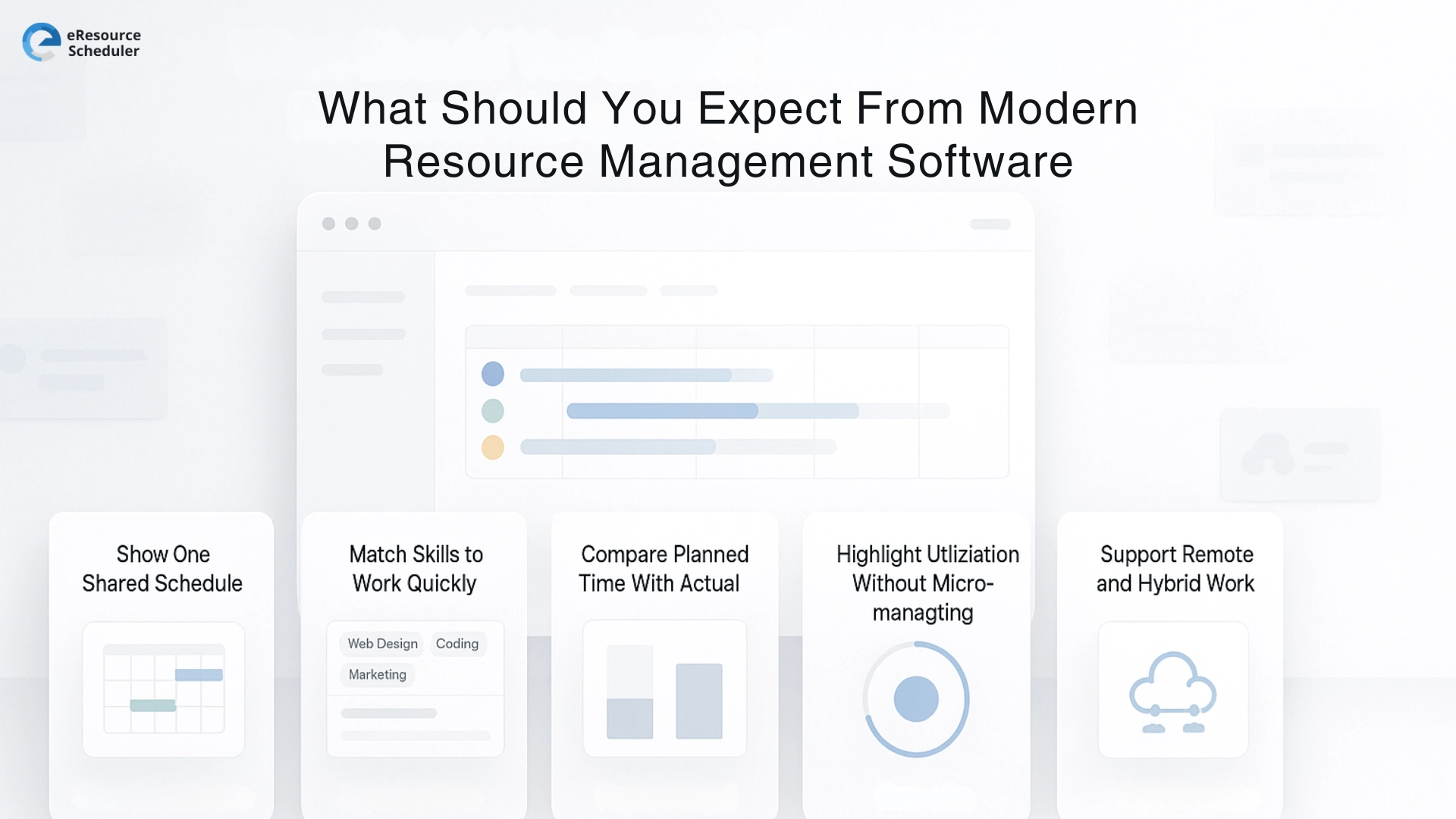
From any modern tool in 2026, you should expect it to
1. Show one shared schedule
Everyone sees the same people, projects, and priorities in one place. No private versions hiding on laptops.
2. Match skills to work quickly
You can search by role, skill, or location and find the right person for the task in a few clicks.
3. Compare planned time with actual time
The tool shows planned hours beside actuals, so your next estimate is based on facts, not hope.
4. Highlight utilisation without micromanaging
You see who is full, who has space, and who is constantly overloaded, without staring at every tiny task.
5. Support remote and hybrid work smoothly
People in different places still work from the same live view, so resource decisions stay aligned day to day.
Smart teams do not wait for a big failure review to fix their resource habits. They make small, boring, very powerful moves every week.
They
1. Adjust one booking when someone is clearly full
2. Add a little buffer to projects that always run tight
3. Share a simple capacity view before saying yes to new work
4. Talk openly when the plan and reality do not match
Over a few months, those small moves decide which projects feel under control, which clients stay confident, and which people still have energy in 2026.
If you want to see how this looks in real life, try eResource Scheduler for free and test smarter resource decisions on your own projects for a few weeks.
1. What is resource management in simple terms?
Resource management is the way a team decides who works on what and when. It covers people, time, budget, skills, and tools. In 2026 the goal is simple: keep work flowing, protect people from overload, and match the right person to the right task at the right moment.
2. How can a small team start managing resources smarter in 2026?
Start very light. List your projects, list your people, and write down real weekly hours each person can give. Then match tasks to that capacity and adjust once a week. This simple habit turns into smarter resource management strategies without needing a big system on day one.
3. Why does capacity planning matter so much for teams?
Capacity planning for teams shows how many hours and how much energy you truly have before you say yes to new work. Without it, every plan is guesswork and people end up stretched. With it, you make clearer promises, protect the team, and avoid constant last minute fixes.
4. What is the difference between resource planning and resource allocation?
Resource planning comes first. It is the big picture where you decide how much work the team can handle and which projects should move first. Resource allocation is the next step where you assign specific people to specific tasks. Good planning makes allocation smoother and far less stressful.
5. When should a team move from spreadsheets to a dedicated resource tool?
A team is ready to move when simple questions start taking too long. Who is free, who is overloaded, and which project should win this week. If those answers need manual updates in many sheets, it is time to use a dedicated tool so you see everything in one clear view.

RESOURCE MANAGEMENT AND SCHEDULING
Scheduling an organization manually is a daunting task to say the least. Traditional methods of using pen, papers and spreadsheets have proven to be overwhelming. This old school way of doing things is long overdue and managers can now adapt … Read More.
Plan Smarter. Schedule Faster. For Free.
Join thousands already using eResource Scheduler to align teams, time, and tasks seamlessly.
 ALL FEATURES INCLUDED