Most teams do not notice how much time they spend deciding who works on what. A planner checks a spreadsheet, pings two managers, and waits for replies, then repeats the whole routine when a client moves a deadline. None of this shows up on an invoice, yet it eats hours every week.
Maybe you have lived this one. It is Sunday night, and the lead auditor for Monday’s hospital-wing inspection is booked on another site. This happened at a 240-person construction consultancy*, where the schedule lived in a spreadsheet with three editors and no referee. On Monday, the managing director asked what it was costing the firm.
The answer surprised everyone, so let’s follow the story from that Sunday night to the fix, and see how you can test it on one team of your own.
*The firm's name is not shared to protect its privacy.
The planning team spent a week auditing the schedule. The table below is the short version of what they found.
| Scheduling Problem | What it Looked Like at the Consultancy | What Fixes It |
| Double-Booked People | One structural engineer booked on two tenders in the same week | Matching skills to availability |
| Idle Bench Time | Twelve consultants with no billable work for two weeks | One view of free capacity |
| Overtime Spikes | Delivery teams working late during every bid season | Early warnings on overload |
| Guesswork Estimates | Fees quoted from memory instead of past project hours | Quotes built on past hours |
| Scattered Files | Schedules passed around as email attachments | A live schedule everyone can open |
This last row is the quiet killer. Every Monday, the planning team spent about six hours rebuilding the week and emailing it out. By Thursday, three people were working from three different versions, and one of them was named plan_final_v7. We have all seen this file. Nobody trusts it, yet nobody deletes it.
Six hours a week sounds manageable. Over a year, it compounds to more than 300 hours of senior planning time. Nobody logs these untracked hours, so nobody can budget for them.
The cost spreads well beyond the planning team. A lead promises a start date that is already taken, and a manager approves leave in a crunch week. None of these appears as a line item, yet each one costs somebody a day.
Did You Know?
The PMI’s Pulse
of the Profession 2026 found that 81% of project professionals say their projects have
become more complex in recent years. This makes a plan you can change in minutes worth more than a perfect
plan you cannot touch.
Spreadsheets cannot keep up with this much change. Resource scheduling is deciding who works on which project, and when. Each choice rests on three things: skills, availability, and cost. The same idea applies to equipment and rooms. The consultancy started with time, because these savings would show up first.

In the first month, the firm changed three things: how it found people, how it shared the plan, and how it handled changes.
That Sunday night, finding a swap took 40 minutes of calls and messages. With skills and certifications stored next to each name, the same search takes under a minute: you filter for site-audit certification and see all four certified auditors, with their bookings.
This matters more now than it used to. The AGC and NCCER 2025 Workforce Survey found that 92% of construction firms have trouble filling open positions, and 45% report project delays caused by worker shortages. You cannot always hire your way out of a gap. So the people you already have need to land in the right jobs.
The firm also changed how people get booked. When project leads raise resource requests rather than grabbing people directly, managers can approve or counter before anyone is double-booked. Once the right people were booked, everyone needed to see the same plan.
A schedule only helps when people trust it. When planning lives in separate files, every lead keeps a private version of reality, and reports take hours to build. One shared schedule removes that work. At the consultancy, the Monday report that once took two people half a morning now takes a few minutes. Better project visibility also means you spot a problem in week two, when it costs a conversation, rather than week eight, when it costs a client.
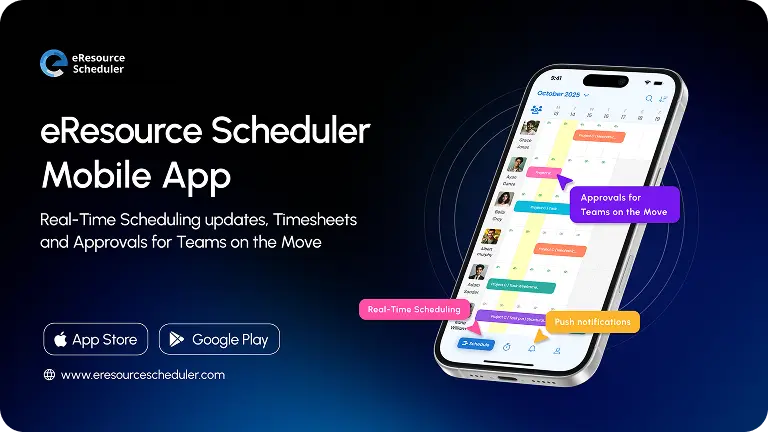
Site teams get the same view. When auditors can update schedules from their phones, a moved inspection reaches the office in minutes, not after Friday’s status email. A shared plan still has to survive real life, though, and real life keeps changing it.

A client pulls a handover date forward by two weeks, or a site manager resigns, or an inspection slips because of rain. In a spreadsheet, each of these means reworking the plan by hand. In scheduling software, you see who has free hours, who has the right skill, and which project slips if you borrow someone.
Urgent changes also pull your attention away from longer plans. A live schedule shows what a quick fix does to next quarter’s commitments, so you make the trade with your eyes open. Faster responses save hours, and hours cost money, which is why the finance director started asking questions.
Three months in, the finance director wanted to know whether the time savings had reached the budget. They had, in three places: overtime, estimates, and idle hours.
Overtime is the most expensive way to fix a scheduling mistake. A project slips, the people nearest to it work late, and nobody budgeted for these hours. Scheduling software shows you overloaded people before the crunch, and it shows who has spare hours to take part of the load. Here are the consultancy’s numbers for its 60-person delivery team.
| Input | Before | After |
| Delivery Team Size | 60 people | 60 people |
| Overtime Hours (Per Person/Week) | 5 hrs | 3.5 hrs |
| Team Overtime Hours/Month (4 Weeks) | 1,200 hrs | 840 hrs |
| Overtime Cost/Hour | $45 | $45 |
| Monthly Overtime Cost | $54,000 | $37,800 |
At an assumed 30% cut, the team saves $16,200 a month, or $194,400 a year. A weekly hour limit per person helps too. You see a booking that pushes someone past it before it happens, not in next month’s payroll report.
Overtime is the visible cost. A quieter one starts earlier, at the quote.
Most bad estimates come from memory. Someone says, ‘This took about six weeks last time’, and the quote is set. At the consultancy, this sentence preceded a site-supervision quote.
Scheduling software records planned and actual hours by project, role, and person, so a similar job comes with real numbers attached. Many firms skip actual hours because of common time tracking myths, and every quote then becomes a guess.
Better quotes protect your margin on the way in. The last cost hides in the calendar itself, in hours that nobody bills.
Idle time is easy to miss in a spreadsheet and hard to ignore in a live schedule. Deltek’s 2026 Clarity study of 896 architecture and engineering firms found utilization slipping to just under 60%, staff growth of only 1.2%, and staff turnover above 13%. Firms that cannot grow their teams have to get more from the hours they already pay for.
The consultancy started at 58% billable utilization across its 190 billable consultants. Seeing open gaps weeks ahead let the planner fill them with planned work, and utilization rose to 63% within two quarters. Five points across 190 consultants, at about 1,800 available hours each, is roughly 17,100 more billable hours a year, worth about $1.7 million at a blended $100 rate.
Myth: A fully booked schedule means a healthy business.
Reality: Running everyone at full capacity slows teams down, because any surprise has
nowhere to go. Aim for a healthy middle, with room left to absorb change.
These gains trace back to one change in how the firm plans its week, so it is worth seeing this change up close.
Here is how Sunday night plays out at the consultancy today. The planner works in eResource Scheduler, where people, skills, availability, and project demand sit in one schedule. The lead auditor’s double booking shows up on Friday, which leaves time to swap in one of the other three certified auditors before anyone loses a weekend.
The same schedule also fixes everyday booking mistakes. A lead checks real availability before promising a start date. A manager sees which weeks are already crowded before approving leave. Neither needs a phone call. It connects to tools you may already use, such as Jira and Slack, through eRS integrations. Nobody types the same update twice.

A schedule that flags clashes on Friday is a real gain, but it has limits, and you should know where the software stops.
Resource scheduling software gives you one reliable view of your people, skills, and workload. This view is only as good as the data behind it. If nobody enters leave dates or updates project changes, the schedule will be wrong, just in a nicer layout.
The software will not settle arguments about which project matters most, either. This is a leadership call, and the software gives you the facts to make it quickly. Adoption is the other half. A tool nobody opens is just a more expensive spreadsheet.
If you ticked three or more, start by comparing resource scheduling tools side by side against your team size, industry, and budget. Look for enterprise-level depth in skills, capacity, and cost views at a price a mid-sized firm can justify.
The consultancy ran the same comparison, then faced a harder question: how to roll the tool out without upsetting anyone.
Changing how the firm books time goes more smoothly in small steps. A pilot with one team gives you proof before you ask everyone else to change. It also helps with balancing short-term and long-term goals.
The consultancy began with its 25-person audit and inspection group, and you can borrow the same approach. Follow these steps:
1. Pick one team or project group for the pilot.
2. Clean the data and load people, skills, and current bookings.
3. Agree on the rules: how leave is entered and who approves requests.
4. Run the pilot for one full project cycle.
5. Move to the next team once the first one trusts the schedule.
Pro Tip
Name the schedule owner and set a fixed update day, such as Friday. Give the owner the authority to say,
‘If it is not in the schedule, it is not booked’.
When the pilot ends, review three numbers: hours spent on planning, overtime hours, and the gap between estimated and actual effort. If all three improved, you have your case for a wider rollout. If they did not, you found the gap cheaply, on one team instead of 240 people.
Hiring another auditor would not have saved Sunday night. The firm already had four certified auditors, consultants with open weeks, and a team that worked late to cover the gaps. What it lacked was a way to see who was free, and the spreadsheet kept this answer hidden.
This is why visibility matters beyond the hours it saves. Every big call in a project firm is a question about capacity.
Answered by instinct, each one is a gamble. Answered from a live schedule, each one is a quick check.
Think about the last decision in your firm that depended on knowing who was free. If the answer came from a guess, a phone call, or a file nobody trusted, a live schedule will pay off first.
1. What is the difference between resource scheduling and project scheduling?
Project scheduling plans the work: tasks, deadlines, and dependencies. Resource scheduling plans the people and equipment behind it: who is free, who has the skills, and what each assignment costs.
2. How do you measure the ROI of resource scheduling software?
Turn the three pilot numbers into money: planned hours at your hourly cost, overtime hours at your overtime rate, and gap estimate at the margin loss. Add them up, subtract the software annual cost, and divide by this cost. Use timesheet data, not guesses.
3. Is resource scheduling software worth it for mid-sized firms?
Usually yes, once several projects compete for the same people. A spreadsheet cannot track every booking, skill, and leave date for 100+ people. Smaller teams can manage with a shared sheet and a clear owner.
4. How long does it take to see results from resource scheduling software?
Time savings come first. Clashes surface and planning speeds up within weeks, once one team trusts the schedule. Overtime and margin gains take longer, because they appear only after bookings become timesheets and a full project closes. Judge the pilot after one project cycle.
5. What data do you need before you start using resource scheduling software?
Gather five things: working hours, skills and certifications, leave dates, current project bookings, and cost rates. If cost rates are not ready, start with the first four.



Plan Smarter. Schedule Faster. For Free.
Join thousands already using eResource Scheduler to align teams, time, and tasks seamlessly.
 ALL FEATURES INCLUDED