Learn more
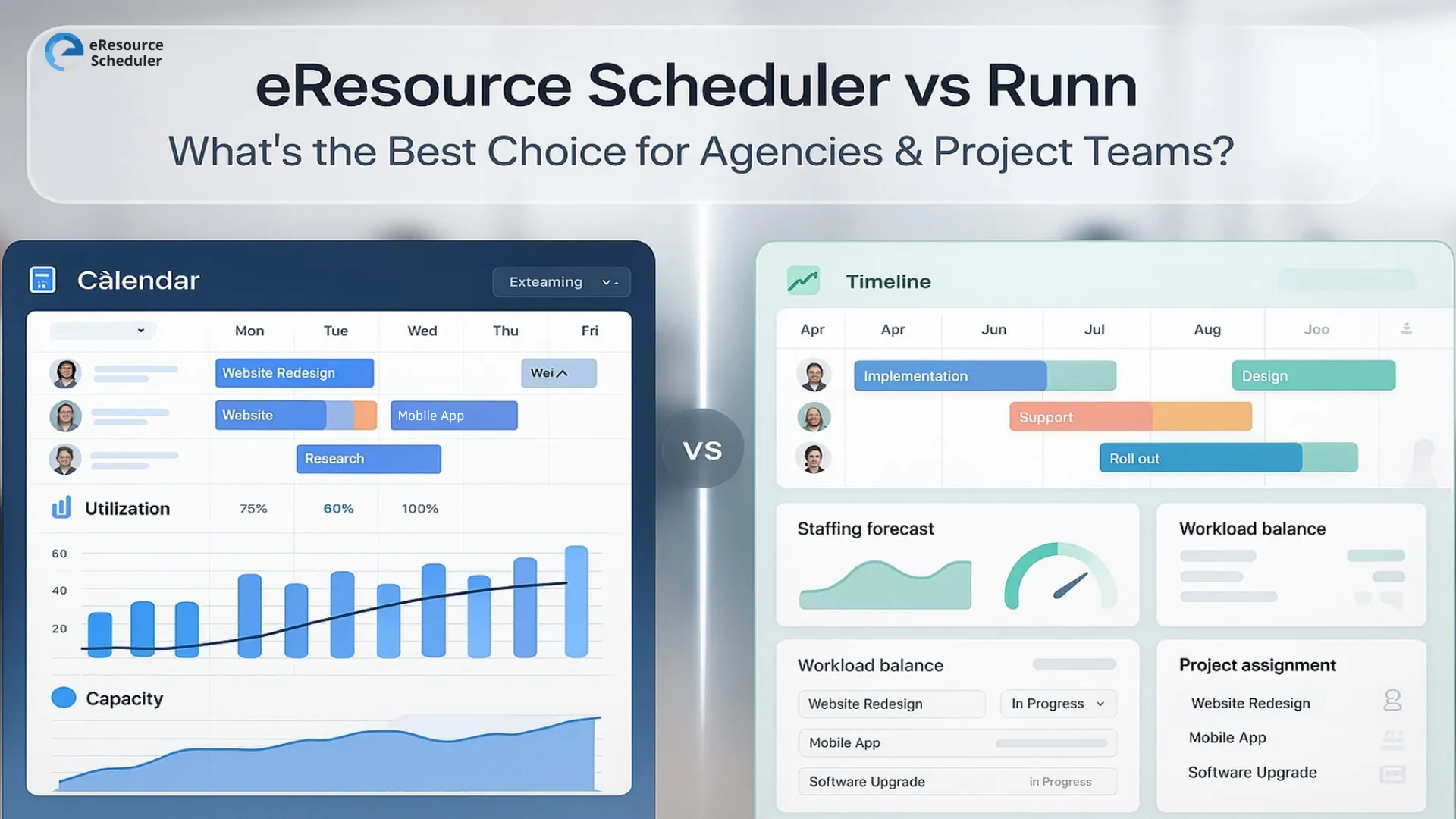
If you are hunting for smarter ways to plan people and projects in 2026, eResource Scheduler vs Runn is probably already on your radar. Both sit in that sweet spot of proper resource scheduling software that stops your team from living inside fragile spreadsheets and mystery Google Sheets. Think less “who messed up this formula” and more “everyone knows what they are working on next week.”
eResource Scheduler leans into detailed scheduling, utilisation, timesheets, and financial views so agencies and project teams can see the full picture, not just a pretty timeline. Runn focuses on clean, forward looking planning that makes it easier to answer the big question: do we actually have the capacity for all this work?
In this guide, we keep things simple, honest, and slightly no nonsense. You will see where each tool shines for agencies and project teams and how to choose the one that actually fits the way your team works.
eResource Scheduler — Brief Overview
eResource Scheduler is a resource management software built for teams that live and breathe
projects. It gives agencies and project teams one clear place to see who is working on what, when they are
free, and how busy the next few weeks look. Instead of piecing things together from scattered sheets, you get
scheduling, utilisation, timesheets, and financial impact in a single view that actually makes sense.
It works well for teams that want structure without losing flexibility. Whether you handle client projects, internal work, or a mix of both, the tool is designed to help you plan capacity, assign work with intent, and keep an eye on margins and workloads. In short, it aims to be a strong option for agencies and project teams that want a serious, long term home for their planning.
Runn — Brief Overview
Runn is a resource planning and forecasting tool that focuses on giving teams a clear, simple view
of who is booked, what projects are coming up, and how workload may shape up over the next few weeks and
months. It presents people, projects, and availability in a visual timeline so teams can understand their
overall capacity at a glance.
It usually suits teams that want a lighter, high level take on planning rather than very detailed operational control. For agencies and project teams that care most about forward planning, quick answers on “can we take this work” and broad capacity signals, Runn can act as a straightforward way to think about upcoming demand and available hours without getting too deep into every detail.
At a high level, eResource Scheduler operates as a full planning system that combines scheduling, time, and financial insight in one place, while Runn focuses more on being a lighter forecasting tool for forward looking capacity checks. eResource Scheduler is better for agencies and project teams that want one central system for planning, time, and financials.
eResource Scheduler sits in that space where scheduling tools for teams stop feeling basic and start feeling like a proper planning system. You still get a clean schedule, but there is a lot more happening underneath for agencies and project teams that care about utilisation, capacity, and margins.
See your whole team and workload in one schedule
The schedule is the core of eResource Scheduler. Once you add your people, roles, projects, and other resources, this is where you can
You open the schedule and you get a clear picture of what this week and the next few weeks actually look like.
Keep utilisation and capacity under control
Instead of guessing who is overloaded, you get clear utilisation and availability views. These help you
For many agencies and project teams, this is where planning starts to feel less like a guessing game and more like a real process.
Link planned work with timesheets and financials
eResource Scheduler connects the schedule with timesheets and financial views so plans do not drift away from reality. You can
This makes it easier to explain decisions to leadership using numbers, not just instincts.
Shape the tool around the way your team works
A big part of the appeal is that eResource Scheduler can be shaped around your setup instead of forcing you into a rigid template. You can
Put together, these features make eResource Scheduler feel less like a simple calendar and more like a control room for agencies and project teams that want one place to plan work, track effort, and understand business impact.
Runn approaches the same problem with a strong focus on forward planning. It is often seen as project forecasting software that also covers everyday scheduling. The main goal is to make it easy to see
You work from a visual timeline that shows people, projects, and capacity. From there, you can adjust dates, reassign work, and see how those changes affect the next few weeks or months.
For many teams, Runn feels straightforward and quick to read. You can
Runn leans more toward planning and forecasting than deep timesheet or financial workflows, which some agencies and project teams like when they want a clear, high level view of capacity without too much extra detail.
Pricing is where things get real. Both tools use subscriptions, but eResource Scheduler lets you build your own stack with modules, while Runn prices mainly per person.
| Pricing view | eResource Scheduler | Runn |
|---|---|---|
| Entry point on monthly billing | Scheduling module from $5 per resource per month | Starter plan from $10 per person per month |
| Extra modules and add ons | Scheduling Plus $2, Timesheets module $4, Financial module $3, Authentication Plus $1.6 per resource per month | Professional plan at $14 per person per month for organisations under one hundred employees. Premium plan with custom pricing for larger teams |
| Example full planning setup | A team using Scheduling, Timesheets, and Financial modules pays $12 per resource per month, with optional add ons if needed | A team on Professional pays $14 per person per month, with Starter available for simpler needs |
| Free trial | Free trial so you can test modules with real projects and your actual team before deciding what to keep long term | Free trial so teams can explore the planning and forecasting experience before choosing a tier |
| How to get an exact figure | Share your resource count and required modules to get a personalized quote for your setup | Use the pricing page to estimate cost based on team size, then refine with their sales team if needed |
In the end pricing is less about one headline number and more about what you get for it, from the modules you switch on to how central you want your planning system to be in 2026.
By this point you can probably feel that both tools are strong, they just lean in slightly different directions. This quick view helps agencies and project teams match their reality with the right option in 2026.
| Scenario or team type | eResource Scheduler | Runn |
|---|---|---|
| Multi project professional services teams | Very strong fit | Works, if you keep things lighter |
| Agencies juggling many clients and campaigns | Strong choice when you want deeper control and visibility | Solid option when you want a clean high level view |
| Small teams that need simple scheduling tools for teams | Can work, but the depth may be more than you need | Often a comfortable fit for smaller, fast moving teams |
| Teams that need deep financial and utilisation visibility | Designed to support this in detail | Limited, usually handled in other systems |
| Teams that live in forecasting and future demand | Handles this along with capacity planning and reporting | Plays strongly here as a planning and forecasting layer |
For agencies that see themselves as serious users of agency resource planning tools and want one place for scheduling, utilisation, timesheets, financials, and reporting, eResource Scheduler will usually feel like the more complete fit.
For teams that mainly want a clear, simple way to look ahead and treat the tool as project forecasting software on top of their existing stack, Runn can be a comfortable match. In the end the best choice is the one that matches your team size, planning style, and how central you want your resource planning system to be.
Sometimes it helps to see everything on one screen rather than trying to hold the whole article in your head. This table gives a quick overview of how eResource Scheduler and Runn line up for agencies and project teams in 2026.
| Category | eResource Scheduler | Runn |
|---|---|---|
| Scheduling | Advanced, detailed views for people, projects, and resources | Good, clear timeline focused on who is booked and when |
| Capacity planning | Strong support for short term and long term views | Present, with a strong focus on forward planning |
| Timesheets | Built in and connected directly to scheduled work | More limited, usually handled in other tools |
| Financials | Extensive, with support for cost, billing, and margins | Basic at best, not usually the main focus |
| Reporting | Comprehensive, with multiple views for leaders and teams | Focused, with lighter insight compared to full reporting |
| Best fit | Medium to large project based teams that want a central system | Agencies and teams that want a lighter planning and forecasting layer |
If resource capacity planning software and deeper financial visibility sit at the centre of how you run projects, eResource Scheduler will usually feel closer to what you need. If your main priority is a clean view of future workload and a simple way to think about upcoming projects, Runn can work well as a planning and forecasting layer on top of the rest of your stack.
If you are comparing these two tools in detail, you are already in a small group of teams that take utilisation, capacity, and margins seriously in 2026. You are not just trying to get out of spreadsheets, you are trying to build a planning setup that actually supports how your agency or project team runs. That alone puts you ahead of a lot of teams who still treat scheduling as an afterthought.
For many organisations that want one place for scheduling, utilisation, timesheets, financials, and reporting, eResource Scheduler often feels like the natural home because it is highly configurable and built to sit at the centre of delivery. Runn, on the other hand, tends to suit teams that mainly want a lighter planning and forecasting layer on top of other tools. Once you are clear on which of those sounds more like your world, the decision usually becomes a lot less confusing.
When you strip everything back, the choice between eResource Scheduler vs Runn comes down to how you want to run projects in 2026. If you see your planning tool as a central control room that needs deep scheduling, timesheets, financials, and reporting in one place, you will lean one way. If you want a lighter layer that gives you a clean forward view on workload and pipeline, you will lean the other way.
Tools like eResource Scheduler are resource management software for project based teams that want clear utilisation, capacity views, and financial impact in one place rather than spread across different spreadsheets and systems. That is why it often becomes the long term choice for agencies and project teams that are ready to treat planning as a proper part of delivery, not just a calendar exercise.
If you are still on the fence, the simplest move is to see it in your own world. Book a free demo, invite your team into the product, or book a live demo with your real projects and workload on the screen so you can decide after you have seen how it behaves with your actual work.
1. Which is better eResource Scheduler or Runn?
It depends on what you want your planning tool to do. eResource Scheduler suits teams that want one central system for scheduling, utilisation, time, money, and reporting. Runn suits teams that mainly want a lighter planner that shows future workload and pipeline without too much extra detail.
2. What is the difference between eResource Scheduler and Runn?
eResource Scheduler is a highly configurable planning platform with modules for scheduling, timesheets, financials, and reporting. Runn focuses more on a simple timeline and forecasting view so you can see who is booked and when new projects can start. One feels like a control room, the other feels more like a planning layer.
3. Is eResource Scheduler good for agencies and project teams?
Yes. eResource Scheduler is built for teams that run many projects at the same time and need clear visibility of people, capacity, and margins. Agencies and project based teams use it when spreadsheets are not enough and they want a tool that can grow with more structure and modules over time.
4. Can small teams use eResource Scheduler or is Runn easier?
Small teams can use either tool. If you only need a quick way to see who is busy next week, Runn can feel very simple. If you want to start small but grow into better utilisation views, timesheets, and financials as you scale, eResource Scheduler is usually the smarter long term choice.
5. How do I choose between eResource Scheduler and Runn for my team?
Ask how central you want this tool to be. If you want one place to plan work, track hours, see costs, and report on utilisation, eResource Scheduler will normally fit better. If you mainly want a clear forward view of workload and are happy to keep deeper detail in other systems, Runn can work as a lighter option.

Plan Smarter. Schedule Faster. For Free.
Join thousands already using eResource Scheduler to align teams, time, and tasks seamlessly.
 ALL FEATURES INCLUDED